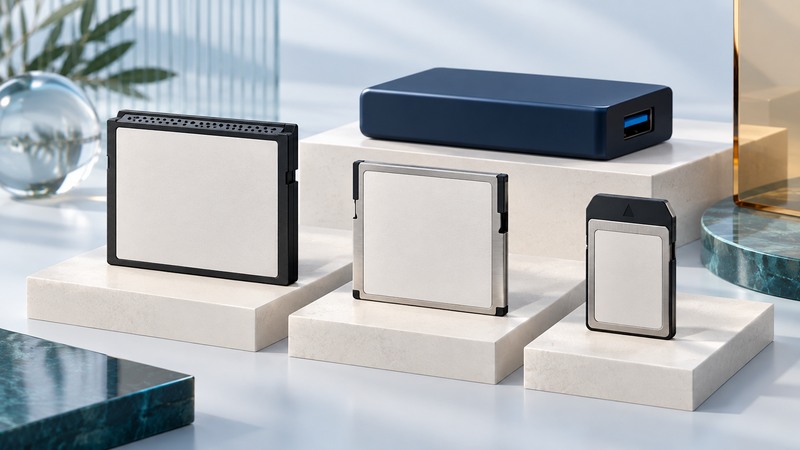
Choose a memory card by its exact family, the device that will use it, and the recording task. CompactFlash, CFast and CFexpress have similar names but different interfaces. For existing cards, protecting the files comes before formatting, speed testing or shopping for a replacement.
Identify the card before choosing a reader
Read the full label on the card and the slot or device manual. Photograph both before buying accessories. The CompactFlash Association’s card-family descriptions distinguish the interfaces below; a shared brand name or a similar outline is insufficient to establish compatibility.
On narrow screens, focus the table and use the arrow keys or swipe to see every column.
| Label on the card | Interface | What to verify |
|---|---|---|
| CompactFlash / CF | Parallel ATA | Device support for the card’s capacity and physical type; a reader explicitly supporting CF. |
| CFast | Serial ATA | A CFast slot or reader. A CompactFlash reader is a different product. |
| CFexpress Type A | PCIe and NVMe | Type A support in both the host and reader. |
| CFexpress Type B | PCIe and NVMe | Type B support. An XQD-shaped slot needs explicit CFexpress support. |
CFexpress Type B shares dimensions and a connector with XQD, and some XQD cameras gain support through firmware. Check the camera manufacturer’s exact model guidance. A Microdrive is a miniature rotating hard drive that can resemble a CF card; identify it before applying flash-card assumptions.
Match the device, capacity and recording mode
- Write down the camera or instrument model, firmware version, card family and required capacity. Include the video codec, resolution and frame rate if recording video.
- Use the device manufacturer’s supported-media list. Check the precise card series and capacity; two capacities sold under one family name may have different performance.
- Check reader specifications independently. A reader must support the card family, and its connection to the computer must suit the intended transfer rate.
- Test a new supported card with expendable material in the actual device and intended mode. Review the recording for errors before relying on it for irreplaceable work.
Lexar’s 2026 compatibility guide illustrates why the details matter: it separates camera recommendations from Lexar testing and lists firmware and recording-format conditions. Use it for the listed Lexar products, alongside the camera maker’s instructions.
Read speed claims in the right units
Recording depends on sustained writing; a large advertised read number mainly concerns offloading. CFA’s Video Performance Guarantee guidance explains the minimum sustained write classes and their profile requirements. VPG800 or VPG1600 alone does not establish support for a mode requiring the older VPG200/400 profile. Look for the required profile, including dual certification when applicable, and consult the certified-card list.
Illustrative bitrate calculation: a 400 Mb/s stream is 400 ÷ 8 = 50 MB/s. Over 20 minutes, that payload is 50 × 1,200 = 60,000 MB, or 60 GB in decimal units. Allow room for the camera’s overhead, variable bitrate and operational margin. This calculation estimates space and payload rate; the camera’s supported-media requirements still determine the card.
Copy, verify and then release the card
- Assign the card an identifier and create a destination folder named for the job and card. Copy the full directory structure so sidecar files and clip relationships travel together.
- Use a copy tool that verifies file contents, or compare a per-file cryptographic checksum such as SHA-256 between source and destination. Record relative paths, file counts, bytes and any errors. A matching checksum establishes byte equality for that comparison.
- Open representative photographs and play complete sample clips with the software that will use them. A correct copy can still contain a damaged original or an unsupported format.
- Make and verify a second copy on independent storage. Keep the source card unchanged until the responsible person accepts both copies and any outstanding errors.
- Only then reuse the card according to the device manual. If the computer offers to initialize an unreadable card containing needed files, cancel and preserve it for diagnosis.
A normal offload assumes a stable, readable card. Repeated disconnects or read errors call for a recovery decision, not repeated whole-card stress tests. Use the card offload record (plain text) to track verification and the release decision. See portable storage planning for the destination drives.
Historical flash-memory and accessory coverage
These earlier Yenra reports document cards, readers, embedded memory and accessories from their original publication periods. Their product availability, prices and performance claims are historical; use current device documentation for purchasing and compatibility.
Cards and flash technologies
- iNAND Flash Memory Module
- SxS Memory Cards
- High Density NAND Memory
- SD USB
- TransFlash Memory Card
- Shoot and Store
- Mini SD
- SanDisk Extreme
- Historical SD-card speed announcement
- Dual Voltage Memory Card
- SD Memory
- Mini SD Card
- Earlier CompactFlash card coverage
- Lexar High Speed Compact Flash
- PNY Compact Flash
- San Disk Compact Flash
Readers and connectivity
- Multi-Card Readers
- Card Reader
- 6 in 1 Card Reader
- Compact Flash Wireless LAN Adapter
- Linksys Wireless CompactFlash Card
Portable software and USB products
- Historical rugged USB-drive announcement
- FlashDisc
- Digital Swiss Army Knife
- Computer on a Stick
- gruvi Music Cards
- U3
- Swivel Flash Drives
- USB Flash Drive
For current resources, browse the computer hardware guides.