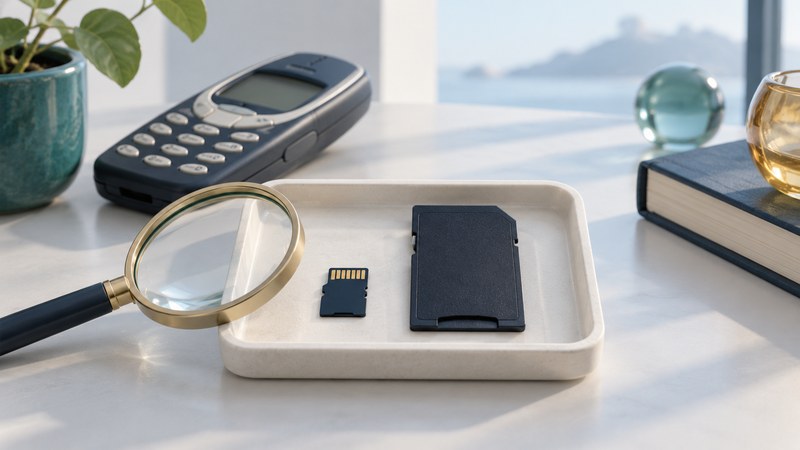
TransFlash, often shortened to TF, is the earlier name associated with the card format standardized as microSD. For an old phone or a modern device marked “TF,” identify the card’s capacity family and the host’s documented limits before choosing a replacement.
What the TF name tells you
The SD Association’s microSD history describes its development as TransFlash and adoption as microSD in 2005. That history explains the naming connection; it does not make every newer high-capacity card compatible with an early handset.
Record the full label, including capacity, HC/XC/UC suffix if present, and any speed symbols. Photograph both sides and note the device that used the card. A seller’s generic “TF card” description leaves important details unresolved.
Separate the adapter from the host
On a narrow screen, swipe the table or focus it and use the arrow keys.
| Check | Evidence to collect | What a successful check establishes |
|---|---|---|
| Physical format | Card label, shape and documented slot or adapter | The intended mechanical connection |
| Capacity family | Card suffix/capacity and host manual | The host understands that card family |
| Task support | Device firmware, recording mode and media requirements | The combination is suitable for the intended use |
A conventional microSD-to-SD adapter presents the small card to a full-size SD slot. It does not turn an SDXC card into an SDHC card. Check the reader’s documented family support as well as its adapter slot. For the capacity ranges, use the SD compatibility guide.
Choose storage for the device’s actual purpose
For a camera, dashcam or recorder, identify the exact recording-mode and endurance requirements. For a phone, check whether the slot is for portable files, application storage, or both. Manufacturer and operating-system support determine what can be stored there.
Android distinguishes portable storage from adoptable storage, which is formatted and encrypted for use with a particular device. If a card was adopted by a phone, preserve access to that phone and its supported export path. Moving the bare card to a reader may not yield usable files.
Use the speed-label guide when the host calls for a particular video or application class. Select by the documented workload and exact card, rather than treating a phone-oriented marketing name as a technical specification.
Retrieve files with a documented reading path
- Check whether the original phone or device still reads the files. Record its model and any working export method before changing settings.
- For a portable, stable card, use a reader and adapter explicitly supporting the card. If a format or initialization prompt appears, cancel.
- Copy the complete folder structure to a new destination named for that device or card. Keep originals separate from converted or edited copies.
- Compare file paths, counts and bytes, then verify file contents where practical. Open representative photos, recordings and documents.
- Make an independent second copy before deciding to reuse the card. For unreadable or unstable media, stop routine copying and assess recovery options.
Record which files need old software or the original device. A successful copy of encrypted or proprietary data can preserve the bytes while leaving an access problem to solve. Keep that distinction in the handover notes.