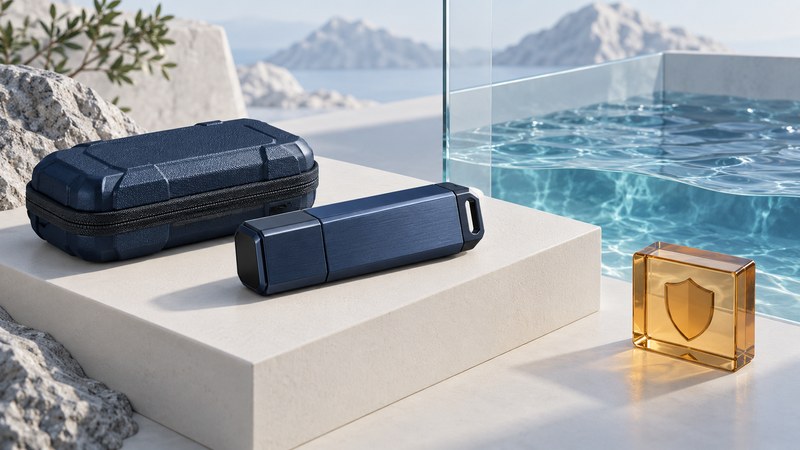
Choose a rugged USB drive by matching its documented conditions to the trip or workplace. Record the exact model, enclosure rating, cap state and operating limits first. Then check how you will unlock it on the receiving computer and recover the files if the drive is lost.
Turn a ruggedness claim into a usable specification
A useful requirement describes an event: a capped drive travels in a bag during rain, a connector is exposed while transferring indoors, or a drive is stored overnight in a cold vehicle. Each situation asks a different question of the manufacturer. Save the datasheet revision and relevant footnotes with the model and part number.
On a narrow screen, swipe the table or focus it and use the arrow keys.
| Specification | Evidence to record | Practical decision |
|---|---|---|
| Water and dust protection | Exact rating, test conditions, cap or cover position and exclusions. | Keep use within the documented conditions; ask the maker about an unspecified exposure. |
| Operating temperature | Range while the device is powered and transferring. | Confirm the work location fits this range. |
| Storage temperature | Range while stored, plus any preparation before use. | Treat this as a separate transport and storage limit. |
| Shock, drop or vibration | Test method, height or severity, mounting and device state. | Check that the stated test resembles the intended handling. |
| Unlocking and software | Supported host OS, required app, permissions and recovery policy. | Test access on the actual destination before departure. |
Words such as “rugged” are an invitation to read the details. If depth, duration, water type, connector state or powered operation matters to your use, obtain a clear answer for that exact model. Avoid conducting an improvised immersion test on your working copy.
Worked example: reading a manufacturer’s footnotes
The Kingston IronKey D500S datasheet (PDF), checked October 5, 2026, separates operating temperature (0–50°C) from storage temperature (−20–85°C). It also lists IP67 in the specification table, while footnote 1 describes IPX8 certification with the cap on and requires the product to be clean and dry before use.
Record both rating statements and request the applicable immersion conditions from Kingston before relying on a specific depth or duration. The two labels alone do not supply a complete use case. The same datasheet identifies hardware encryption and flags limited Linux feature support. Check the current user manual for your host and required features.
Check access protection separately
Encryption is useful when someone obtains the drive without permission. Your operating plan still needs an authorized person who can unlock it on a supported computer. Before travel, test an expendable file through the complete cycle: unlock, read, safely eject, reconnect and unlock again. Include the recipient’s computer if you are handing over files.
- Identify whether unlocking uses a keypad, a host application or another documented method. Confirm operating-system versions and administrator requirements.
- Read the exact failed-password, reset and recovery behavior. Some security workflows erase access to data during reset; keep recovery information separately and follow the product manual.
- Decide who may unlock the device and where the credentials will be kept. Record the location of recovery instructions without putting passwords in a worksheet stored beside the drive.
- Use a trusted host for sensitive files. Once unlocked, files are available to that session; the enclosure’s protections do not replace the computer’s security.
Build a field handoff with a second copy
- Keep a verified copy on independent storage in another location before the trip. Include originals and any instructions needed to interpret them.
- Inspect and close covers as the manufacturer directs before transport. Choose a carrying arrangement that suits the actual exposure and protects connectors.
- Transfer in conditions supported by the manual. If the drive becomes wet or damaged, disconnect it from the workflow and obtain model-specific guidance before reconnecting.
- Check the received files, safely eject the drive and confirm that the independent copy remains accessible. After a change of host OS or unlocking software, repeat the access test.
Use the rugged-drive specification record (plain text) to keep the environmental evidence, unresolved questions, access test and backup location together. Mark an unanswered requirement as unresolved rather than filling it with an assumed rating.