Find a starting point, solve an operating problem, or understand the history behind a Linux system. Each guide below explains what to check, how to interpret the evidence, or where a technology fits.
Start and learn

Debian GNU/Linux: Choose, Install, and Maintain a Stable System
Choose a Debian release, prepare hardware and backups, and plan installation, routine updates and release upgrades.
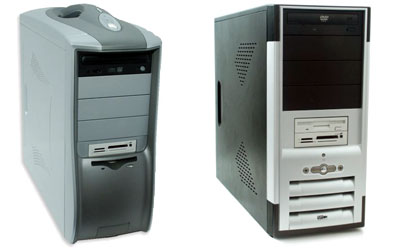
Linux PCs
Evaluate Linux hardware, certification, firmware, peripherals and support before buying or installing.
Understanding the Linux Kernel
Understand how the kernel manages processes, memory, devices, files, networks and isolation.

Red Hat Linux and the Fedora Project
Trace Fedora's origins and understand its community, upstream role and different operating-system editions.
Run and maintain systems

Linux Kernel Updates: Versions, Drivers, and Recovery
Identify running and installed kernels, prepare driver and boot checks, and recover from update regressions.

Red Hat on HP and HPE Servers: Certification and Support
Verify the exact server, RHEL release, firmware and support contract before deployment or an operating-system upgrade.

Linux Enterprise Desktops: Plan a Pilot Before a Rollout
Plan a pilot around applications, documents, hardware, identity, support and clear acceptance tests.

Linux Web Applications: Deploy a Small, Maintainable Service
Follow a small Debian web-service example through process management, a reverse proxy, HTTPS and recovery planning.

Running a CMS on Linux: Choose and Maintain the Architecture
Compare database-backed, flat-file and static publishing; test editorial work and complete restores.

Linux Standard Base and Application Compatibility Today
Understand ABI boundaries and investigate Linux loader, library, architecture and packaging mismatches.
Protect systems and data

Linux Data Recovery
Prioritize preservation, imaging and recovery from copies across damaged filesystems, disks and storage layers.

Secure Linux and SELinux
Understand SELinux enforcement, labels, policy and its role alongside other Linux security measures.

Linux Security Certification
Read Common Criteria certificates, assurance levels and the configuration limits of a security evaluation.

Open-Source Licenses: A Practical Compliance Workflow
Build a component inventory, examine license obligations and assemble evidence for a software release.
Databases and large-scale computing

IBM Db2 on Linux: Availability, Scaling, and Recovery
Compare Db2 HADR, pureScale and database partitioning, then define recovery targets and test the complete application.

Red Hat Container Storage: Persistence and Migration Planning
Understand persistence, access modes, failure domains, backups and migration planning for older container storage.

High-Performance Linux: Find the Bottleneck Before Tuning
Measure CPU, memory, NUMA and storage evidence before changing a workload's configuration.

How a Linux HPC Cluster Runs a Job
Follow a Slurm job through compute nodes, parallel tasks, result checks and a worked scaling comparison.

Linux Supercomputers: Architecture and Performance Explained
Read supercomputer specifications and benchmarks, distinguish peak from measured performance, and compare time and energy for a real workload.
Devices and communication

Linux Email Clients and Mulberry
Compare Linux email workflows, IMAP, offline search, authentication and desktop integration through Mulberry's legacy.

Linux Phones
Explore Android and alternative mobile Linux systems, application needs, hardware support and practical tradeoffs.

Archos Pocket Media Assistant: Linux Handhelds and Media Preservation
Understand the PMA400's place in Linux handheld history and preserve accessible files through copying, verification and format documentation.

IP Video Phones and Broadband Video Calling
Understand how embedded Linux, codecs and IP signaling helped video calling move from appliances into everyday software.
History and legacy systems

Red Hat Linux 9: History, Identification, and Legacy Study
Identify the 2003 Red Hat Linux release, distinguish it from RHEL 9, and plan a bounded lab or application migration assessment.

Red Hat Linux 8 Bible: Using a Vintage Linux Reference
Identify Christopher Negus's 2002 book, separate lasting Linux concepts from release-specific instructions, and build a verified learning notebook.

Novell and Linux: SUSE History and Legacy-System Planning
Understand the Novell and SUSE connection, distinguish product families, and identify the support and migration path for a legacy system.

SCO, Linux, and Copyright: Reading the Historical Evidence
Follow the SCO–Novell ownership dispute through the courts and distinguish allegations, advocacy, rulings and software-license obligations.