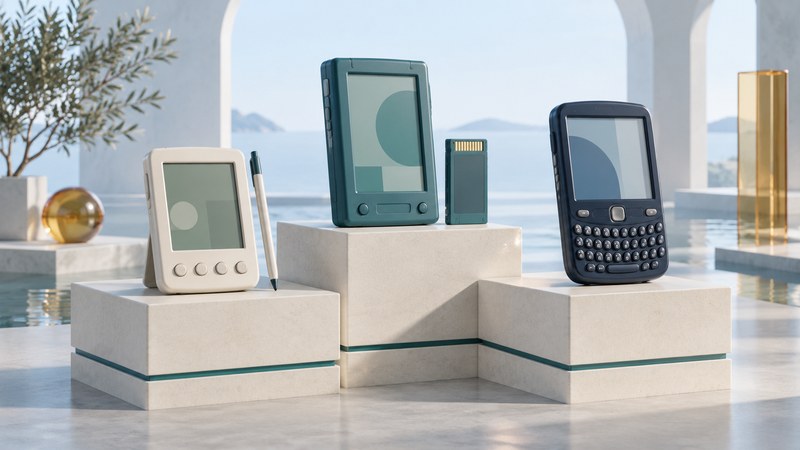
“Palm Pilot” is often used loosely for a whole era of pocket organizers. To identify a device accurately, separate three things: the company printed on it, the product family and the operating system. Palm, Handspring, PalmSource, Zire, Tungsten and Treo describe different parts of that story.
A family map for the names on the case
Palm OS was the software platform used by Palm and licensees. Palm and later palmOne were hardware-company names during parts of the period. PalmSource developed and licensed the operating system after the businesses separated. Handspring was a separate company whose Visor organizers and early Treo communicators used Palm OS.
Scroll the table horizontally to see every column. Keyboard users can focus the table region and use the arrow keys.
| Name | Place in the family | Useful identification question |
|---|---|---|
| Pilot / PalmPilot | Early pocket organizers associated with the platform’s mass-market arrival. | What exact model appears on the label and in the device information? |
| Zire | A Palm organizer family spanning different price and feature levels. | Which numbered model is it? Start with the historical Zire profile. |
| Tungsten | A Palm handheld family with model-specific input, display and connection features. | Which suffix is present? The Tungsten T profile covers one member. |
| Handspring Visor | Palm OS organizers associated with Springboard expansion modules. | Which Visor and which installed module? See the historical Visor overview. |
| Treo | A communicator and smartphone family spanning Palm OS and Windows Mobile devices. | Which model, carrier variant and operating system? Compare the Treo 600 developer-era profile with the Windows Mobile Treo announcement. |
| Sony CLIE | A separate manufacturer’s Palm OS handheld family. | Which model and software bundle? The UX50 and UX40 profile is one historical example. |
These linked model articles are historical profiles, with period specifications and services. Use them to orient a search, then match the device to its own manual. Palm’s 2003 annual report describes the Zire and Tungsten families and their Palm OS basis. Family membership alone leaves individual hardware and application compatibility to be checked.
Handspring’s Visor user guide, preserved manufacturer PDF, explains its Springboard slot and module handling. An expansion module belongs to a documented device ecosystem: its physical shape, software and power requirements matter as much as its advertised function.
A short timeline of the important separations
- 1992: Palm Computing was incorporated. The hardware company’s 2004 annual report records its corporate history, including the subsequent U.S. Robotics and 3Com ownership periods.
- 1996: the Pilot organizer reached the market. Its central proposition was a small organizer synchronized with a personal computer.
- 2003: PalmSource was spun off on October 28; the hardware company acquired Handspring and became palmOne on October 29, as recorded in that annual report. An announcement or shareholder vote earlier in the process should be distinguished from the completed transaction.
- 2005: Palm and Microsoft announced a Windows Mobile Treo. The Treo name would therefore need an operating-system qualifier when discussing software.
- Later Palm smartphones: webOS became another platform associated with the Palm name. HP’s 2010 Palm acquisition announcement describes webOS and the Palm Pre. Identify this branch separately when looking for software or restoration instructions.
The consequence for a collector is practical: company names, device names and operating systems changed on different schedules. A box labeled Palm can belong to a different software environment from another Palm device. An installer labeled for Palm OS needs more information than a familiar logo.
Why the organizer and its desktop mattered together
The Computer History Museum’s PalmPilot exhibit, which includes early artifacts and accounts from Palm’s founders, emphasizes quick organizer functions, pocket size and synchronization. Contacts, appointments, notes and to-do items were central uses. The design worked as a companion to the PC, with a cradle making the exchange of information part of the routine.
Graffiti used learned pen strokes for entering characters. It rewarded familiarity with a defined input system; a stylus also selected controls and moved through the interface. HotSync coordinated exchanges with desktop software through conduits, the software components responsible for particular applications or data. For preservation, this means the desktop setup can be as important as the handheld.
Expansion and communications varied across the family. A Visor with a Springboard accessory, a Palm with a supported memory card and a Treo with phone hardware offered different routes beyond the core organizer. Examine the complete configuration before interpreting what a surviving device could do. A surviving phone radio also needs a compatible service to make calls; functioning organizer software alone does not establish present-day cellular usability.
Identify a device before installing or resetting it
- Record the external evidence. Photograph the model label, connector, expansion slot, buttons and bundled accessories. Keep serial numbers private when sharing the record.
- Record the installed environment if it can be viewed safely. Note the OS and application versions from their information screens. Preserve valuable data before making changes.
- Match a manufacturer manual. Confirm the complete model designation and carrier variant. Look for matching connector and button diagrams as well as the title.
- Inventory the desktop side. Keep the cradle or cable, installer media, desktop backups, conduit names and any available license records together.
- Choose a bounded next task. Reading a memo, exporting contacts and restoring network access require different preparation. Begin with the least disruptive route that accomplishes the goal.
Use the Palm OS software preservation guide for application and backup planning, the Documents To Go guide for old Office files, and the Palm VPN guide for historical network limits. Those pages address different next steps after identification.
Download a PDA identification record to keep the hardware, software, desktop dependencies and sources together. This overview is a guide to interpreting the family, not a claim that every old accessory, installer or network service remains usable.
Explore handheld computing
Handheld computers: work devices, accessories and classic PDAs