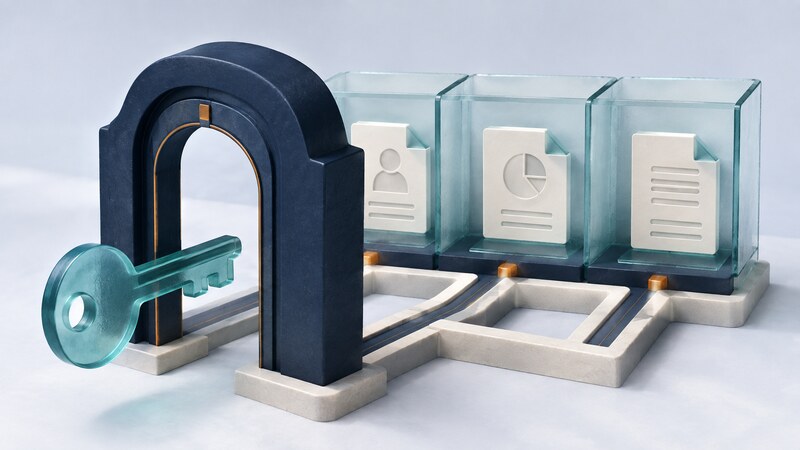
Web access management determines who can enter an application and what they can do once inside. It connects sign-in, session handling, and permission checks across pages, APIs, files, and administrative tools.
AI-assisted development can produce a convincing login screen quickly. A complete implementation must also answer less visible questions: can one customer request another customer's records, does a revoked account retain access, and are exports protected by the same policy as the screen? Start with those rules before generating routes or interface controls.
Separate identity, sessions, and permissions
| Layer | Question | Implementation concern |
|---|---|---|
| Authentication | Who is making the request? | Use the verified identity from an established identity system. |
| Session management | Is that sign-in still valid? | Handle expiry, logout, renewal, and account changes. |
| Authorization | May this identity perform this action here? | Check the operation and resource in the trusted server path. |
A role such as editor does not necessarily grant access to every document. Organization membership, ownership, and document state may also matter. OWASP's authorization guidance recommends denying access by default and checking permissions on every request. Hiding a button does not enforce that policy.
Worked example: a shared project portal
The following Python function models only the decision. Its arguments must come from verified server-side identity and trusted resource records, never from role or organization fields supplied by the browser.
def allowed(user, action, document):
    if user is None or user.get("active") is not True:
        return False
    tenant = user.get("tenant_id")
    if not tenant or tenant != document.get("tenant_id"):
        return False
    permissions = {
        "member": {"read"},
        "editor": {"read", "edit"},
        "admin": {"read", "edit", "delete"},
    }
    return action in permissions.get(user.get("role"), set())

editor = {"active": True, "tenant_id": "A", "role": "editor"}
assert allowed(editor, "edit", {"tenant_id": "A"})
assert not allowed(editor, "edit", {"tenant_id": "B"})
assert not allowed(editor, "delete", {"tenant_id": "A"})
assert not allowed(None, "read", {"tenant_id": "A"})
The application still needs authenticated sessions, trusted record loading, input validation, and consistent enforcement. Apply the decision before returning data or changing state. For a list or export, constrain the entire query to authorized records rather than filtering only the visible first page.
Make session behavior explicit
Use a maintained authentication library or identity provider compatible with the application. Verify its integration rather than inventing a password store or token protocol. Single sign-on can centralize identity, but the application remains responsible for its own resource permissions.
For cookie-based sessions, establish appropriate Secure, HttpOnly, and SameSite settings, expiration rules, and protection against cross-site request forgery. Regenerate session identifiers at relevant authentication or privilege transitions. OWASP's session management guidance explains the separate roles of these controls.
Decide how quickly a removed membership takes effect. If permissions are cached or embedded in a token, they may remain usable until the application refreshes or invalidates them. Test that behavior rather than assuming logout in one tab immediately ends every session.
Use AI assistance to expose missing cases
Implement this project-portal access matrix using the existing authentication framework. Identify every route that reads or modifies a document, including downloads and exports. Derive organization and role from trusted server data. First propose tests for cross-organization access, inactive users, unknown roles, and direct API requests.
Review where checks happen, not just whether a helper exists. An assistant may correctly write a policy function but omit it from an attachment endpoint. Reuse a centralized policy layer and test the actual request paths.
An AI feature inside the product needs the same boundary. A request such as summarize all projects
must retrieve only records the user can access. A model's answer or instructions found in a document cannot grant new permissions. Service credentials and background tasks need an explicit scope of their own.
Verify access with ordinary accounts
Create two test organizations and several roles. Try changing a resource identifier, accessing a download directly, requesting an export, and reusing an expired session. Check that denied writes leave stored data unchanged and that error responses do not expose protected fields.
Log enough context to investigate decisions without recording passwords or raw session tokens. Include the operation, resource identifier, outcome, and request correlation identifier. Review permissions when roles and integrations change.
Does a successful security scan prove the policy is correct?
No. A scanner does not know every business relationship. Combine implementation review with tests derived from the access matrix. The OWASP Top Ten is a useful awareness reference, not a substitute for application-specific verification.
For an application that fronts an older system, connect these checks to the legacy integration contract.