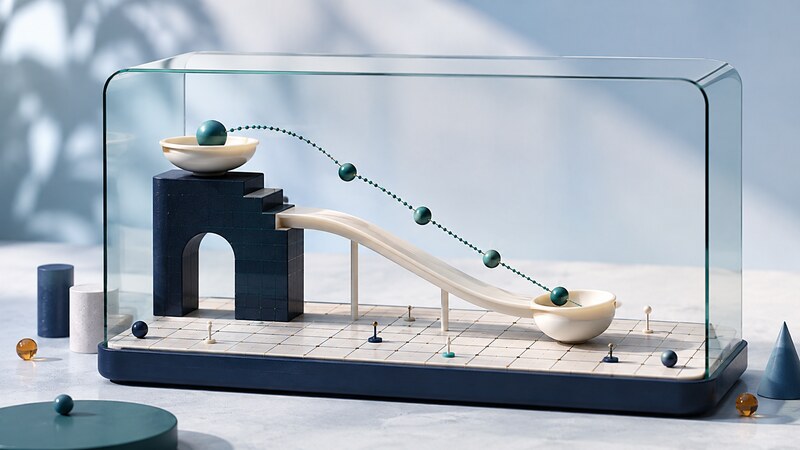
Visual simulation displays a model as it changes over time. It can show motion, traffic, a queue, a manufacturing process, or another system whose behavior is easier to understand when its state is visible.
AI-assisted coding can help assemble controls, scene elements, and a simulation loop. The model still needs defined assumptions, units, and validation. A smooth animation can be numerically wrong; a useful simulation lets readers inspect what changes and why.
Separate the model from its presentation
| Part | Responsibility | Useful test |
|---|---|---|
| State | Store positions, quantities, or entities. | Initial values and units match the specification. |
| Update rule | Advance state for a time step or event. | Known inputs produce expected next states. |
| Rendering and controls | Display results and accept user choices. | Display rate does not alter the intended model behavior. |
Choose the simplest model that answers the question. A queue may need discrete arrival and completion events rather than a physics engine. A spatial scene may use canvas or a 3D renderer while keeping the model independent of the drawing code.
Document what is excluded. A ball model might ignore air resistance and collisions; a traffic model might ignore pedestrians. Those choices define what conclusions the simulation can support.
Worked example: a ball under constant gravity
Take upward as positive, measure position in meters and time in seconds, and use an acceleration of -9.81 meters per second squared. The following JavaScript function advances a freely moving ball over one step using the constant-acceleration equations. It deliberately has no ground collision.
function advanceBall(state, dt, gravity = -9.81) {
  if (!Number.isFinite(dt) || dt < 0) {
    throw new Error("dt must be finite and nonnegative");
  }
  return {
    y: state.y + state.vy * dt + 0.5 * gravity * dt * dt,
    vy: state.vy + gravity * dt
  };
}
const after = advanceBall({ y: 10, vy: 0 }, 1);
console.assert(Math.abs(after.y - 5.095) < 1e-9);
console.assert(Math.abs(after.vy + 9.81) < 1e-9);
After one second, the ball is at 5.095 meters with downward velocity 9.81 meters per second. Map that height to screen coordinates only when drawing: most canvas layouts increase their vertical coordinate downward. Keep pixels out of the physics state.
Choose a deliberate time policy
Rendering callbacks are not a fixed-frequency clock. MDN documents that requestAnimationFrame follows display updates and is commonly paused in background tabs. Use timestamps to measure elapsed time rather than advancing by a fixed amount on every rendered frame.
For models that need fixed integration steps, accumulate elapsed time and perform bounded update steps independently of drawing. Decide how to handle a long pause: pause simulated time, catch up within limits, or restart. Dropping elapsed time changes the relationship between the simulation and the wall clock and should be intentional.
The constant-gravity example has a closed-form update. More complicated forces and collision handling often require numerical methods whose results depend on step size. Check convergence by reducing the time step and comparing the outcome.
Validate behavior before adding realism
- Known solution: Compare the ball's height against the constant-acceleration equation.
- Boundary cases: Test zero elapsed time, zero gravity, upward velocity, and invalid inputs.
- Step consistency: Compare two half-second steps with one one-second step for this model.
- Display independence: Compare results at the same simulated time under different rendering rates.
- Repeatability: Use a recorded random seed when a model introduces randomness.
For a real-world model, calibration and validation are different. Adjust parameters using one set of observations, then evaluate against separate observations. Attractive materials, shadows, and particles add visual detail but do not supply missing evidence.
Give the assistant a model contract
Implement the constant-gravity model separately from rendering. Use meters and seconds with upward positive. Add start, pause, and reset controls. Define behavior after a background-tab pause. Test the analytic one-second result and two half steps before adding visual effects. Do not imply ground collisions are implemented.
Ask for an explanation of every equation and parameter. Check that labels and slider ranges match the model and that a change resets or preserves state according to a documented rule. Provide keyboard-operable controls and a textual readout so motion is not the only way to understand the result.
Can synthetic scenes train or test computer vision?
They can supply controlled variations and known positions, but the gap between simulated and real footage must be measured. Test real examples before drawing conclusions about deployment. See video image tracking software for evaluation concerns.
When should a model become more complicated?
When a measured discrepancy or the question being asked requires it. Add one effect at a time and retain the simpler model as a comparison.