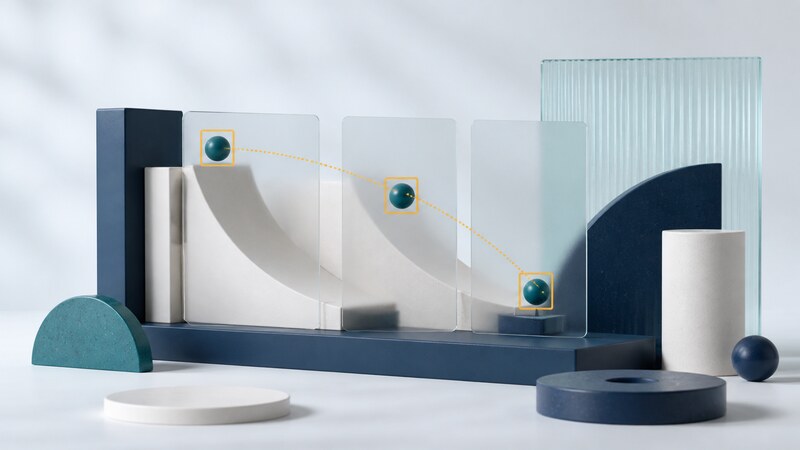
Video tracking follows an object across a sequence of frames. A detector estimates where objects are in an individual image; a tracker attempts to maintain their identities over time, including movement and brief interruptions.
AI coding assistance can help connect video input, detection, tracking, and visualization. The first useful prototype should make errors easy to see. A moving box on a screen does not establish that the system is following the right object or counting it only once.
Choose what tracking means for the task
| Approach | Starting point | Common limitation |
|---|---|---|
| Manually initialized tracker | A user selects an object in the first frame. | May drift or lose the object without a reliable reacquisition step. |
| Tracking by detection | A detector supplies boxes that are associated across frames. | Missed detections and similar-looking objects can break identity. |
| Feature or optical-flow tracking | Image features or local motion are followed. | Tracked points do not automatically represent complete objects. |
OpenCV's MultiTracker tutorial demonstrates initializing and updating multiple trackers. Check the API and module availability for your installed build; a legacy tutorial is not a guarantee that every Python package exposes identical classes.
State the goal before choosing a model. Following one ball in a fixed-camera clip is different from counting several overlapping objects. Define the camera conditions, relevant object classes, minimum visible size, and what should happen when an object leaves and returns.
Build a pipeline with observable stages
- Read frames. Preserve frame indices and timestamps; distinguish source timing from processing speed.
- Detect or initialize. Produce boxes in a documented coordinate system.
- Associate observations. Match new detections to existing tracks using explicit thresholds.
- Manage lifecycle. Decide when a track starts, becomes temporarily missing, or ends.
- Export results. Record frame, track ID, box, and any confidence or status fields.
Keep raw video separate from annotated output. Record the model, library versions, resolution, and configuration. If inference uses resized frames, transform boxes back to the original coordinates before displaying or evaluating them.
Worked example: compare two bounding boxes
Intersection over union (IoU) measures overlap between two boxes. It is useful for checking localization and for simple association rules, but does not establish identity by itself. This Python example uses boxes represented as (left, top, right, bottom), with positive width and height.
def iou(a, b):
    for left, top, right, bottom in (a, b):
        if right <= left or bottom <= top:
            raise ValueError("Box must have positive area")
    width = max(0, min(a[2], b[2]) - max(a[0], b[0]))
    height = max(0, min(a[3], b[3]) - max(a[1], b[1]))
    intersection = width * height
    area_a = (a[2] - a[0]) * (a[3] - a[1])
    area_b = (b[2] - b[0]) * (b[3] - b[1])
    return intersection / (area_a + area_b - intersection)

assert iou((0, 0, 10, 10), (0, 0, 10, 10)) == 1
assert iou((0, 0, 10, 10), (20, 0, 30, 10)) == 0
assert abs(iou((0, 0, 10, 10), (5, 0, 15, 10)) - 1/3) < 1e-9
This is a geometry exercise, not a complete tracker. A production input layer also needs numeric and finite-value validation. A 0.5 overlap threshold is not universally correct: camera motion, object speed, and frame rate change how far a valid match can move.
Measure accuracy and operational behavior separately
For localization, compare predicted and reviewed boxes. For identity, count switches and fragmented tracks under a documented matching rule. For an object counter, compare final counts and investigate repeat entries. For performance, measure end-to-end latency and throughput on the intended device.
A fast detector can still sit inside a slow pipeline because of decoding, resizing, transfer, or rendering. Live processing may drop frames while file processing can wait; document which behavior the application uses. Compare like-for-like resolution and hardware when reporting speed.
Keep development clips separate from evaluation clips. Include motion blur, lighting changes, partial occlusion, and objects entering at frame edges. Label difficult examples rather than silently excluding them. Use footage you are authorized to process and retain only what the application needs.
Use the assistant to make mistakes inspectable
Build an offline prototype using this installed computer-vision version and an owned test clip. Export frame indices, timestamps, track IDs, and boxes separately from the annotated video. Explain coordinate transformations and track expiry. Add geometry tests and identify where identity can switch when two objects cross.
Ask the assistant to verify imported APIs against the installed library and to isolate video I/O from tracking logic. Keep a small synthetic geometry test and a reproducible clip-based evaluation. Do not describe a prototype as suitable for safety decisions solely because it performs well on a demonstration.
Is tracking the same as recognizing a person?
No. A track ID is a temporary identifier for an observed object. Establishing a person's identity is a different task with different requirements.
For deployment constraints such as memory and timing, see embedded systems. For synthetic experiments, see visual simulation.