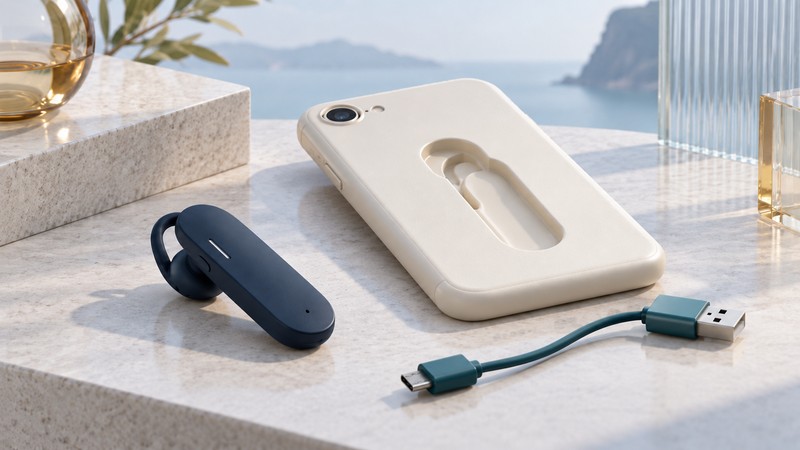
MoGo Talk’s distinctive idea was to give a small Bluetooth headset a home on the device already being carried. A folding earpiece could fit into a phone-case cradle or a notebook accessory. To assess a surviving unit, treat storage fit, charging, and wireless calls as three separate requirements.
The useful idea: make the headset easy to carry
Newton Peripherals’ wireless-headset patent publication describes expanded and collapsed configurations, with storage and charging in a host such as a phone or laptop. It captures the design ambition behind this family: reduce the friction of keeping a headset nearby. A patent describes possible implementations; the accessory supplied with an actual product determines its physical connections.
Historical Hantz + Partner MoGo product documentation distinguishes iPhone 3G/3GS cradles, an iPhone 4 XD case, and a notebook version with an ExpressCard charging holder. It describes Micro-USB charging for the phone cradle and independent phone and headset batteries. This is legacy distributor documentation, not a statement of current stock or support.
The practical lesson is to inventory the complete accessory set. A headset can fit neatly into a case while still needing a separate power source. Equally, a working wireless connection says nothing about whether the case fits a particular phone.
Identify the variant before buying a missing part
On a narrow screen, scroll the table sideways. Keyboard users can focus it and use the arrow keys.
| Question | Evidence to collect | Decision it supports |
|---|---|---|
| Does the holder fit? | Headset and holder labels, target phone model or notebook slot, and clear photographs. | Whether the parts belong together mechanically. |
| Can it charge as documented? | The exact cradle or charging accessory, cable, power requirements, and matching instructions. | Whether a complete documented power path is available. |
| Does it handle the intended call? | Phone or computer OS, supported headset functions, calling app, and an actual trial. | Whether the unit meets the present task after charging. |
Photograph the earpiece, cradle, contacts, connector, and packaging labels. A listing that says only “MoGo charger” leaves the product family unresolved. Keep notebook-holder requirements separate from phone-case requirements, and distinguish MoGo Talk from MoGo Mouse accessories.
For a secondhand purchase, ask for the exact included parts and evidence that the unit charges and completes a call. Keep advertised battery duration, observed duration, and untested condition in separate fields. This guide supplies no present-day availability claim for replacement cradles or batteries.
Evaluate a documented, intact unit in stages
Begin operational checks only after identifying the matching charging equipment and instructions. If the power path is undocumented or the equipment is damaged, resolve that issue before applying power. The following assessment deliberately avoids a universal pairing-button sequence: use the procedure for the identified variant.
- Record charging evidence. Use the documented arrangement and note the indicator behavior described by its instructions. Record whether the headset subsequently powers on away from the charger. A light by itself is a limited observation.
- Try one calling device. Follow the variant’s pairing procedure with one intended phone or computer. Select the headset as the call-audio route. Keep a known-working handset or computer audio path available for comparison.
- Check both people’s experience. With a consenting test caller, verify received speech, transmitted speech, volume adjustment, call ending, and comfortable fit. Write down which actions depend on the phone or app.
- Check the interval you actually need. Record a representative call duration in minutes, plus the reconnect result after a normal off/on cycle. Use the observed result to judge that unit; leave untested battery life explicitly unknown.
- Try a second function only if needed. Media playback and assistant activation deserve their own checks. The Bluetooth SIG defines A2DP for high-quality audio distribution; the word Bluetooth alone does not establish that function on a particular headset.
What the design teaches about integrated accessories
Integrated storage can make an accessory easier to remember and harder to misplace. It also makes the holder part of the system’s useful life. When the host phone changes, the attachment can become the limiting part even if the radio still serves a useful purpose.
For any similar design, compare four things: how quickly you can remove and return the accessory, how clearly charging status is communicated, what parts must travel together, and what remains useful when one part is replaced. Give each question an observed answer rather than a feature-list score. A ten-minute desktop trial answers a different question from a full working day carried in a pocket.
Choose reuse for a clearly demonstrated task, retention for design history, or a replacement that meets your current requirements. The telephone-headset guide covers broader replacement decisions. Bluetooth audio compatibility explains call and media modes, while VMX Office connections offers another example of an accessory whose base matters.
Keep a useful record
Download the editable plain-text worksheet to record the equipment, evidence, observations, and next decision. It includes source links and can be opened in any text editor.