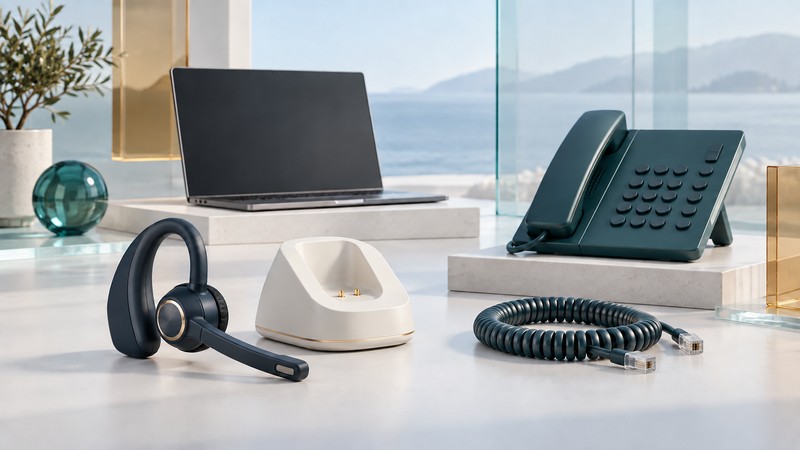
A Sennheiser VMX Office can be understood as a small calling system: the earpiece is only one part. For an inherited or secondhand unit, first identify the base, power supply, connecting cables, and device that will handle the call. Then prove one complete audio path before adding switching or remote-answer features.
Start with the complete system
The VMX Office belongs to the late-2000s generation of headsets intended to serve a desk phone, computer, and mobile phone. Keep the model name and manual revision with your notes: a VMX 100 or VMX 200 instruction sheet is a different product reference.
Photograph the labels on the headset, base, and power supply, plus both ends of every loose cable. List the exact desk-phone model and the computer operating system and calling app. A seller’s photograph of a base is useful evidence of what is included; it says little about whether the cable for your telephone is present.
Sennheiser’s original setup instructions, preserved by ManualsLib, distinguish phones with a headset socket, ordinary handset connections, and DHSG interfaces. The base needs its documented power supply. Match your telephone’s own connection instructions to the relevant manual diagram before connecting it.
Choose one documented connection path
The manual’s computer section describes direct Bluetooth from headset to computer, or a base connected through an appropriate computer interface. Its analog example uses separate headphone and microphone connections; it also discusses USB and associated call-control software. Establish which accessories and manual revision match your hardware. A USB charging lead alone establishes a power connection.
On a narrow screen, scroll the table sideways. Keyboard users can focus it and use the arrow keys.
| Intended use | Record before connecting | What a successful test must show |
|---|---|---|
| Desk-phone calls | Phone model, socket designation, cable identity, and the matching manual diagram. | Both people can hear speech; you can answer and end the call by the intended method. |
| Computer calls | Chosen Bluetooth or base interface, OS, app, and selected input/output devices. | The app uses the headset microphone and earpiece throughout a call. |
| Mobile calls | Phone model, OS, pairing instructions, and selected call-audio route. | Incoming and outgoing calls use the intended route and reconnect after a normal restart. |
| Switching devices | The two individually working paths and the required switching action. | A change of source leaves no unexpected open microphone or stranded call. |
Use the exact accessory specification, including the signal path, when assessing a replacement cable. Connector shape alone is insufficient evidence. For a computer with a single combined audio socket, establish an explicitly supported interface instead of guessing how the manual’s two-plug arrangement maps to it.
Test audio, microphone, and controls separately
The following is a practical acceptance check, not a claim that a particular modern app supports this legacy system. Use a consenting test caller and ordinary, non-sensitive conversation. Keep the phone or app’s own controls within reach.
- Establish the baseline. Make a short call using the telephone handset or computer’s known-working audio. If that fails, resolve the calling service first.
- Select one headset path. Follow the matching manual connection and pairing procedure. On a computer, choose the intended speaker and microphone in the calling app as well as checking the system settings.
- Check both directions. Have each person read a short sentence. Ask the other person to describe missing words, echo, or changes in loudness. Hearing the caller establishes only the receiving side.
- Exercise mute and call ending. Confirm with the other person that mute silences your microphone, restore it, and end the call. Record whether the headset button, base, telephone, or app performed each action.
- Repeat after normal use changes. Restart the app or phone, leave the headset idle, and reconnect. Add a second calling device only after the first path passes. Record which action returns you to the intended source.
Make the reuse decision from your required task
Keep a complete, documented system when it meets the particular calling task and repeats that result reliably. Evaluate a replacement when essential cables or documented power equipment are missing, required software lacks a supported installation path, or the unit cannot complete your normal call duration. Record observed runtime with the tested configuration; a launch-era battery claim cannot establish the condition of this unit.
Remote answering may be optional at a desk and essential for someone who needs to move around. Write that requirement before comparing products. The telephone-headset connection guide helps specify a replacement; alternatives to Bluetooth headsets compares the broader connection choices.
Keep a useful record
Download the editable plain-text worksheet to record the equipment, evidence, observations, and next decision. It includes source links and can be opened in any text editor.