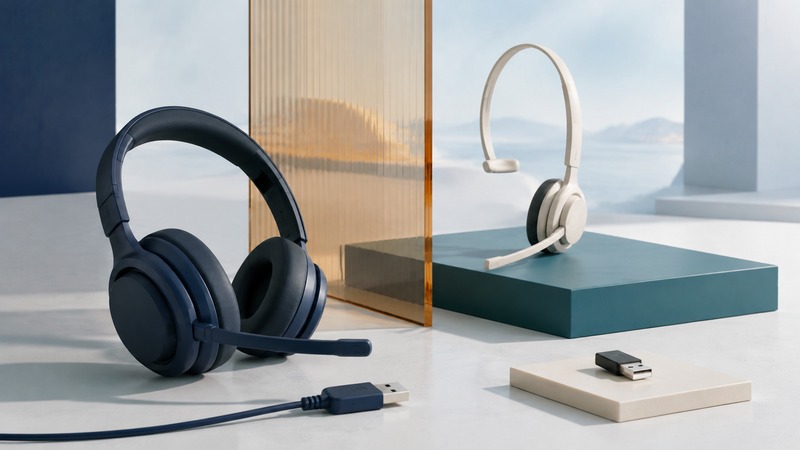
If Bluetooth does not suit your headset setup, the best alternative depends on what you want to improve. A wired connection can remove charging and radio pairing from the workflow. A dedicated wireless system can support a particular desk phone or gaming platform. Neither choice establishes microphone quality, comfort, or compatibility by itself.
Name the problem you want the alternative to solve
Separate delayed game sound, call-quality changes, missed headset-button actions, dropped connections, and battery inconvenience. They have different causes. Write down the host device, application, and the activity during which the problem occurs. A headphone that sounds good with music may behave differently when its microphone is in use.
For some Classic Bluetooth setups on a Mac, microphone use changes the audio mode and reduces playback quality. Apple explains the behavior in its Bluetooth headphone sound-quality guide. That does not establish that every Bluetooth setup has the same limitation; current LE Audio support depends on the host, accessory, and drivers. The Bluetooth Audio guide covers that distinction.
Compare the complete connection paths
On a small screen, scroll the table sideways to read all columns.
| Connection | Why it might fit | What it still requires |
|---|---|---|
| Wired USB headset | Useful for a supported computer or other USB-audio host; no headset radio pairing. | Supported host and application, usable connector or adapter, and working microphone and controls. |
| Analog headset | Useful where the device has a compatible headset socket or audio adapter. | Correct plug wiring, microphone support, and any required splitter or converter. |
| DECT headset and base | Useful for a documented desk-phone or computer calling system with room to move. | Compatible base, phone-control accessories where needed, local product variant, and charged headset. |
| Proprietary wireless headset and receiver | Useful for a supported gaming or computer setup with its dedicated radio path. | The correct receiver and exact platform-supported headset variant. |
| Supported Bluetooth setup | Useful when direct phone support or switching between compatible hosts matters. | Required audio features at both ends, tested microphone behavior, and suitable reconnection rules. |
Connection labels are not latency measurements. A dedicated wireless gaming link may be designed for responsive audio, while the final delay still includes the source, application, processing, and output path. Compare the same scene or task in your own setup. Avoid borrowing a millisecond figure measured on a different headset, platform, or mode.
Likewise, wired does not mean that every USB cable carries audio. A wireless headset’s USB socket may be for charging, firmware updates, audio, or some combination. Check its manual before buying a cable as a supposed conversion. An analog adapter must support the microphone path as well as the headphones if you need calls.
A base or dongle is part of the product
For a desk phone, check the headset, base, telephone model, and call-control interface together. The Jabra Engage 65 SE manual (PDF) illustrates a DECT headset system with different phone and computer connection arrangements. A base that connects to a computer does not thereby make an arbitrary DECT headset compatible with every desk phone.
For gaming, platform support can belong to a particular headset variant, not just the receiver’s connector. SteelSeries’ replacement-transmitter guidance states that its listed models need their dedicated dongles and that buying an Xbox-version dongle does not convert another headset into an Xbox-compatible model.
A separate Nova 7X connection guide documents a switch between Xbox and USB modes for that supported product. This is a useful example of an exact compatibility rule, not a recommendation to buy it or a rule for all USB receivers.
For calling apps, confirm answer, end, mute, and volume behavior separately from audio. Microsoft’s Teams certified-device documentation distinguishes supported devices and connection methods, including native Bluetooth options on supported Windows systems. Certification for one app does not prove identical controls in another.
Three situations lead to different choices
Invented example: a laptop meeting desk. A person wants to stop charging a headset and rarely leaves the desk during calls. A supported wired USB model is worth testing. Confirm comfort, the selected microphone, and app buttons over a normal-length session. The relevant gain is a simpler daily connection routine.
Invented example: a desk phone with room to move. A person needs remote answering and walks to nearby shelves. A documented DECT base system may fit, provided the exact phone and any hook-switch adapter are supported. Test two-way speech along the actual route and remote answer/end behavior.
Invented example: console gaming plus phone calls. A player needs game and chat audio on a particular console and would like to receive phone audio too. Check the exact console variant, receiver, and whether the headset mixes both sources or switches between them. Two radios in the specification do not establish simultaneous mixing.
Run the same acceptance test for each candidate
- Connect through the documented path and select the intended speaker and microphone in the app.
- Compare the same familiar audio and a test call to a willing helper at a comfortable volume.
- Test answer, end, mute, and volume controls, then check the application’s displayed state.
- For delay-sensitive tasks, compare the same game or monitoring task in each connection mode.
- Check the actual walking route, sleep/reconnect behavior, and whether charging or a receiver occupies a needed port.
- Wear the headset for a realistic session, including with glasses if applicable.
Keep results specific: “microphone clear in this app over USB” is more informative than “wired sounds better.” Download the connection comparison worksheet (plain text). For detailed desk-phone and calling-app tests, continue to Telephone Headsets.
Related resources
- Match telephone headsets to phones and calling apps
- Audio modes, latency checks, and source switching
- Review Bluetooth connections and permissions
- Explore all Bluetooth resources
Researched and updated September 5, 2026. Feature availability depends on the exact devices, software, and connection method.