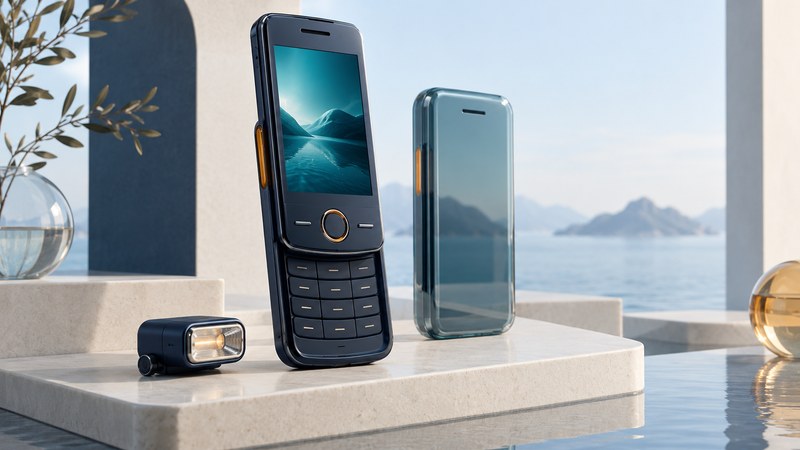
The Siemens SL65 used a sliding body to keep a numeric keypad under its screen section until needed. Its value as a design example lies in that compact arrangement and in the different roles of its display, still camera, video recorder, and accessories. Reading those roles separately produces a much clearer picture than a single list of features.
The sliding body organized access to the controls
A slider can present its screen and navigation controls while keeping the number pad covered. Opening it increases the accessible control area and changes how the device rests in the hand. For the SL65, Siemens called the mechanism ProSlide. The Siemens SL65 user guide, pages 91 and 96 describes automatic unlocking on opening and an optional keypad lock on closing, as well as opening and closing melodies.
For another approach to changing the relationship between display and keypad, see the Samsung SCH-V600’s rotating screen.
This joins a physical action with a software response. When examining the design, ask two questions: what movement exposes the keys, and what does the software do when that movement occurs? A closed slider, a keypad lock, and a phone security code are different states with different purposes.
For a surviving unit, note whether the exposed navigation keys are reachable, whether the opened keypad suits the task, and whether the displayed state changes as expected. Record a stiff or irregular movement without forcing it. Those observations describe the particular specimen's condition, while the manual describes intended operation.
Still photographs and video used different dimensions
The Siemens-authored July 2004 SL65 service manual, pages 6–7 separates a 130 × 130-pixel display, 640 × 480 still capture, and 128 × 96 video capture. It lists an 8-frame-per-second video rate and H.263 video with AMR audio for capture. These are model-specific historical specifications.
| Function | Documented dimensions | Reader's interpretation |
|---|---|---|
| Screen | 130 × 130 pixels | A square viewing surface for menus and previews. |
| Maximum still photo | 640 × 480 pixels | A landscape-shaped saved image at the highest still setting. |
| Video capture | 128 × 96 pixels | A much smaller moving-image frame, with a separate frame-rate limit. |
The same service document lists H.263 and MPEG-4 in its video-clip specifications, while identifying the capture encoding separately. When documenting a file, keep recording and playback support in separate fields. A player's ability to open a format does not establish that the phone records in that format.
Temporal detail is another dimension. Frame rate describes the number of pictures presented per second; pixel dimensions describe the spatial grid in each one. A higher value in one column cannot be substituted for a value in the other.
The flash was a separate accessory
The user guide's accessory list identifies the plug-in IFL-600 flash. Its camera chapter treats flash operation as accessory-dependent. A listing that simply says “camera with flash” should therefore be checked for the actual module.
The guide also warns that digital zoom can reduce saved image resolution. A zoom setting changes the selected framing; its effect on a small saved image needs to be judged from that file, not just from a larger-looking preview.
When cataloging a phone, separate three pieces of evidence: the handbook names an accessory; an accessory is included with the specimen; and the accessory has been demonstrated to work with that specimen. Only the last observation establishes that particular working combination. Keep a photograph of the accessory label and its relation to the phone in the collection record.
For general photographic choices, see phone flash, night mode, and LED lighting. That guide addresses lighting principles; it does not establish compatibility for an SL65 accessory.
Evaluate a phone through small, separate observations
For an already functioning device, start with local tasks. Open the slider, inspect the controls, make one still, and reopen it. Then make a separate short video and play it back. Note the selected settings and remaining storage. If transferring a file to another device, verify the saved copy before changing or deleting the original.
- Photo looks better on a computer: compare the saved image's dimensions with the phone's small preview surface.
- Video is much less detailed: compare video dimensions and frame rate with the still settings before treating the difference as a fault.
- Flash control is unavailable: establish whether the documented accessory is present and recognized before blaming the camera.
- Network sending fails: retain the local test result and investigate the service path separately.
These observations locate the part of the experience being tested. They cannot certify a used phone's reliability or substitute for a repair diagnosis, but they make a collection description more useful than an unqualified “works.”
Keep the original software environment in view
The SL65 documentation describes wired and infrared connections and Siemens Mobile Phone Manager. The user guide explains PC image copying through that software. Treat those as documented historical paths: establish the exact cable, driver, operating system, and software before expecting an old accessory to work with a current computer.
Local organizer and camera functions also have different requirements from cellular calls, web access, and multimedia messaging. Check the network and regional model separately if the goal involves service. Preserve the original model identity rather than grouping the SL65 with similarly named Siemens phones.
A good record ends with the model, software, accessories actually present, tests performed, files recovered, and any untested functions. For a contrasting camera mechanism, see the LG VX7000 rotating-lens guide. For the relationship between file formats and playback, see Multimedia Handsets. Browse the Telephone library for more design histories.