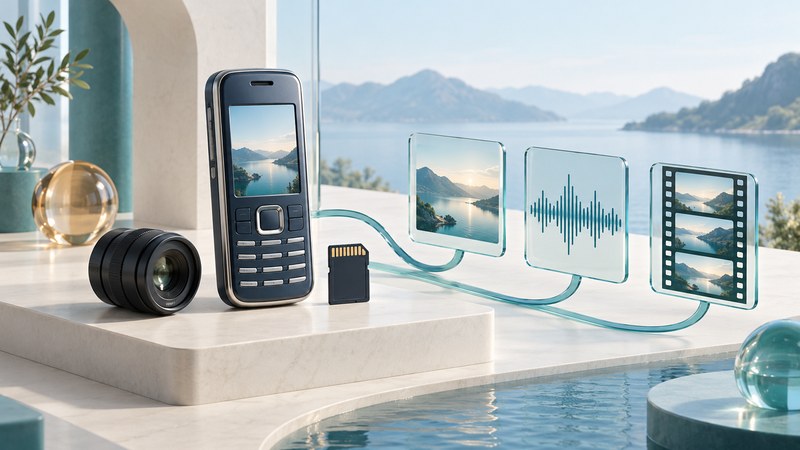
A multimedia handset joins several jobs in one small device: capture a scene or sound, encode it, save it, move it elsewhere, and play it back. Each job has its own limits. Understanding that chain makes early feature-phone specifications easier to read and helps explain why a copied video can arrive successfully yet fail to play.
Follow the media from capture to playback
A camera sensor supplies image data. Encoding represents that data in a form that can be stored or transmitted. A container organizes the resulting tracks and timing information. Storage holds the file; a transfer method moves it. At the destination, a player must recognize the container, decode the tracks, and present the result.
Two LG examples make this sequence concrete: the VX6000 guide follows capture, storage, and message delivery, while the VX7000 guide separates a rotating camera’s preview from its saved image.
- Capture: camera and microphone produce the source material.
- Encode and package: image, video, and audio formats determine how it is represented.
- Store or send: available memory, file-size limits, and the chosen connection constrain the copy.
- Decode and present: the receiving device needs support for the actual content inside the file.
Use that sequence to locate a problem. A dark photograph starts with capture and lighting. A file rejected by a messaging service reaches a different boundary. A picture that transfers intact but opens as an unsupported file points toward the receiving software. Changing all three parts at once makes the cause harder to identify.
Read a format name at the right level
| Specification | Question to ask | What the answer tells you |
|---|---|---|
| Camera resolution | Does this number describe a still photograph or a recorded video frame? | The two capture modes can produce very different dimensions. |
| Display resolution | How many pixels can the screen show? | A preview can be smaller than the saved photograph. |
| Container, such as 3GP | Which audio and video tracks are inside it? | A familiar extension is only the first compatibility check. |
| Codec and encoding limits | Which codec, profile, dimensions, frame rate, and bitrate does the player accept? | Files using the same codec can still exceed a device's supported limits. |
| Transfer method | Is the file copied locally or sent through a service? | Local copying and message delivery have different dependencies. |
| Storage capacity | How much usable space remains, and what is each file's size? | A count of photos or clips depends on their actual settings and contents. |
The contemporary ETSI publication of 3GPP TS 26.234, Release 5, section 9.2 describes 3GP as a file format based on the ISO base media file format. It permits specified types of audio and video, including H.263 video and AMR speech. This is why “3GP” and “video codec” belong in separate fields when documenting a recording.
For an early animated-media example, see Mobile Veepers and talking-photo avatars, which distinguishes a rendered movie from an interactive character.
Renaming a file changes its label. Converting its media requires software that reads the source and writes a supported output. Keep the original when making a viewing copy, so a failed conversion or an overly aggressive size reduction remains reversible.
A development platform offered choices to manufacturers
Early multimedia phones required a combination of radio software, media processing, display and camera interfaces, user-interface tools, and production support. Wavecom's Feature Phones Development Lab addressed that integration work. In a December 2, 2003 company announcement distributed through RNS, Wavecom and Emblaze described two proposed platforms combining the lab with Emblaze multimedia processors, with availability planned for 2004.
That announcement documents a development offering and its intended capabilities. A finished phone's manual establishes the features its manufacturer actually exposed. For a particular handset, look for the shipping model, regional version, software revision, supported accessories, and user-facing functions before transferring a platform's feature list to it.
This distinction also explains why two phones built around related technology can behave differently. One may offer a local media player, another a carrier-controlled download menu, and another a camera mode with different limits. The useful comparison is the complete task the owner could perform.
A short video has several separate budgets
A successful transfer confirms that the receiving device obtained data. Successful playback adds another result: its software could interpret the container and streams. Record both outcomes when comparing equipment.
Make a useful record of an old media file
Start with a copy and keep the original filename. Record the source handset, file extension, byte size, duration, image dimensions, and any known transfer method. A media-information tool can then identify the container and individual streams. The FFmpeg project's ffprobe documentation describes separate format and stream reports, which make this distinction explicit.
If playback fails, compare the reported codec and dimensions with the player's documented support. If only audio plays, investigate the video stream separately. If the file appears incomplete, compare its byte size with the source copy before trying another converter. When a viewing copy works, keep it alongside the original and note the conversion settings.
For related explanations, see memory in mobile devices, WAP 2.0 and early web services, and the separate roles inside a phone radio. Browse the Telephone guides for other handset and network histories.