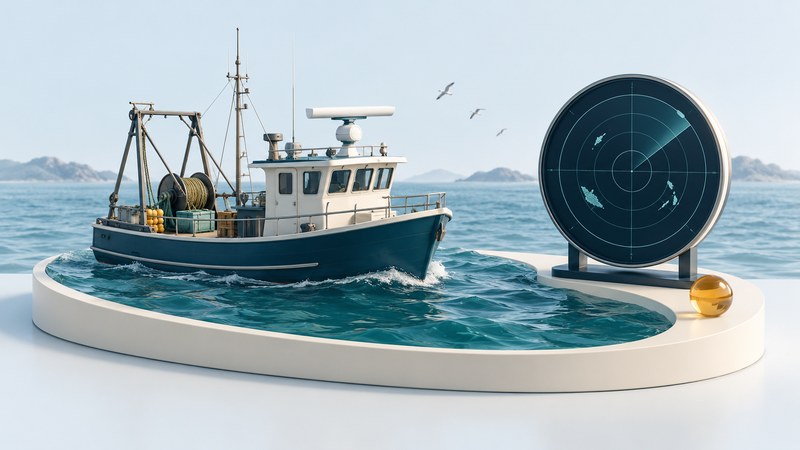
Marine radar helps a fishing vessel observe its surroundings by displaying radio echoes from objects such as land, boats and buoys. Some systems also help locate seabirds. Start by deciding which question you need answered: nearby traffic, a coastline, a flock of birds, or fish below the surface.
Those questions call for different information. A useful electronics installation combines observations with charts, positioning and a trained lookout. The following guide explains the distinctions and helps you prepare an equipment brief.
Give each instrument a clear job
| Instrument | Information it supplies | What to check |
|---|---|---|
| Marine radar | Range and bearing of detected radio echoes. | A small or obscured object may produce a weak return. |
| Fish finder / sonar | Underwater acoustic returns from the water column and bottom. | Coverage depends on the transducer, beam and selected mode. |
| AIS receiver | Messages transmitted by participating vessels, including identity and position. | Check the age and plausibility of the reported information. |
| Chartplotter | The vessel position and other selected information over a chart. | Check chart currency, positioning and the source of each overlay. |
Furuno's radar explanation describes how echo timing and antenna direction establish range and bearing. A fish finder sends sound through water. These are complementary ways of observing different parts of the environment.
AIS adds information supplied by other equipment and crews. The US Coast Guard's AIS explanation describes the transmitted data; the IMO guidance on AIS use explains why the received picture can be incomplete. An unlabelled radar echo still deserves attention even when no AIS symbol appears beside it.
Read the display before interpreting the target
First identify the range scale, orientation and motion mode. A screen showing your vessel at the center can change substantially when you alter these settings. Learn the meanings of rings, trails, headings and target symbols from the exact radar manual.
Two kinds of separation matter. Range resolution concerns objects at different distances along a similar bearing. Bearing resolution concerns objects in different directions at a similar distance. The longest advertised range gives little information about how clearly two nearby targets will appear.
Sea and rain returns can compete with the echoes you want to observe. Gain and clutter processing change the presentation; a cleaner-looking display needs to be judged against known targets. Furuno's display-technology guide describes clutter reduction and target-separation features. Use the controls and cautions in your own model's manual rather than transferring someone else's settings.
For navigation, the USCG's International and U.S. Inland rules connect radar with lookout, safe speed and collision-risk assessment. Rule 7 calls for proper use of fitted, operational radar, including systematic observation, and cautions against conclusions based on scanty radar information. Apply the rules for your waters with appropriate training; a single screen image is insufficient for choosing a maneuver.
Understand what bird detection can tell you
Flocks feeding near the surface can offer fishermen a clue about activity. Compatible radars may enhance bird echoes through dedicated processing or settings. Furuno's bird-detection description ties results to the equipment and conditions, including how birds fly. Ask for a demonstration of the particular system in the conditions that matter to you.
Define success before comparing equipment: detecting a flock, distinguishing it from clutter, or following its movement are different tests. Note the range scale, sea state, weather and antenna installation when evaluating a demonstration. These details make the observation more useful than an isolated screenshot or an unqualified range promise.
Prepare a brief before choosing equipment
- List the operating situations. Describe the boat, fishing grounds, typical visibility and the close-range targets you need to distinguish. Prioritize navigation requirements before fishing enhancements.
- Inventory the installation. Record existing display, heading sensor, position source, power supply and network interfaces. Ask the installer to confirm exact compatibility.
- Evaluate the antenna position. Have a qualified installer assess obstructions, mounting loads, access, cable routing and the manufacturer's exposure-clearance requirements.
- Ask what each feature needs. Target tracking, chart overlay and bird modes may depend on specific sensors, software or hardware. Request an itemized configuration.
- Plan acceptance and training. Arrange a supervised check against known fixed features and a demonstration of the chosen functions. Learn how the system indicates missing sensor data and lost targets.
- Budget the whole installation. Include mounts, cables, sensors, labor, commissioning, training and ongoing service alongside the radar itself.
Bring the completed brief to the supplier and retain it with the manuals. It gives you a concrete way to compare proposals and a record of what the installed system was expected to do.