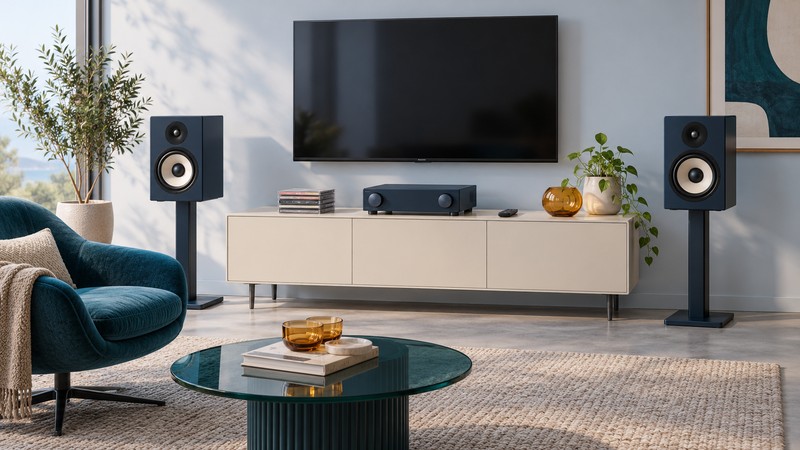
A two-speaker system can make sense when television and music share a room. Start by deciding whether you want a compact system with supplied speakers or an amplifier for a separately chosen pair. Then check the TV connection, everyday volume control, and the space needed for stereo listening.
Compare two current European approaches
The examples below are listed by Kenwood Europe, checked October 12, 2026. They are stereo alternatives for TV and music, not a new 5.1 package. Confirm availability, mains specification, warranty, and support in your own market.
| Example | System approach | TV and music planning |
|---|---|---|
| KSA-DX1 streaming amplifier | Amplifier for a separately selected speaker pair, with a subwoofer output. | TV ARC, optical and analog inputs, network music, and an MM phono input; budget speakers separately. |
| M-9500S compact system | Main unit and supplied pair of speakers, with an optional active-subwoofer connection. | Optical TV input, CD playback, radio and network music; check how TV volume will be controlled. |
Compare the complete cost of each route. An amplifier price without speakers, stands, or cable is a different starting point from a compact system with speakers in the box. If you already own a pair, establish its electrical and physical suitability before counting it as reusable.
Check the TV output and daily controls
For the KSA-DX1, Kenwood lists TV ARC. Confirm the ARC-marked socket on the television and follow the model instructions for audio output and HDMI control. Check the accepted audio format and volume-control behavior before purchase, especially if a console or TV app is a major source.
The M-9500S operating instructions, section 13 document a Toslink optical input and selection of “Optical In.” Optical carries the audio connection, but it does not provide HDMI-CEC control. Plan to test the supplied remote or a separately supported TV-remote arrangement rather than assuming the TV remote will control the system.
For stereo TV use, check whether the television can output two-channel PCM and whether the chosen input accepts that signal. The cited M-9500S connection section does not give a detailed digital-format compatibility table, so confirm the required formats with Kenwood if your source cannot provide a straightforward stereo output. Do not assume multichannel Dolby or DTS decoding from the presence of an optical socket.
Keep the player or console connected to the TV for picture, then trace the audio output to the stereo system. The HDMI guide helps distinguish a return-audio connection from a video-switching input.
Choose speakers and positions together
For a separately purchased pair, compare the speaker impedance and amplifier load requirements in the exact manuals. Do not select by advertised watts alone, and do not assume speakers from a proprietary home-theater package suit a conventional stereo amplifier. The amplifier guide explains how to read those specifications.
Place left and right speakers on stable surfaces around the television, allowing the documented ventilation and cabinet clearances. Keep their fronts unobstructed and account for the stand bases and cable routes. Listen from the actual seats: stereo places dialogue between the speakers through playback and positioning, rather than using a separate center cabinet.
Check dialogue from the seat furthest to one side as well as the central seat. If broad seating coverage or a dedicated center is essential, compare a multichannel receiver and speakers before deciding that stereo meets the room’s needs. Polk’s component speaker guide offers that comparison.
Plan music and optional bass
List the music sources you use now: CDs, a turntable, a phone, or particular network services. Match those to the exact model and current service support. An app logo should prompt a check of account requirements and operation, rather than an assumption that every subscription or playback feature is included.
The M-9500S manual specifies an active subwoofer and says its transition frequency and level are adjusted on the subwoofer. Include a suitable powered cabinet and its placement in the cost if you want that addition. A subwoofer output does not turn a two-channel system into a surround receiver.
Begin with the speakers alone and familiar music at ordinary volume. If adding a subwoofer, compare several seats, adjust gradually, and keep speech natural. Record the settings so another listener can restore them after experimenting.
Decide by the routines you use
Test the ordinary sequence: turn on the TV, select sound, adjust volume, switch to music, then return to television. Check speech, synchronization, and comfortable listening level. A system that sounds good but leaves the household unsure which remote to use needs a clearer operating plan.
Save the ports, formats, and control routine in the connection record, then return to the Home Theater room guide.