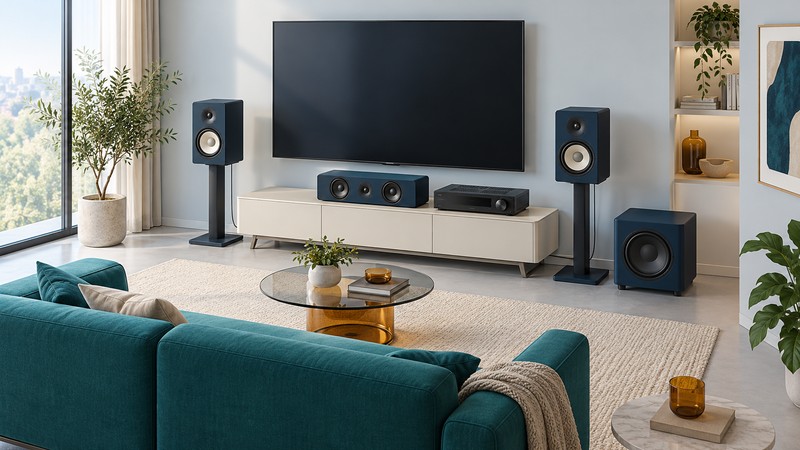
Polk’s component speakers let you build a system around your room: a stereo pair for music, a center channel for dialogue, surrounds for movies, and a powered subwoofer for bass. Start with the positions you can use and the receiver you will need, then compare the speaker families. A useful shortlist accounts for the complete installation as well as the cabinets.
Compare the current speaker families
This guide uses Polk’s U.S. home-speaker catalog, checked October 12, 2026. The examples below are current catalog listings, not a listening-test ranking. Prices, finishes, stock, and regional offerings can change; use the linked manufacturer pages for those details.
| Family and examples | Useful starting point | What to compare |
|---|---|---|
| Monitor XT — XT15/XT20 bookshelf, XT30/XT35 center, XT60/XT70 towers | A first component system, with bookshelf, tower, center, subwoofer, and height-module options. | Price the full set and compare the available cabinet sizes and center-channel fit. |
| Signature Elite — ES15/ES20 bookshelf, ES30/ES35 center, ES50/ES55/ES60 towers | A coordinated system with several speaker sizes and finishes; the catalog also lists ES subwoofers. | Compare the smaller and larger bookshelf models, the center’s dimensions, and the finish you can obtain for every position. |
| Reserve — R100/R200 bookshelf, R300/R350/R400 center, R500/R600/R700 towers | Polk’s premium component range, with different driver designs and several center-channel choices. | Audition the specific combination and compare placement, amplifier requirements, and total cost. |
The family name narrows the search; the exact model determines the fit. Polk’s catalog also includes other speakers and soundbars. This comparison concentrates on three component ranges with multiple home-theater roles, so you can make a coherent shortlist without browsing every product.
Count the complete system before comparing prices
For a conventional 5.1 layout, list left, center, right, two surrounds, and one powered subwoofer. Add an AV receiver with the inputs and amplified channels you need. Passive speakers connect to the receiver’s speaker outputs; a powered subwoofer has its own amplifier and power connection. Record the receiver’s supported speaker loads and follow both manuals.
Check the quantity sold. A bookshelf listing may be a pair while a tower or center listing may be a single speaker. Include stands, brackets where appropriate, speaker cable, a subwoofer cable, and installation in the total. A packaged speaker bundle should be checked item by item for the receiver and accessories it actually includes.
Make a future channel plan if you want height effects. In a 5.1.2 layout, the final two channels serve height speakers. The receiver must process and power the intended arrangement. Compare the documented placement options for a height module such as Monitor XT90 or Reserve R900 before allocating space or budget. The AV receiver setup guide helps turn that channel plan into a working configuration.
Measure the center and bookshelf positions
The center speaker often determines which family fits a television cabinet. Measure the clear width, height, and depth, allowing space for connectors and the manual’s placement requirements. Keep the speaker’s front clear of a cabinet lip and check whether it blocks the screen or remote-control sensor. Compare ES30 with the slim ES35, or the different Reserve centers, on actual dimensions and listening needs.
A bookshelf speaker also needs real depth. Polk lists the ES20 at 8.5 inches wide, 14.8 inches high, and 13.8 inches deep. Its depth alone exceeds a 12-inch shelf, before allowing for cable access or placement clearance. Mark the footprint with paper, include a stand’s base where relevant, and check the path people use around it.
The Signature Elite owner’s manual provides model-specific connection and positioning guidance. Verify mounting provisions for the exact cabinet; a family’s range of placement options does not make every member suitable for the same bracket.
Choose bass and placement together
Give the subwoofer its own place in the plan. Compare enclosure size, controls, supported connections, and the practical locations in your room. A larger front speaker does not settle the subwoofer decision: the listening level, room, and desired bass extension still matter.
After placing the speakers, run the receiver’s documented setup or calibration routine. Review its speaker and crossover settings against the equipment instructions, then listen at ordinary volume from the seats people use. Save the initial settings before making one change at a time. The amplifier guide explains how to compare power figures under matching conditions.
Build and audition a shortlist
For an audition, use the same familiar speech and music, comparable playback levels, and several seats. Note dialogue clarity, tonal balance, bass consistency, and fatigue at your normal volume. Ask what room correction and listening mode are active. Manufacturer specifications describe the design; the comparison tells you how a particular setup serves your needs.
Before ordering, record the full model names, quantities, receiver requirements, delivery contents, and return terms. Keep the product pages and manuals with the connection record. For an alternative with fewer separate components, explore current Sharp soundbar systems, with their regional availability clearly identified. Return to the Home Theater room plan to coordinate seating and cable routes.