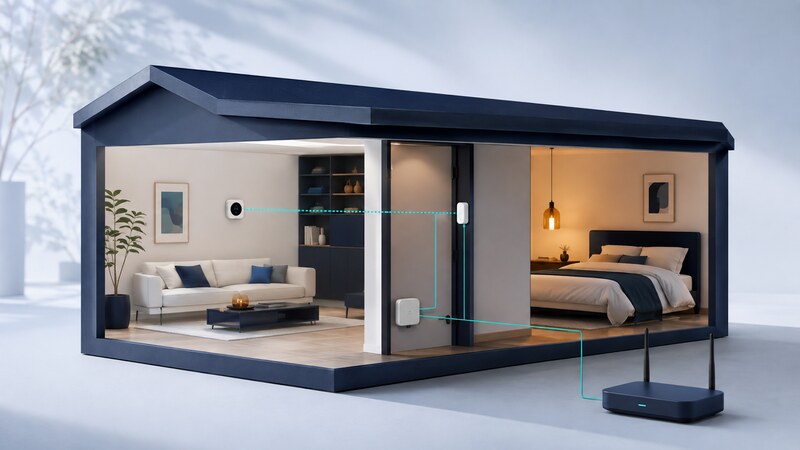
Home automation connects sensors, controls, and appliances so the home can respond to events and routines. A dependable setup makes those responses understandable and preserves an easy way for people to operate the home themselves.
Start with a specific convenience, such as hallway lighting or a window-open reminder. Define the behavior before buying devices. The network, controller, device features, and automation rules must all support that behavior, including what happens when a connection is unavailable.
Separate the protocol from the network
| Technology or component | Role | Common misunderstanding |
|---|---|---|
| Matter | An application-layer interoperability standard for supported device functions. | It is not a separate radio or a guarantee that every vendor feature is exposed. |
| Thread | An IP-based mesh networking technology used by compatible low-power devices. | A Thread device is not automatically a Matter device. |
| Wi-Fi and Ethernet | Network connections used by controllers and many devices. | A working internet connection does not prove local device discovery works. |
| Thread border router | Connects a Thread network with adjacent IP networks. | Its role differs from the controller that manages devices and automations. |
| Automation controller | Evaluates rules and coordinates supported devices. | A product called a hub may combine several roles, so check its actual functions. |
The Connectivity Standards Alliance's Matter resources explain the standard's interoperability role. Check the exact device, controller, firmware, and required feature together before assuming compatibility.
Map what works without the internet
Local communication can allow supported devices and a controller to interact without a remote service. Other features, such as a vendor's account setup, remote access, or a voice assistant, may still depend on internet services. Test the functions you care about individually.
Home Assistant's Matter documentation explains its local integration and networking requirements. Device discovery and communication can be affected by IPv6, multicast handling, and network separation. Follow the controller's documented setup before introducing more complex network boundaries.
Keep an inventory of devices, room names, network roles, and update procedures. Store commissioning information securely. Place powered network equipment where it has reliable coverage and ventilation, then test sensors in their intended locations.
Worked example: a hallway light with clear rules
Motion is an observation, not proof of continuous occupancy. Someone standing still may not retrigger the sensor. Choose a delay and manual control that fit the room and its users.
Define restart behavior explicitly. For this example, discard an uncertain countdown after a controller restart, retain the light's current state, and require fresh valid sensor information before starting another countdown. An unavailable sensor must not be interpreted as a clear room.
Test interruptions and competing actions
Exercise repeated motion, a sensor going unavailable, manual operation during the countdown, controller restart, and loss of internet connectivity. Check whether multiple automation runs compete and whether a delayed command can act on an outdated state.
Home Assistant's trigger documentation notes that waits expressed through the for option reset on restart or automation reload. Treat timing persistence as an implementation choice to test, not an assumption that a saved rule guarantees.
Review automation traces and device acknowledgments. A command being sent is different from a device changing state. Keep physical controls accessible and agree on override behavior with the people using the home.
Use AI to draft rules you can inspect
Turn this hallway-light specification into a draft for the named controller version. Use only the supplied entity IDs. Explain triggers, conditions, timer cancellation, manual override, unavailable states, and restart behavior. Provide event sequences with expected results before proposing configuration.
Validate generated configuration against the platform's documentation and test with a notification or spare lamp first. AI may invent an entity name, use outdated syntax, or miss an interaction with an existing rule. Keep a copy of the last working configuration and a tested restoration method.
What is a good first automation?
One with a clear benefit, easy manual recovery, and visible behavior. Expand after it works through normal interruptions. Track false activations and missed actions rather than judging success by the number of connected devices.
For custom sensor projects, understand the embedded firmware and measurement path before making the home depend on the reported state.