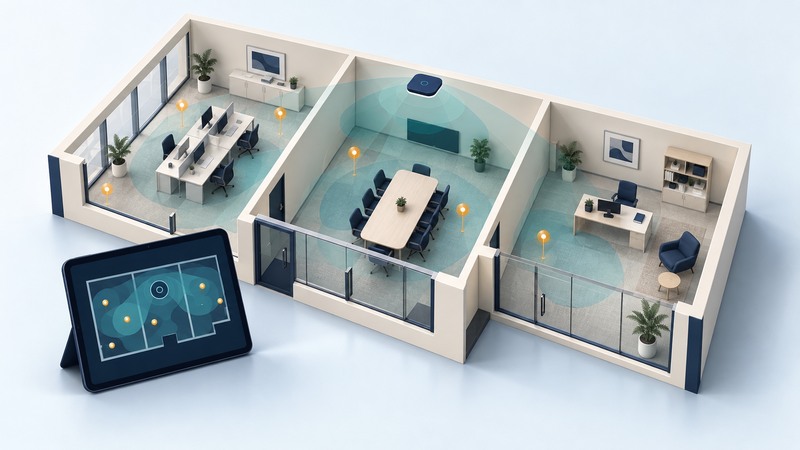
A useful Wi-Fi survey tells you where people can complete their work, which devices struggle, and what needs to change. Start with a scaled floor plan and a written acceptance brief, then combine radio observations with tests on representative clients.
This guide is for a small office, workshop or similar site. You need access to the rooms, a floor plan, an approved test account, representative phones or laptops and permission for any network changes. A professional survey adapter and spectrum analyzer add evidence that a phone app alone cannot supply. Record the tool, adapter and software version with the results.
Define success before collecting measurements
List the locations that matter: occupied desks, meeting seats, workbenches and routes where a call must continue while walking. Identify applications and simultaneous use. A quiet-room download test answers a different question from ten people joining a video meeting.
Write acceptance conditions in terms the owner can verify. For example: a designated laptop completes a ten-minute test call at each meeting seat, an approved handheld uploads a record at each workbench, and a phone sustains a call along a specified route. These are example tasks; choose durations, repetition and tolerances that match your service.
Set radio targets from the actual device and application guidance. Received signal strength is commonly expressed in dBm; a less negative reading represents a stronger received signal. Signal-to-noise ratio is expressed in dB. Keep missing noise measurements blank, because an invented noise value makes the calculated SNR misleading.
Choose the evidence that answers the question
Scroll the table horizontally; keyboard users can focus it and use the arrow keys.
| Method | Useful evidence | Follow-up |
|---|---|---|
| Predictive | Estimated coverage based on a building model and proposed APs | Visit the site and validate assumptions about walls and mounting. |
| Passive | Signals and channels observed without joining the surveyed AP | Associate a representative client to test the connection in both directions. |
| Active | Behavior while a client joins and exchanges traffic | Repeat with the devices, occupancy and applications that matter. |
Cisco's site-survey guidance distinguishes these methods and emphasizes map calibration, surveyed walking paths and client characteristics. Its legacy handset examples have specific requirements; use your current client documentation to establish your targets.
A colored map becomes useful when you can trace its colors back to actual samples. Ask for the measurement locations and original survey file, together with the map scale and interpolation settings. A smooth patch across an unvisited room is an estimate.
Collect a repeatable room-by-room record
- Check the floor-plan scale against a measured distance. Mark AP locations, floor levels, doors and large obstacles. Give each test position a stable identifier.
- Record the network name, connected AP's BSSID, band, channel and width where the tools expose them. A BSSID identifies an AP radio/network instance more precisely than a shared network name.
- At each position, hold the client in its normal working orientation. Keep door state and placement consistent; record significant differences.
- Observe signal and available link statistics, then complete the same application task. Record elapsed time, interruptions and errors as well as a pass/fail judgment.
- Repeat during representative occupancy. For roaming, record the route and observed AP transition while the application runs.
- Change one documented condition and repeat the affected locations plus neighboring rooms. Keep the earlier record so an improvement in one room can be checked against a regression elsewhere.
For throughput problems, the wired and nearby comparisons in Faster Wi-Fi help separate an internet-service bottleneck from the room's radio connection. A local test server can isolate the LAN path, but its storage and Ethernet capacity also need to be adequate.
Example: accept the work area, then investigate the exception
The overall initial count is 13 successful uploads out of 15, about 86.7 percent. Reporting only that aggregate would conceal a workbench with a one-in-three success rate. Preserve results by location and device.
Turn observations into a decision
Deliver an annotated plan, requirements, equipment/settings inventory, original measurements, task results and a short exception list. Each exception needs an owner, proposed action and retest condition. Mark unvisited areas explicitly. Separate measured coverage from predictions and distinguish an intermittent task failure from a confirmed radio cause.
Use the editable survey record during the walk. If counters suggest busy airtime or unexplained RF energy, continue with interference diagnosis; if several APs compete, use channel planning. Revisit the survey after layout, AP, client-fleet or application changes.