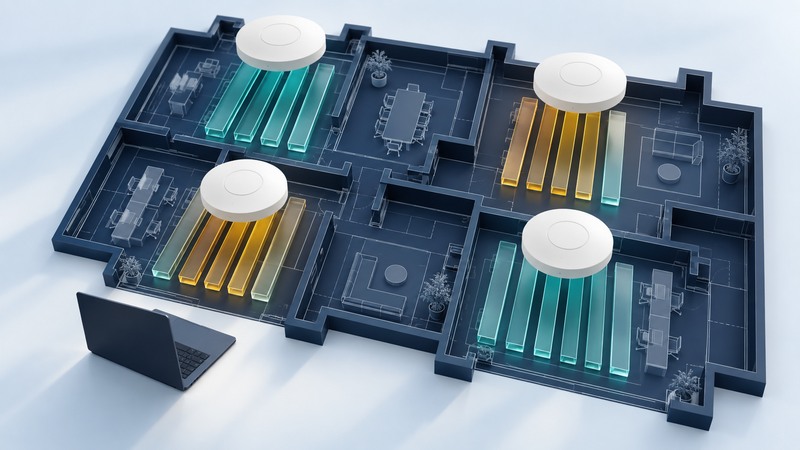
A Wi-Fi channel plan balances useful capacity per radio with the ability of nearby radios to share the available spectrum. Start with the building, clients and busy-period workload. Compare channel widths and reuse under load, then keep the arrangement that supports the required tasks.
This guide is for administrators of several APs. You need a current floor plan, AP/radio inventory, access to channel and utilization information, representative clients and an approved change window. Save the existing configuration before trials.
Separate width, radios and links
Scroll the table horizontally; keyboard users can focus it and use the arrow keys.
| Term | Meaning | Planning question |
|---|---|---|
| Channel width | The spectrum occupied by a radio's channel | Does more width improve the task enough to justify reduced reuse options? |
| Multiple radios | Separate radio interfaces in one AP or across several APs | Which channels can operate concurrently on the selected hardware? |
| Channel reuse | Using the same channel in different coverage areas | How strongly do those areas hear and compete with each other? |
| Multi-link operation | A supported client/AP relationship using multiple links | Which link combinations and behaviors do both endpoints support? |
A multi-radio AP can serve separate client groups. Channel bonding combines adjacent channel resources into a wider channel. Multi-link operation needs explicit support at both ends; Android's Wi-Fi 7 documentation describes multi-link capabilities and implementation modes. Keep these capabilities separate when comparing specifications; the old phrase “multi-channel Wi-Fi” can refer to different architectures.
Meraki's channel-bonding explanation shows how a wider channel contains primary and secondary channel resources. Its historical channel-support table is platform-specific; use current local equipment settings and documentation for permitted channels.
Plan around shared airtime
Nearby radios operating on the same channel can compete for transmission time. A client sending a given payload at a lower effective rate occupies the medium longer, while retries and protocol overhead also consume time. A fast client's displayed link rate therefore describes only part of the workload.
Adding APs can help when it creates useful coverage and capacity, but also changes the radio neighborhood. Collect the neighboring AP relationships and busy-period utilization before deciding where a channel can be reused. Floors above and below matter as well as rooms on the same plan.
Meraki's high-density design guidance discusses narrower channels as a way to increase reuse options in crowded deployments. Treat that as a design tradeoff, then test the workload; maximum width is not a universal performance target.
Example: four APs and a limited channel set
Draw the AP-to-channel assignment beside the floor plan. Mark reuse relationships and the client tasks in each room. Keep measurements from neighboring areas so a local improvement does not conceal a larger site regression.
Run a controlled plan comparison
- Inventory each AP radio's band, width, primary channel, power, automatic/manual setting and connected client types.
- Establish the baseline with representative concurrent work. Record task success, useful throughput, delay and available retry/utilization statistics.
- Select one design change, such as a narrower width in a dense area. Document the approved channel set and leave other material settings stable.
- Allow the network to settle, then repeat the same workload at the same locations. Record the actual channel assignments during the test.
- Test edge positions and walking routes. If a client fails to join or roam, investigate compatibility and coverage before making another broad change.
- Keep the new plan only after the acceptance brief passes. Save the rejected trial and its reason for future comparison.
Use a site survey to establish locations and requirements, and interference diagnosis when unexplained activity needs investigation. Disabling low data rates changes which clients and edge conditions can be supported; make such changes through a separate tested compatibility decision.
Give automatic management useful boundaries
Automatic radio management can adjust channel and power as conditions change. Meraki's RRM documentation describes model- and region-dependent channel selection and automatic width behavior. Verify equivalent controls on your own platform.
Record allowed channels, width policy, power limits and the reason for any exclusions. Keep the country configuration correct. Review radar-triggered channel changes using the platform's event log and supported response; preserve required protections. Recheck the plan after AP additions, room-layout changes or a significant client/workload change.