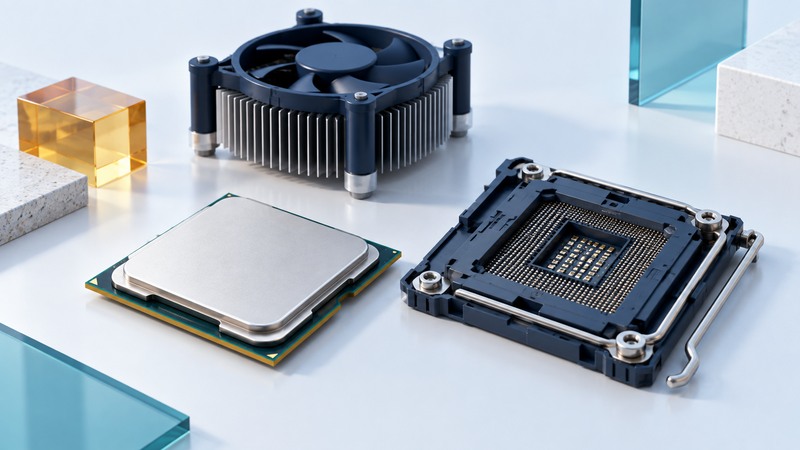
Pentium 4 identifies a family of Intel processors built around the NetBurst architecture. A useful description of a particular chip includes its package, specification code, clock, cache, bus and supported features. For a working retro system, the motherboard’s processor-support list is the decisive bridge between the chip and the machine.
Start with the markings and the motherboard
Photograph the processor markings if they are already accessible during a documented service procedure. Otherwise begin with the system’s firmware information and a trusted identification utility compatible with its operating system. Record the motherboard model and revision, installed firmware, processor name and reported features.
Intel’s 90 nm Pentium 4 specification update illustrates S-spec and package markings for both 478-pin and 775-land products. The examples show why “Pentium 4, 3 GHz” is insufficient identification. Match the complete code and package to the appropriate specification update and then to the board documentation.
On narrow screens, focus the table and use the arrow keys or swipe to see every column.
| Record | Why it matters | Evidence to retain |
|---|---|---|
| Processor identity | Similar names and clocks can describe different parts. | Full marking or S-spec, package and identification output. |
| Board and BIOS | Firmware and board revision constrain supported processors. | Manufacturer support-list entry and required BIOS version. |
| Cooling and power | The thermal solution and regulator must suit the supported configuration. | System service manual and cooler specification. |
| Software features | Hyper-Threading, 64-bit support and other features vary across the family. | Exact processor documentation and actual feature report. |
As a concrete example of the documentation to seek, Intel publishes a supported-processor list for the SE7210TP1-E board with S-spec, speed, stepping, cache and package fields. Its scope is those named systems. It provides no approval for a different board.
Understand the clock-speed design
Intel’s engineers describe the first Pentium 4 in the Q1 2001 Intel Technology Journal. Its NetBurst design used a deep pipeline, an execution trace cache containing decoded operations, and execution resources designed for high clock frequency. The original implementation also introduced SSE2 instructions.
Dividing work into more pipeline stages can allow a shorter clock period, but a wrong branch prediction forces work to be discarded and the pipeline refilled. Useful performance depends on instructions completed, memory delays and the program’s behavior alongside clock frequency. That gives a better explanation of the architecture than judging it from GHz alone.
Evaluate the complete period system
Write down the experience you want: a particular game, a legacy application, period-correct hardware or a study of the architecture. Graphics drivers, sound, storage and the operating system may decide whether that experience works. A processor replacement can leave all of those constraints intact.
For a purchasing comparison, ask for evidence of the exact system configuration and a successful demonstration of the intended task. For an existing computer, measure load behavior with its present supported configuration. Record errors, fan behavior and whether performance changes as the system warms. Investigate cooling using the system manual before pursuing a faster part.
Keep original storage and configuration records when preparing a separate test installation. Use documented software requirements rather than assuming that a 64-bit-capable member of the family satisfies every modern operating-system requirement. A stable, reproducible period setup is a useful preservation outcome in its own right.