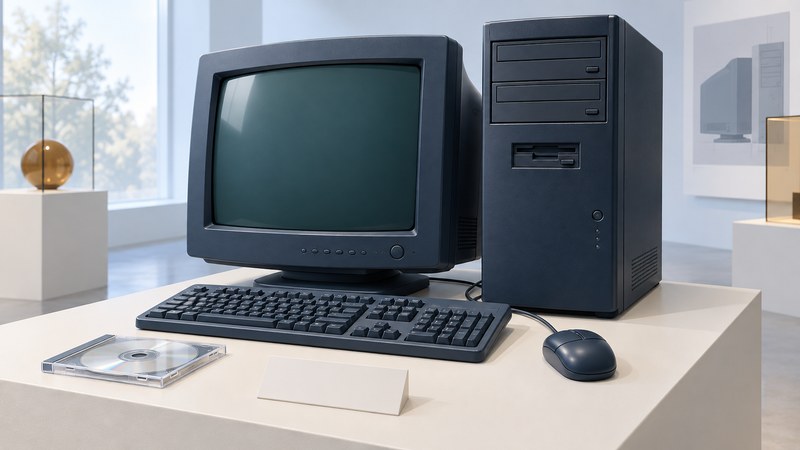
The NetVista A60i belongs to IBM’s early Pentium 4 consumer-PC period, when a desktop could combine everyday computing, optical media and television capture. For a surviving machine, the useful starting point is its full type-model label. “A60i” covers more than one platform configuration, and twenty-five years of repairs or upgrades may have changed the installed parts.
Use the full type-model as the lookup key
IBM’s archived NetVista Personal Systems Reference, PDF pages 50–51, separates the A60i 6848 from the later A60i 6832. The US 6848 models were announced November 21, 2000; the listed 6832 models followed in 2001. Keep the four-digit type and model suffix together, such as 6848-30U.
On narrow screens, focus the table and use the arrow keys or swipe to see every column.
| IBM type-model | Processor, memory and disk as listed | Graphics and optical drives as listed |
|---|---|---|
| 6848-30U | 1.4 GHz Pentium 4; 128 MB; 45 GB EIDE | GeForce2 MX; CD-RW |
| 6848-40U | 1.5 GHz Pentium 4; 128 MB; 75 GB EIDE | ATI Radeon / All-in-Wonder; CD-RW and DVD-ROM |
These are historical catalog configurations. Record the installed hardware separately. A different graphics card or disk can be a later modification, a regional variation or evidence that the machine has been misidentified.
Keep memory and expansion rules with the right type
The same IBM reference lists a 2 GB memory maximum for type 6848 and 1.5 GB for type 6832. Both use RDRAM RIMMs with paired installation across channels and continuity modules in otherwise unfilled sockets. Their slot layouts and other details differ. Use the relevant page and service documentation before choosing parts.
A seller’s “Pentium 4 memory” label is too broad for an order. Copy the installed module’s full part number, capacity and organization, then match the exact system’s population rules. Keep a photo of the original slot arrangement before any authorized service. The Pentium 4 platform guide explains why processor family alone leaves motherboard and firmware compatibility unresolved.
For a replacement card or drive, check the connector, electrical interface, available space, firmware support and operating-system driver. A modern adapter may solve one interface problem while introducing another. Write down the intended task before buying: recovering documents, demonstrating a period game and restoring television capture each require different evidence.
Interpret the multimedia promise
The listed ATI All-in-Wonder option provided video-related connections that a basic display adapter did not. For a preservation project, inspect the installed card and identify its matching driver, capture software and input standard. A working desktop display proves only part of the multimedia path.
Recording duration depends on the encoded stream rate and available storage. In a fictional example, 60 GB reserved for video at a constant combined audio/video rate of 6 Mb/s holds about 80,000 seconds, or 22.2 hours: 60 × 109 bytes × 8 ÷ 6 × 106 bits per second. File-system overhead and reserved space reduce the practical total. Different compression settings change both duration and image quality.
Use that arithmetic to interpret old “hours of TV” claims. To demonstrate a surviving capture setup, choose an appropriate known input and a short test, then check playback, audio synchronization and actual file size. Match the period input standard and software first.
Document before changing the machine
- Record identity and condition. Photograph external labels, front and rear connections, included discs and any service notes. Keep serial numbers private when sharing the record.
- Establish the preservation goal. Choose data recovery, a working period demonstration or a documented collection object. This determines how much change is appropriate.
- Preserve existing data before restoration. Recovery media and reinstall options can overwrite it. If the disk is failing or its contents are irreplaceable, stop repeated boot attempts and seek suitable recovery help.
- Record observed configuration. When safe to operate, note firmware version, detected memory, disk identity, operating system, drivers and errors. Separate observed facts from catalog specifications.
- Change one documented item at a time. Save the original part and record the reason, replacement identity and verification result. Use exact service instructions for physical work.
Keep period operating systems in an isolated demonstration environment; use a maintained computer for everyday online accounts. Preservation success can be modest and precise: an identified machine, readable recovery media, retained data and a repeatable demonstration.
Download the NetVista identification and preservation record. It keeps catalog information, observed parts and modifications in separate fields.