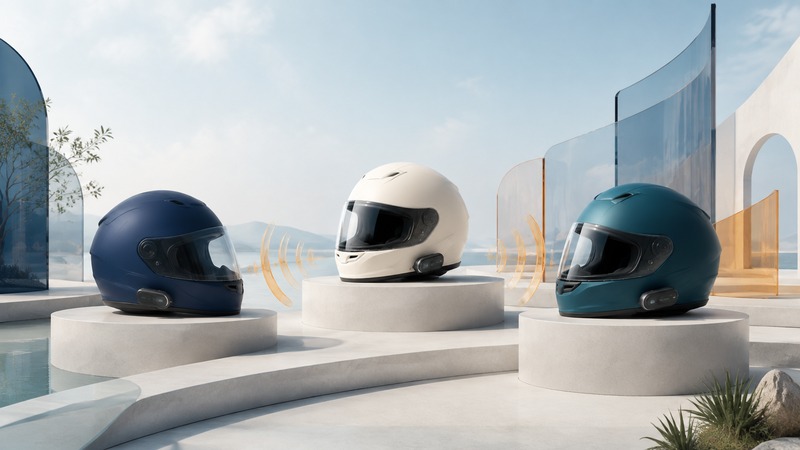
Motorcycle intercom compatibility is a group decision. Start with the exact units and firmware everyone already has, then choose a supported way to connect them. Phone pairing, Bluetooth intercom, and a manufacturer’s mesh system are different functions; success with one does not establish the others.
Three connections that often share one headset
On a small screen, scroll the table sideways to read all columns.
| Function | What it connects | What to confirm |
|---|---|---|
| Phone or navigation pairing | The headset and a supported phone, navigator, or motorcycle display. | Music, calls, directions, pairing channel, and which device controls the audio. |
| Bluetooth intercom | Rider or passenger headsets through a documented intercom pairing. | Model support, cross-brand method, available channels, and reconnection. |
| Manufacturer mesh intercom | A compatible group within the supported mesh system. | Mesh family, generation or mode, firmware, group settings, and any bridge. |
“Mesh” describes a family of networking approaches, not a promise that all motorcycle headsets join the same group. A headset can have Bluetooth for a phone while using a separate group-intercom system. Ask whether two models share a native mesh mode or require an additional Bluetooth connection between them.
Sena’s Mesh Version Switch instructions give a concrete example of a mode dependency: supported units using Mesh 3.0 need to switch to Mesh 2.0 to communicate with legacy Mesh 2.0 products. Follow the instructions for each exact model rather than assuming a matching brand name settles the question.
Build the group around a documented common path
Make a list of unit model, hardware variant, firmware, and intended connections for every rider. Include passengers. Someone who also needs a phone and a motorcycle display may have a different channel constraint from someone using intercom alone.
Mixed brands may need a bridge
Cardo’s PACKTALK EDGE support and release notes document a Bluetooth bridge between a Cardo DMC unit and a supported Sena Mesh unit, with an explicit exclusion for SPYDER and other Sena mesh-only units in that described arrangement. The same page describes Open Bluetooth Intercom support for compatible devices. Those are supported connection methods, not evidence that every radio in the two groups speaks one native mesh protocol.
Invented planning example: several riders use one mesh family and one passenger has a Bluetooth-only unit. First establish the mesh group, then test the manufacturer’s documented passenger bridge. Identify the unit maintaining that bridge and test what happens when it disconnects. Do not promise that the passenger has the same direct mesh connection as the other riders.
Read update notes before the meeting point
Firmware can add features and change saved groups. The PACKTALK EDGE 5.4 release notes, for example, warn that the update removes existing DMC groups and requires them to be recreated. Its new group features also have limitations when legacy DMC units join. Check the current model-specific notes, update with time to spare, and repeat the group test afterward.
Save a short connection plan that names the common mode and bridge roles. It is more useful than a generic instruction to “put everything in pairing mode,” which can accidentally pair phones or use the wrong channel. Keep the plan with the group connection worksheet (CSV).
Treat advertised range as a test condition
A group’s usable coverage depends on spacing, terrain, obstructions, antenna placement, and which participants are still connected. Do not multiply an individual radio’s advertised range by the number of riders and treat the result as guaranteed coverage. A chain of usable links requires suitable positions and supported behavior at every step.
Test speech intelligibility in both directions. Hearing a clear voice from one rider does not establish that the rider can hear you. Note what happens when someone leaves and returns: automatic reconnection, a manual action, and rebuilding a group are different outcomes. Test these while stopped or on a controlled walk with the equipment, not by deliberately spreading a riding group across traffic.
Local radio intercom and an internet group-call app also have different dependencies. Cardo states that the PACKTALK EDGE intercom does not require cellular coverage in its product FAQ. A phone-based voice service still depends on the phone, network, and app. Choose and test the path you actually intend to use.
Test directions, conversation, and calls together
First prove that everyone can speak and listen with music off. Then add navigation, music, and any phone connection one at a time. Observe whether the intercom is interrupted, mixed at a lower level, or needs a manual restart. Audio priority and mixing can depend on the model, firmware, pairing channel, and settings.
Position the microphone and speakers using the helmet and intercom manufacturers’ instructions. A microphone aimed incorrectly or resting against fabric can undermine an otherwise working link. Check the microphone’s orientation where specified, mute controls, speaker fit, and cable routing. Use approved mounts and avoid changes to the helmet’s protective structure.
Finish with a stopped group check
- Charge every unit and confirm the agreed firmware and mesh or Bluetooth mode.
- With the group safely stopped, have every person speak and receive a reply.
- Test passenger and cross-brand bridge links separately, then within the full group.
- Play a navigation prompt and test the intended phone-call behavior with a willing helper.
- Switch a test unit off and on while stopped and confirm the documented recovery procedure.
- Agree on a meeting point and a simple plan for a lost connection.
Keep setup interactions out of the ride itself. Hands-free operation still demands attention, and an intercom is not a substitute for a route plan or a safe stopping procedure. If conversation becomes distracting, mute it and address the connection at the next safe stop.
Related resources
- Bluetooth audio modes and source switching
- Phone connections and audio priorities in vehicles
- Pairing and saved-device permissions
- Explore all Bluetooth resources
Researched and updated September 5, 2026. Feature availability depends on the exact devices, software, and connection method.