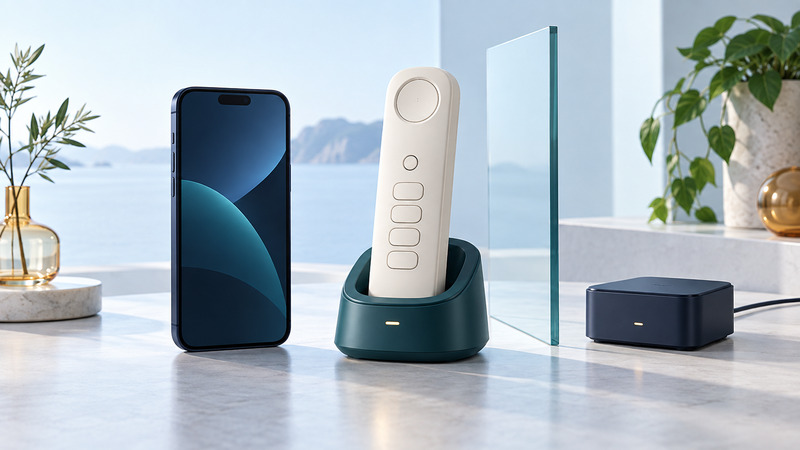
You can bring mobile calls to a comfortable home handset in several ways. Start with the number you want people to dial and the service you want outgoing calls to use. That makes it easier to choose between a paired handset system, forwarding, and a separate home-phone adapter.
Choose the connection path
A cordless handset's radio connection to its base is only one part of the system. The base still needs a telephone service or a supported link to a mobile phone. Our cordless-phone guide covers the handset/base side in more detail.
Scroll sideways for all columns. Keyboard users can focus the table and use the arrow keys.
| Method | What carries the call | Questions before purchase |
|---|---|---|
| Bluetooth cellular bridge or compatible home base | A nearby paired mobile phone supplies the cellular call | Does the exact phone pair reliably? Which handsets ring, and how is the outgoing line selected? |
| Call forwarding | The original service redirects incoming calls to another number | Which calls forward, what does it cost, and which number appears on outgoing calls from the destination? |
| Cellular home-phone adapter | An adapter with its own supported cellular service supplies a telephone port | Is the device currently supported, is coverage adequate, and is a separate line or number transfer required? |
Forwarding is chiefly an incoming routing arrangement. It does not by itself make the receiving phone's outgoing calls originate from the forwarded number. A cellular adapter may look like a home-phone base while depending on a different subscription from the smartphone in your pocket.
Check the exact feature, not just the Bluetooth logo
Match the home base, handset, mobile phone, and operating-system version against the manufacturer's instructions. Confirm required phonebook permissions separately from permission to carry audio. Multiple paired phones may have different limits for simultaneous calls and line selection.
Panasonic's Link to Cell guidance describes model-dependent ring selection, reconnection, and cellular-only settings. The fact that a handset rings does not prove every related feature works. If the mobile phone leaves the house, a Bluetooth-based call path loses that nearby phone until it returns and reconnects.
Messages need a separate check. Panasonic states that the answering system in its KX-TGD862/863/864 systems does not answer or record cellular-line calls. This is a concrete model example: consult the manual for your own system and verify where an unanswered mobile call is stored.
Treat telephone ports and household wiring carefully
Use the installation guide for the exact adapter and service. A telephone-shaped socket is not permission to connect an adapter output to existing building wiring. For example, AT&T's WF720 connection instructions explicitly place the phone in the adapter's Phone port and prohibit plugging the base into a telephone wall jack. This legacy manual illustrates the distinction; it is not a recommendation to activate that old model today.
For a supported current adapter, establish where the telephone plugs in, which equipment needs power, and whether any existing line must remain separate. Have the provider or qualified installer resolve household-wiring questions. Never connect a phone-service output to an active telephone line.
Check the service's emergency-call and location instructions before relying on it. A battery in a handset does not establish backup for the base, adapter, internet equipment, or provider network. Ask which parts keep operating during an outage and for how long under the documented conditions. Use ordinary contacts for functional tests; do not place an emergency call merely to test a new setup.
Run a complete ordinary-call test
- Incoming: have a consenting contact call the mobile number. Check which home handsets ring and answer from the one you expect to use.
- Outgoing: choose the intended line, call that contact, and have them confirm the displayed number and clear audio in both directions.
- Unanswered: let another call reach its normal message destination. Retrieve the test message from the service that actually stored it.
- Reconnection: take the paired mobile phone out of range during a convenient period, bring it back, and repeat an ordinary call after the documented reconnection interval.
- Two lines: if the system supports both home and mobile service, repeat the incoming and outgoing checks for each number.
Fictional household decision
A reader wants large home handsets to answer an existing mobile number while at home. Pairing may meet that need. If another household member must answer the same number after the mobile phone leaves, that requirement changes the choice: the reader should investigate provider-supported routing rather than assume the Bluetooth link remains available.
For messages that seem to disappear, use the answering-machine and voicemail guide. For a deliberate service change, prepare the number transfer before canceling the old line.