A progressive-scan DVD player can send a complete frame in each progressive output image, provided the receiving display supports that signal. To use an older player well, identify its output connection and resolution, then compare the cost and complexity of adapting it with a directly compatible player.
Separate scanning, resolution and scaling
In labels such as 480i and 480p, the number describes the image’s vertical line count and the letter describes its scanning method. Interlaced video divides the lines into alternating fields; progressive video presents the full frame’s lines together. Sony’s scan-format explanation describes this distinction.
| Term | Meaning | What it tells you |
|---|---|---|
| 480i | Interlaced standard-definition output associated with NTSC-system equipment | Check that the TV/converter accepts the signal and handles deinterlacing. |
| 480p | Progressive output with 480 active image lines | The display must accept that mode over the chosen input. |
| Deinterlacing | Reconstructing progressive images from interlaced fields | Processing can happen in a player, converter or display and affects motion/edge appearance. |
| Upscaling | Converting the source image to a higher output pixel count | The output resolution changes; the source remains a standard-definition DVD. |
PAL-system equipment commonly uses 576-line standard-definition formats. Check its supported video system separately from the DVD’s region. The 480-line examples here describe a common North American setup, not every disc and player worldwide.
Read labels before connecting cables
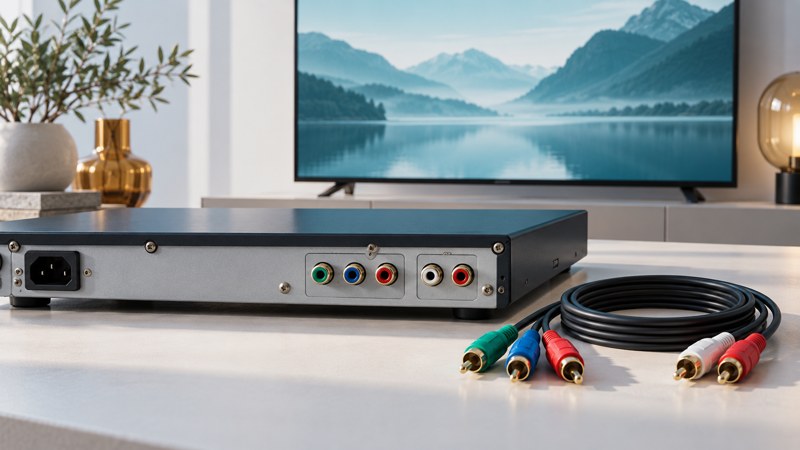
Component video commonly uses three RCA sockets marked Y, Pb and Pr, often colored green, blue and red. Stereo analog sound commonly uses a separate white/red pair. Follow the labels: a red video socket and a red audio socket do different jobs. Composite video commonly uses a yellow socket with separate audio.
A concrete model example is Sony’s SLV-D380P manual, printed page 21. It describes component video for 480p and a separate audio connection. Its component route serves the DVD deck. This is why a connector inventory should include which source each output carries.
HDMI is a digital connection that can carry video and audio. An older analog-only player needs an appropriate active converter to reach an HDMI-only input. Verify that the converter accepts the player’s signal, supports the display’s output mode and includes the necessary audio route. Confirm conversion direction before buying.
Enable progressive output with a recovery route
- Read the TV’s supported input resolutions and the player’s output instructions.
- Connect the specified cables with equipment off, then select the matching TV input.
- Start in a known-working output mode and confirm picture and sound.
- Find the manual’s procedure for returning to that mode before changing the progressive setting.
- Enable progressive output only when the receiving input supports it, then check the result.
If the picture disappears, use the documented recovery procedure for that model. Button combinations vary. Sony’s SLV-D300P troubleshooting example identifies an unsupported progressive signal as a possible cause of a blank component picture. Its front-panel procedure belongs to that model.
Judge the whole path on the actual screen
Use a familiar DVD with movement, faces and fine edges. Check normal playback rather than only a paused title screen. Keep the TV’s aspect ratio correct; zooming or stretching can hide detail and distort faces. Compare a working interlaced route with a supported progressive route if the equipment allows both.
Sony’s upscaling explanation distinguishes output-resolution changes from connection conversion. A DVD player advertising 1080p output is describing its scaled signal. Compare the displayed picture without treating that label as evidence of a native high-definition source.
Keeping a functioning older player can make sense when it already matches a display or serves a particular collection. For a fresh purchase, use the player-selection checklist to compare the entire setup.