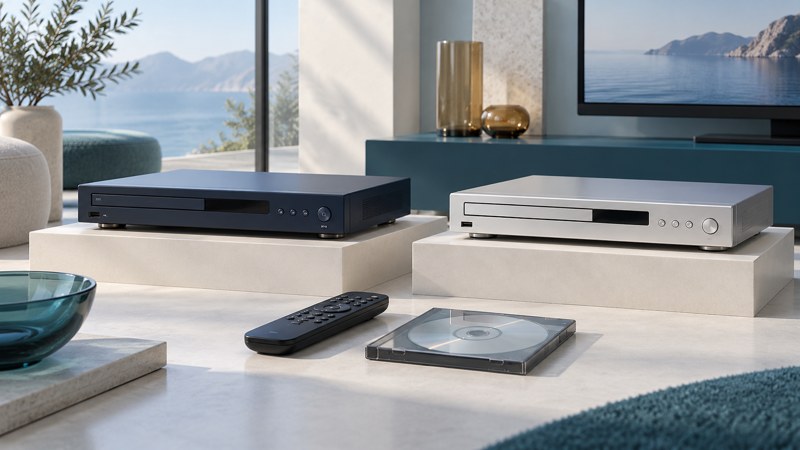
The best DVD player for you is one that plays your collection, connects directly to your screen and sound system, and has controls you can use comfortably. Begin with those requirements. A low price, an upscaling label or a long file-format list cannot settle the choice on its own.
Write down the job before choosing equipment
List your TV model and available inputs, where sound should come from, and the discs you expect to use. Include imports, home recordings and music CDs if they matter. Decide who will operate the player and from what distance. Readable buttons, dependable menu navigation and an available remote may matter more than an extra video adjustment.
If you already own a compatible Blu-ray player, disc-equipped console or computer/drive combination, test a DVD in it first. The DVD playback hub compares those routes. A separate player earns its place when it makes the actual viewing routine easier.
Compare the requirements that can rule a player out
| Requirement | Evidence to collect | Reason it matters |
|---|---|---|
| Connection to the screen | Rear-panel photo and manual showing a compatible output | An analog-only bargain may need an active converter for an HDMI-only TV. |
| Your movie discs | Supported DVD formats, region and video-system specifications | Region and PAL/NTSC compatibility are separate checks. |
| Home recordings | Exact media and recording-mode support | DVD-RAM, VR recordings and unfinalized discs need particular support. |
| Sound system | Audio outputs and supported formats on both devices | The player and receiver must agree on the signal being sent. |
| Everyday controls | Correct remote, menu/audio/subtitle buttons and usable display | A missing remote can prevent access to important setup or disc choices. |
| Music and files | Separate CD and file-format specifications | Audio-CD support does not establish support for every MP3/WMA disc or specialty audio format. |
| Physical fit | Dimensions, tray clearance and ventilation instructions | The tray and remote need usable space in the actual cabinet. |
Use a manufacturer’s specification as evidence, then test the discs you care about. For example, Sony’s DVP-SR510H product information distinguishes its DVD/CD functions and HDMI upscaling from Blu-ray playback. It is a specification example, not a hands-on recommendation or a claim that it is best for every reader.
For imports, compare the edition’s region and video system with the exact player. Sony’s DVD region explanation is a starting reference. Get model-specific evidence for any seller’s “all region” claim.
Compare the complete setup cost
Write separate amounts for the player, remote, required cable, any active converter and delivery. Check the return terms before treating a used listing as equivalent to a new product. A player that connects directly can be the simpler purchase even when its initial price is higher.
Use the player selection worksheet to record evidence for up to three candidates. It deliberately has no weighted star rating: a player that fails a necessary connection or disc requirement should be eliminated before optional features are compared.
Ask for a meaningful used-player test
- Check the exact model and region against the label, listing and manual.
- Ask to see a known-good movie load, navigate to the feature and play a later chapter.
- Confirm dialogue and any needed subtitle selection, then check pause, stop, eject and remote response.
- Test a representative home-recorded disc or audio CD if those are central to your use.
- Inspect the tray’s movement and confirm all included accessories. Ask what happens if an intermittent fault appears after purchase.
A power light and a visible menu establish only part of the story. Record which disc and connection were actually demonstrated. Treat untested functionality as unknown. This guide supplies a selection method; it does not claim laboratory testing or comparative measurements of the listed equipment.
Keep picture claims in proportion
Progressive scan concerns how a frame is sent; upscaling concerns the output resolution. Both can affect the displayed result, while the DVD remains the original source of picture information. Sony’s explanation of upscaling and conversion helps separate these operations.
Compare the same familiar scene using sensible TV settings and the correct aspect ratio. Check motion, fine edges, subtitles and faces without stretching the picture. Use the progressive-scan connection guide when older component-video equipment is involved.
Once necessary requirements pass, choose the least complicated setup you will enjoy using. Keep the manual and worksheet so a future TV or sound-system change is easier to plan.