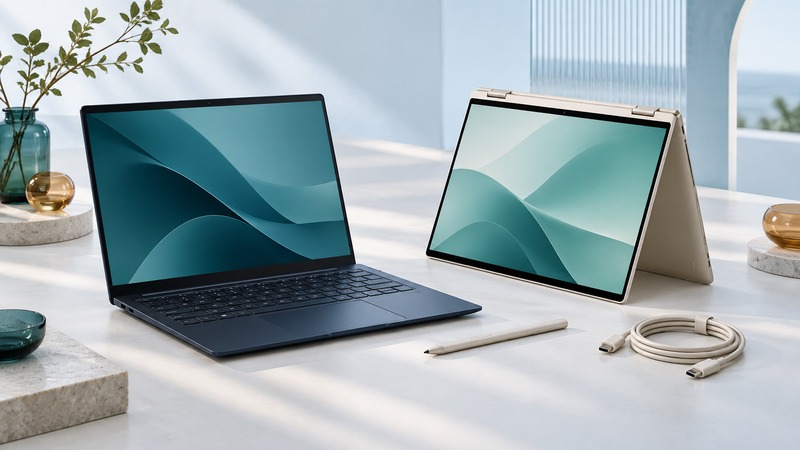
Evaluate an HP Spectre by its complete product number and the condition of the individual machine. The Spectre name spans different generations, screen sizes, and hinge designs; a useful buying decision connects the exact configuration to your applications, accessories, repair options, and supported software.
Start with the product number and form factor
Record the full product number and model designation from the device label or HP's system-information tools. Keep the serial number privately for warranty and service lookups. Match that identity to HP Support, then save the appropriate user guide, specifications, and service-guide revision.
HP's October 4, 2017 announcement introduced a second-generation Spectre 13 alongside a Spectre x360 13. These were distinct products: the thin clamshell and the convertible served different uses. Features such as the privacy-screen option described in that launch belong to particular configurations.
The distinction matters when searching for a battery, display assembly, pen, or charger. HP maintains separate service documents for the Spectre 13 Laptop PC and the October 2017 Spectre x360 13 Convertible PC. Both identify their scope and intended service audience. Use them to establish parts and service requirements, with repairs handled at the appropriate skill level.
Test the features you will actually use
Ask for enough time to perform a normal, non-destructive inspection with the owner's permission. Start with the computer powered off: check chassis seams, screws, hinge mounts, screen glass, charging ports, and the fit of the lower cover. A distorted case or swollen battery requires service assessment before charging or further use.
Scroll the table horizontally. Keyboard users can focus it and use the arrow keys.
| Check | Try | Record |
|---|---|---|
| Display and hinges | Open through the intended working range; view light and dark backgrounds | Flicker, lines, loose mounts, uneven motion, or pressure marks |
| Convertible input | On an x360, test the supported modes, touch, rotation, and a verified compatible pen | Missed input, mode-switch behavior, and pen model |
| Charging and ports | Use the specified charger and the peripherals you need | Adapter rating, port function, charge indication, and disconnects |
| Daily workload | Run a video call or document task for a representative interval | Fan behavior, application responsiveness, battery change, and any shutdown |
| Ownership handover | Confirm legitimate transfer and a documented reset/recovery plan | Unresolved firmware passwords, organization enrollment, or missing recovery access |
Use HP's diagnostic tools for a battery-health result. Its battery testing and calibration guidance distinguishes testing from calibration. Calibration improves the charge estimate; the test result and measured useful runtime are the evidence for a replacement decision. Keep the diagnostic result or failure ID with the inspection notes.
A USB-C connector describes the connector shape. Establish the supported charging, display, and data functions from the exact model documentation, then test the intended cable and dock. For pen use, verify the supported pen model and draw slow lines across the screen in the intended application.
Resolve the operating-system path before buying
Check the exact processor and configuration against Microsoft's current eligibility tools and HP's available drivers. Microsoft's Windows 10 lifecycle guidance records the October 14, 2025 end of ordinary support and describes supported transition options. A Windows 11 desktop visible in a sales photo leaves installation eligibility and manufacturer support to verify.
List the applications and peripherals that matter: a particular editing program, camera, external display, or conference headset. Run the actual application where practical. Confirm license transfer separately from whether software happens to be installed. An organization-managed machine needs an authorized release from its former organization before personal setup can be considered complete.
Price the complete working result
Choose a clear outcome: suitable as inspected, suitable after a priced repair, or unsuitable for the intended task. Save the test date because a battery and an operating-system support path can change over time.
Download the Spectre inspection record (plain text) to keep model identity, observations, and repair quotes together. See Modular PCs for judging repairability and Tablet PCs for planning pen-based work.