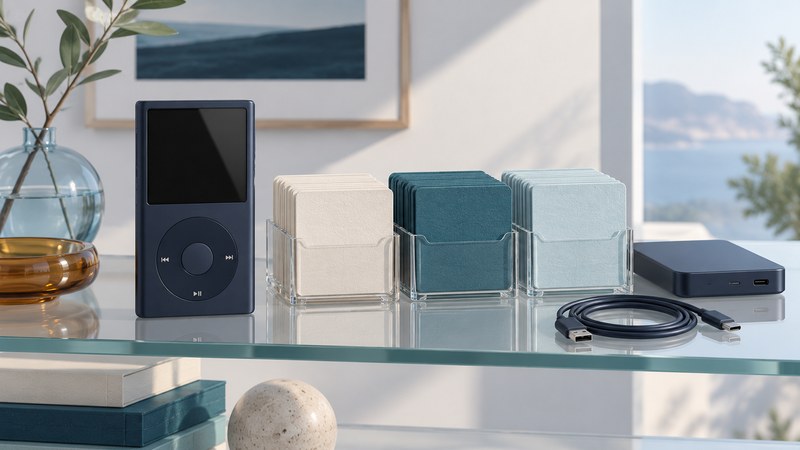
A digital jukebox is a collection of recordings you can browse and play through a device. Keeping it useful means looking after three things: the audio files, the information that organizes them, and the copies that let you recover them.
Start with one album or a small set of recordings. Prove that you can identify, play, transfer and restore that set before reorganizing an entire collection. Keep original files unchanged while you test.
Separate personal files from app downloads
Find the recordings you can access as individual files, and record where they came from. Check the actual format in a media-information view; a renamed extension leaves the encoded audio unchanged. Keep source and purchase notes alongside important recordings.
Service-managed offline listening has its own conditions. As checked in October 2026, Spotify's offline guidance requires going online at least once every 30 days to retain downloads. That is a different maintenance task from backing up a folder of independent audio files. Consult the service's current rules before relying on app downloads for a long trip.
| Copy | Purpose | Check |
|---|---|---|
| Original or best available source | Preserve what you received or recorded. | Keep its provenance and avoid overwriting it during experiments. |
| Organized library | Browse by artist, album, title and track order. | Correct tags on working copies and verify them in your player. |
| Portable playback copy | Fit the format and storage limits of a particular device. | Test conversion and transfer on a small set before copying everything. |
| Backup | Recover from a lost, damaged or accidentally changed library. | Open files from the backup independently and record the date of the check. |
Xiph's FLAC documentation describes lossless compression: the encoded audio can be recovered without discarding audio information. Keep a lossless source when you have one; make a supported playback copy for devices that need it. Converting an already lossy source to FLAC preserves that decoded result, without recreating information previously discarded.
Build a small library you can recognize
Choose one folder convention and use tags for the music player's browsing views. A practical arrangement is artist, then album, then a track-numbered filename. Album title, album artist, track artist, disc number, track number and title should describe the recording consistently. Compilation albums especially benefit from a consistent album-artist field where the software supports it.
Fictional worked example
You have an album called Window Light by the fictional Harbor Trio. Put the working copies under Music/Harbor Trio/Window Light/ and name the first file 01 - Morning.flac. Set Album to “Window Light,” Artist and Album Artist to “Harbor Trio,” Track to “1,” and Title to “Morning.”
Open the album view. If tracks split into two albums, compare the album and album-artist fields before moving folders. If track 10 appears before track 2 in a folder view, use consistent two-digit filename prefixes or the player's track-number sorting.
Create a short playlist after the files are in their intended locations. Export it if your software supports a portable playlist format, then reopen it and check every entry. Playlists often refer to file paths, so moving files afterward can break their references. Keep artwork small enough and in a format supported by the intended player; test one album first.
A file on the device still needs a working playback path
Read the target player's format and transfer instructions. Check codec, supported sample rates or bitrates where specified, and whether it needs a synchronization program or accepts ordinary file copying. Transfer a small test set containing the kinds of recordings you actually use, then disconnect by the documented method and play them from the device itself.
The Philips GoGear manual supplied through HDD6330/17X support (PDF, printed pages 44 and 49) illustrates the distinction. It describes music transfer through Windows Media Player and warns that files transferred as ordinary data may fail to appear in the music library. Its troubleshooting section names MP3 and WMA; the listed software requirements belong to its Windows XP era. These are historical instructions, not verification of a modern computer setup.
Philips now labels that specific support variant discontinued. Preserve any accessible source files before attempting repairs or resets, and verify model-specific support before depending on legacy software. An old compatibility logo alone cannot establish whether a service still authorizes a recording today.
Keep copies you can restore
The Library of Congress personal-audio guidance recommends identifying valuable recordings, keeping descriptive information and storing multiple copies in separate locations. Apply that to the files and tags you would miss, along with playlists and a short explanation of your folder system.
- Copy the organized test set to a separate backup destination. Confirm the expected filenames and counts.
- Open several recordings directly from that destination, including a long file and any unusual format. Check that the metadata remains readable.
- Restore one album into a separate test folder. Import or open it without relying on the original location.
- Record the backup location, verification date and next check. Keep another copy away from the same physical risks as the main library.
Use the offline music-library checklist to record your test set and restore results. Success means you can locate the recording, read its identity, play it on the intended device and recover it from another copy.
Next, connect that player to a compatible speaker dock or an older car stereo. The 2007 gas-pump download experiment offers a historical example of how many links a music-delivery system can require.
Explore all Digital Audio guides. Technical sources are linked beside the claims they support.