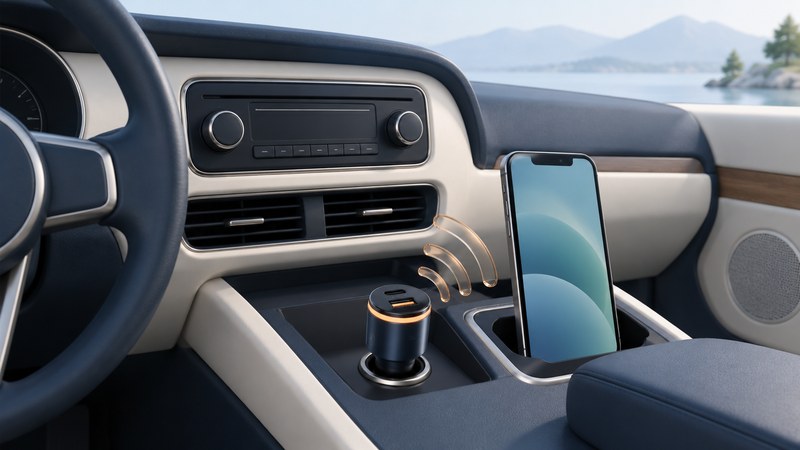
An FM transmitter gives an older car radio a way to play audio from another device. The source feeds the transmitter; the transmitter broadcasts a short-range FM signal; the car radio receives it on the same frequency. A Bluetooth-equipped transmitter adds a wireless connection between the phone and transmitter.
Start by checking the stereo's existing inputs. A working direct connection can spare you the need to find a clear FM channel. Use the transmitter and vehicle manuals for their specific power and connection requirements, and complete setup while parked.
Choose the path your stereo supports
| Available input | What to establish | Practical consequence |
|---|---|---|
| Bluetooth audio | The stereo supports music playback from your phone, as well as any calling features you need. | Select that audio source and test music separately from a phone call. |
| AUX / line input | The source has a compatible analog output, directly or through a documented audio adapter. | A cable carries audio to the stereo; charging is a separate task. |
| USB audio | The vehicle manual supports your phone, player or storage device and the intended playback method. | A powered USB socket alone establishes only that power is available. |
| FM radio | The transmitter accepts your source and can use a locally clear frequency also available on the radio. | Both devices must stay tuned together; reception conditions can change along the route. |
For example, Belkin's F8Z880 connection guide describes a wired 3.5 mm input and a 12 V vehicle power connection. Those details belong to that model. A Bluetooth transmitter has a different source connection, even though both ultimately send audio to an FM radio.
A parked setup walkthrough
- Identify the equipment. Record the transmitter model and the vehicle socket/input you intend to use. Check their compatibility before connecting. Position controls and cables clear of vehicle controls.
- Turn the radio volume down. Power the transmitter as its instructions specify. Start with a familiar local audio file so a mobile-data problem cannot confuse the first test.
- Connect the source. Insert the documented audio cable or pair the phone with the transmitter. Select the transmitter as the phone's media output if necessary. A charging symbol only confirms charging.
- Choose an FM channel. Use the transmitter's scan feature, if provided, or its manual tuning instructions. Set the radio to the exact displayed frequency. Use the radio's manual tuning if automatic seek skips it.
- Play and adjust. Raise the listening volume gradually. Follow any source-level guidance in the transmitter manual. If loud passages sound rough, lower the source level and compare again before increasing the radio level.
- Store and retest. Save the working frequency where supported. Stop playback, restart it, and confirm the phone reconnects to the intended output.
Belkin's F8Z880 tuning instructions illustrate the two separate operations: select a frequency on the transmitter, then tune the car radio to it. Its ClearScan feature chooses a candidate frequency; that feature and its controls are model-specific.
Find the weak link before replacing equipment
| Symptom | First check | Next useful test |
|---|---|---|
| Another station or persistent static | Radio and transmitter frequency match. | While parked, choose another clear channel and change both devices. A good frequency in one town may be occupied elsewhere. |
| Phone says connected, but music is silent | Media output, pause/mute state, radio source and transmitter input. | Play the same file through the phone speaker, then reconnect. This separates file/app trouble from the audio path. |
| Loud passages distort | Source level and any boost/processing settings. | Reduce one level or effect at a time and replay the same passage. Record which change helps. |
| Sound is quiet with noticeable hiss | Source output is very low or the signal is weak. | Follow the manual’s level guidance, then compare another clear frequency at a comfortable radio volume. |
| Noise appears when a charger is connected | Whether the noise follows that accessory. | While parked, compare with the optional charger disconnected. Use supported replacement accessories; leave wiring or power faults to a qualified technician. |
| Transmitter loses power | Correct socket, secure fit and the vehicle’s socket-power behavior. | Consult the vehicle and transmitter instructions. Stop using damaged or abnormally hot equipment. |
Some transmitters also apply processing. Belkin documents a PRO setting on the F8Z880. Establish a working baseline with optional effects off, then compare each effect separately.
A useful pre-trip check
Confirm your chosen audio is available, start it, check reconnection, and set a comfortable volume before moving. Keep a note of the working input and frequency for later parked troubleshooting. NHTSA includes adjusting entertainment systems among driving distractions; pull over safely before retuning or changing the setup.
If FM remains unreliable, revisit the stereo's documented direct inputs. For preparing music without depending on reception, see organizing an offline music library. For the same connection distinctions at home, see reusing a speaker dock.
Explore all Digital Audio guides. Technical sources are linked beside the claims they support.