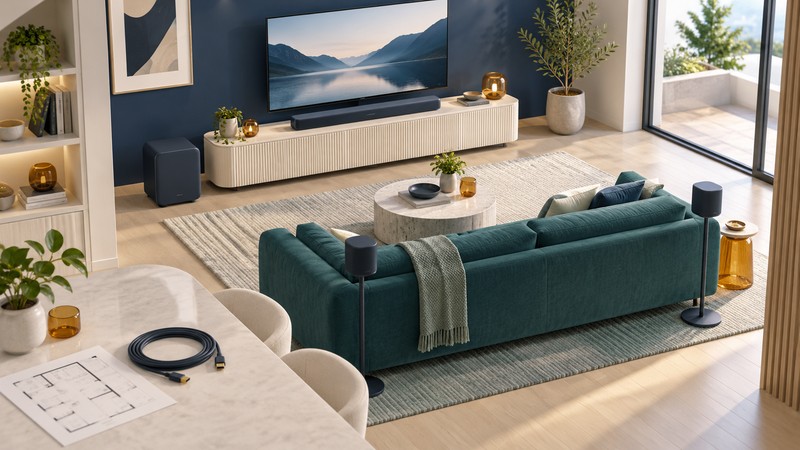
A Bose home-theater plan can start with a compact TV speaker, an Atmos soundbar, or a system intended to grow into separate bass and surrounds. Choose the layout you can install, then match accessories to the exact product family. Compatibility and everyday controls make the difference between a useful upgrade and a collection of boxes.
Choose the job before choosing the soundbar
The examples below are in Bose’s U.S. soundbar catalog, checked October 12, 2026. Start with the room and the tasks you want the system to handle. Check your local model, support, and package contents when buying; the comparison describes documented features rather than a hands-on performance ranking.
| Route | Useful starting point | What to compare |
|---|---|---|
| TV Speaker (2nd Gen) | Everyday television with Dialogue Mode, HDMI or optical audio, Bluetooth music, and an included remote. | Furniture fit, straightforward controls, and whether you want a wired bass addition. |
| Smart Soundbar / Smart Ultra Soundbar | Dolby Atmos soundbars with Wi-Fi music and optional compatible bass and surround accessories. | Cabinet size, room-calibration features, and the total cost with the accessories you intend to use. |
| Lifestyle Ultra Soundbar | A current Lifestyle-family starting point that can grow with its matching subwoofer and rear pair. | TV ARC/eARC and CEC behavior, app setup, rear positions, and the specific Lifestyle expansion path. |
The Smart Ultra adds ADAPTiQ room calibration using its supplied headset. Bose lists the Smart Soundbar at 27.34 inches wide and Smart Ultra at 41.14 inches wide. The Smart Soundbar uses its own sound controls and has no ADAPTiQ routine. Compare these functions and dimensions in the Smart Soundbar manual and Smart Ultra manual before choosing; the shared word “Smart” covers different hardware.
Match the accessory to the exact soundbar
| Starting model | Documented bass options | Rear-speaker path |
|---|---|---|
| TV Speaker (2nd Gen) | Lifestyle Ultra Subwoofer, Bass Module 500, or Bass Module 700, using the documented 3.5 mm wired connection. | Its owner’s guide documents bass expansion; choose a surround-capable bar if separate rear channels are your goal. |
| Smart Soundbar or Smart Ultra Soundbar | Bass Module 500 or Bass Module 700; follow the chosen bar and module instructions for connection. | Bose Surround Speakers or Bose Surround Speakers 700. |
| Lifestyle Ultra Soundbar | Lifestyle Ultra Subwoofer, wired or wireless; Bass Module 700 through a wired connection. | A pair of Lifestyle Ultra Speakers. Prior Bose Surround Speakers and Surround Speakers 700 are incompatible with this bar. |
Sources: TV Speaker (2nd Gen) guide, page 35; Smart Soundbar guide, page 42; Smart Ultra guide, page 41; and the Lifestyle Ultra accessory FAQ. All additions are optional unless the specific bundle includes them. Match full product names before comparing offers or reusing an accessory.
Make an end-state list: bar, bass cabinet, rear pair, stands or brackets, and the required cables. A wireless accessory link still needs the power arrangement specified for the equipment. For surrounds, account for any separate receiver boxes and speaker leads as well as the speaker cabinets.
Plan the TV connection and everyday controls
Connect players and consoles to the television, then map the TV’s audio output to the soundbar. Record the port number and ARC/eARC marking. The HDMI connection guide explains how to check formats across that complete route.
The Lifestyle Ultra FAQ specifies HDMI eARC, with ARC also supported, and TV-remote power and volume through CEC. Its box has no IR remote. Confirm that this control arrangement works with your television. The TV Speaker (2nd Gen) and Smart models offer optical alternatives and their own supplied remotes; check the selected model’s manual for setup.
For Atmos playback, confirm the soundtrack, app or player, television passthrough, connection, and bar. Optical is a different audio path with different capabilities. Use a known title and the system’s available input-format information to check the result. A format logo on the bar describes support, while the actual content and route determine what reaches it.
Test the routine everyone will use: turn on the television, adjust volume, switch to an external player, play music, and return to TV. Include standby and restart. Record lip synchronization and the remote that controls each function.
Place the system, then run its own setup
Measure the bar against the TV feet, screen edge, remote sensor, and console depth. Allow connector space and the manual’s clearances. Keep upward- and side-facing drivers clear of cabinet walls. For rear speakers, mark positions and outlets around the actual seats before ordering stands.
The Lifestyle Ultra manual describes CustomTune calibration using a mobile device’s microphone and recommends rerunning it after adding speakers or changing the arrangement. Its home-theater group uses two Lifestyle Ultra Speakers as a left/right pair on the same Wi-Fi network. Smart Ultra’s ADAPTiQ routine uses its headset; follow the procedure for your exact bar.
Assign each additional speaker a purpose. Rear speakers reproduce the supported TV-surround roles in the listening room. Multiroom grouping serves music across rooms. Personal listening features serve an individual listener. Check the documented function you need before treating any networked speaker or headphone as a substitute for a rear pair.
Compare complete systems in real rooms
Compare the bar, accessories, stands, cables, installation, and local return terms as a complete purchase. Use the same familiar speech, music, and film passages at comparable volume. Listen from every regular seat, including the seat nearest a rear speaker, and check bass at evening listening levels. Treat dialogue modes and room adjustment as settings to evaluate in that comparison.
Keep the model names, grouping, ports, and working settings in the connection record. Compare Sony’s expansion choices or Harman Kardon’s staged Enchant approach against the same room plan. Return to the Home Theater hub for seating, source, and speaker guidance.