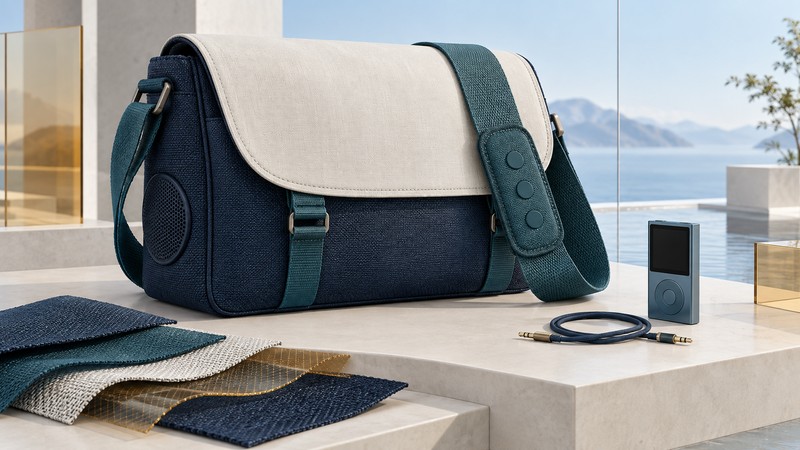
A Bluetooth messenger bag combines several jobs: carrying equipment, placing controls within reach, and connecting audio devices. G-Tech’s 2007 bags and Eleksen’s wearable controllers make a useful design case study. Understanding the separate control, call, and audio paths helps explain both their appeal and the questions to ask about a surviving example.
Put the controls where the hand already reaches
In its January 2007 announcement, preserved by Fibre2Fashion, G-Tech described a Bluetooth-enabled messenger bag with ElekTex fabric controls on the strap, music muting around calls, built-in speakers, and a 3.5 mm audio connection. The intended convenience was simple: keep a player inside the bag while using accessible controls outside it.
The design moves an interaction from a small device surface to a larger textile surface. That changes the user’s task. Instead of finding a player in a compartment, the wearer must locate the correct control by feel, receive understandable feedback, and avoid accidental activation as the strap moves.
Separate fabric input, device commands, and sound
Eleksen’s original iPod + Bluetooth Controller instructions, preserved in an FCC filing mirror, document one contemporary architecture: a fabric sensor connects to an electronics interface, the iPod uses its 30-pin dock connector, and a Bluetooth phone supplies calls. Headphones and a microphone connect to the interface. The document identifies headset and hands-free profiles and an automatic control lock.
This manufacturer reference explains a period design; it is not a verified parts list for every G-Tech bag. Match a surviving bag’s labels and interface to its own instructions before transferring a pairing sequence or care procedure.
On a narrow screen, scroll the table sideways. Keyboard users can focus it and use the arrow keys.
| Part of the system | Its job | Question to answer |
|---|---|---|
| Fabric control surface | Receive a deliberate press and pass it to control electronics. | Can you locate and use the intended control without an accidental press? |
| Player-control connection | Carry commands such as play, pause, or track selection. | Which player and connector does this exact controller support? |
| Bluetooth call connection | Carry the documented phone functions. | Which call functions and audio route does the exact device support? |
| Wired audio connection | Provide an analog sound path where the product documents one. | Does sound reach the intended speaker or headphones independently of the controls? |
| Bag and removable hardware | Carry, protect, and permit maintenance of the complete system. | Which parts detach, and what cleaning method applies to each? |
A fabric button is an input component. Its location on a strap does not determine which radio functions the electronics provide. Similarly, hearing sound through a documented analog input demonstrates that sound path; track selection needs separate command support. Keep those results in separate columns when assessing the bag.
Evaluate the design without guessing its internals
Begin with an unpowered inventory. Record the bag’s model, controller label, connectors, player holder, speaker arrangement, cable condition, and care label. Find the exact power and use instructions before attempting electronic operation. An unidentified specimen can still be assessed for accessibility and design history without powering it.
- Check reach and recognition. With a representative load and while stationary, put the bag in its normal carrying position. Locate each control visually, then see whether its position and texture make it distinguishable by touch. Record where the strap twists or hides a control.
- Map the actual connections. Draw the player, controller, phone, and sound output as separate boxes. Add only connections supported by the manual or visible labeled hardware. Mark uncertain paths instead of completing them by assumption.
- Test one documented function at a time. If the equipment and power requirements are established, check playback and controls independently. For a documented calling mode, use a consenting caller to check incoming audio, outgoing speech, and return to music.
- Assess accidental input and recovery. During ordinary handling, note whether putting down the bag or adjusting the strap activates a command. Where a lock is documented, check how clearly the wearer can tell it is engaged and how easily control returns.
- Plan care before use. Follow the complete product’s care instructions and identify any required removal of electronics. A description of washable fabric is insufficient evidence that the assembled bag, speaker, controller, or connected player can be washed.
These are observation prompts, not durability, water-resistance, or electrical repair tests. Leave charging specifications, wash settings, and internal modifications to the exact product documentation. Record unavailable instructions as a limitation on operational reuse.
Interpret a partial success carefully
The lasting design question is whether integration earns its complexity. Compare the time saved reaching controls with the added parts that need charging, identification, cleaning, and eventual replacement. A useful evaluation can favor keeping the bag for carrying while retiring undocumented electronics, or preserving the complete object as an example of early wearable interaction.
For related compatibility questions, see iPod models and Bluetooth adapters and Bluetooth audio modes. The MoGo Talk design guide explores another approach to integrating an accessory into an object already being carried.
Keep a useful record
Download the editable plain-text worksheet to record the equipment, evidence, observations, and next decision. It includes source links and can be opened in any text editor.