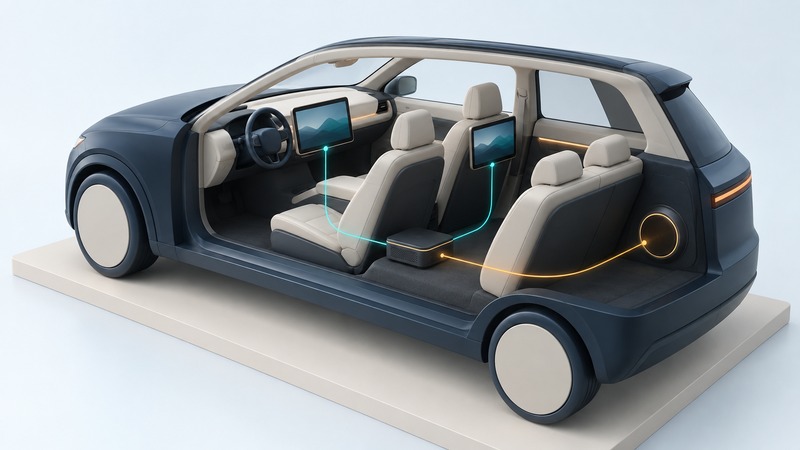
A vehicle multimedia network carries information between sources, processors, amplifiers and displays. To understand one, ask what data travels, which link carries it and what each device expects. Cable shape and headline speed answer only part of the compatibility question; timing, control messages, software and vehicle configuration matter too.
Separate the job from the cable
Start with a familiar action: a rear passenger selects a movie. The system needs video at a display, audio at speakers or headphones, and commands such as play, pause and volume. Some functions may share a network while others use separate connections. Draw those roles before trying to name the protocol.
On a narrow screen, scroll the table horizontally. Keyboard users can focus its region and use the arrow keys.
| Layer | Question | Useful evidence |
|---|---|---|
| Physical link | What signal and medium connect the modules? | Exact interface, cable, connector and electrical or optical specification. |
| Data transport | How are messages or streams carried? | Protocol/version, bandwidth and timing behavior. |
| Application | What formats and commands do the devices understand? | Audio/video format, control interface and supported functions. |
| Vehicle integration | Will the car recognize and operate the combination? | Supported model/trim, software, configuration and retained-function documentation. |
A passive connector adapter changes the connection arrangement; it does not by itself establish that two devices speak the same protocol. A gateway or interface module may translate selected functions, but its documented coverage defines what actually works.
Recognize networks by their purpose and generation
Vehicle communication has developed through several families. Bosch’s overview of network communication describes CAN alongside LIN, FlexRay and Automotive Ethernet serving different use cases. A car can contain more than one network, connected through controllers or gateways. The presence of one technology does not make the others disappear.
For multimedia, Microchip’s MOST overview describes a synchronous network designed for audio and video streaming. Check the exact generation and physical interface in a vehicle rather than assuming all MOST equipment interchanges. Older documentation also discusses IDB-1394: the scope of SAE’s 2001 power-mode practice names it alongside IDB-C and MOST. Read those network proposals in their historical context.
The OPEN Alliance develops specifications and interoperability work for Ethernet-based automotive connectivity. “Automotive Ethernet” still leaves the particular physical layer, rate, topology and application to be identified. An ordinary home-network plug or cable is not a specification for an in-vehicle connection.
Follow one function through the system
Use a simple functional map: source → processing and control → transport link → receiver → output. For music, the source might be a phone or local file, the receiver an amplifier, and the output the speakers. Control messages determine selection, volume and mute behavior. A navigation prompt or vehicle warning may join the audio path elsewhere.
That map is a reasoning tool, not a universal wiring diagram. In an actual car, request the manufacturer’s system description and the exact interface maker’s fit documentation. Mark the factory amplifier, separate display, steering controls, microphone and warning sounds. A replacement screen can be visually impressive while leaving one of those less visible functions unresolved.
Read bandwidth and timing as separate requirements
Bandwidth describes how much data a link can carry over time. Latency describes delay, and jitter describes variation in that delay. A stream may fit in average bandwidth while still needing buffering, scheduling or synchronization to play reliably. Devices also need to agree on how a stream is represented and started.
A compressed video rate cannot be inferred from resolution alone; encoding and settings matter. Equally, a high network rate cannot improve a low-quality source or guarantee that the system decodes its format. Compare the whole signal path.
Build a useful compatibility record
Before buying an interface, record the vehicle year, trim, audio option, module part numbers if professionally identified, and software versions where available. List each function that must survive. Ask the supplier to confirm that exact combination and explain any coding, subscription, firmware or installation dependency.
Keep network diagnosis and modification within the documented service process. Connecting unknown devices to a vehicle network can affect more than entertainment. A useful owner’s record describes symptoms, timing, recent changes and equipment; a qualified installer or technician chooses the measurements and repair.
Save a working record
Download the Automotive Multimedia Networks working record (plain text). Open it in a text editor, save a private copy and fill in the relevant prompts. Record unknowns explicitly and attach the evidence that supports each conclusion. The file includes instructions, source links and this article’s address.