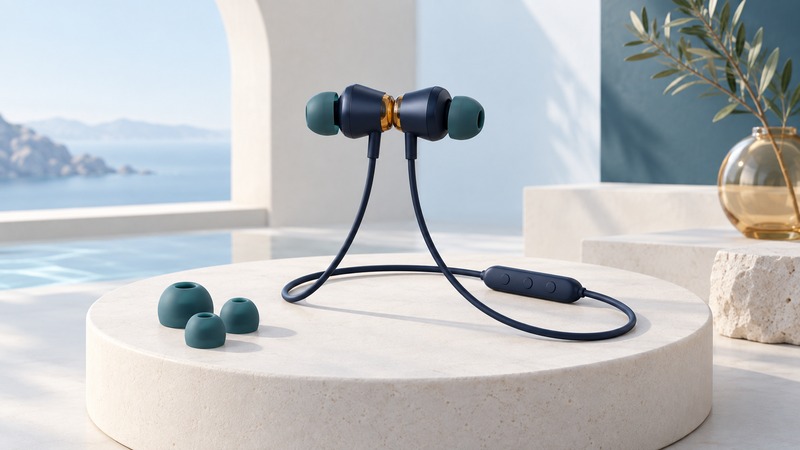
Magnetic earphones can use attachment as a control as well as a way to keep the earpieces together. Check exactly what your model does when the magnets meet or separate, then test that behavior with your phone and calling app. Useful everyday performance depends on predictable controls, comfortable fit and intelligible calls.
Understand the Alloy control idea
In its October 2017 Alloy announcement, Naztech described magnetic sensors that pause music when the earpieces attach and resume it when separated. It also described separating them to answer an incoming call and joining them to end it. Those are historical manufacturer claims for that product, not a standard shared by all magnetic earphones.
For an existing pair, identify the exact model and obtain its instructions before trying unfamiliar button combinations. Establish ordinary playback and a call using the inline controls first. Then add the magnetic action so you can tell whether a problem concerns the connection, the app or the sensor behavior.
A magnet used only for storage may have no electronic control function. Look for documented actions, not just a magnetic clasp in a photograph.
Test controls in the states you actually use
On small screens, scroll the table sideways to read all columns.
| Starting state | Action to test if documented | Record the actual result |
|---|---|---|
| Music playing | Join, pause, separate and resume | Did playback resume once, and in the intended app? |
| Willing contact calling | Use the documented magnetic answer action | Did the call connect with headset audio? |
| Call connected | Use the documented end action | Did the call end on the phone as well? |
| Phone locked or just reconnected | Repeat the playback test | Did behavior change with phone state? |
Use a willing contact and learn the physical end-call control first. A control that conveniently resumes a song may be less welcome when the earpieces separate accidentally in a bag. Observe your own handling pattern and decide whether that behavior suits it.
Change one variable at a time. If controls work in one app but not another, record both app versions before considering the hardware faulty. If an action occurs twice, check for a second connected device or repeated attachment before assuming a codec problem.
Evaluate fit and the sound the other person hears
Try the supplied, compatible tip sizes at a modest listening level. Check that the earpieces stay comfortable when turning your head and that the cable or inline module does not rub against clothing. A secure fit is useful only if it remains comfortable through the intended session.
For microphone evaluation, read the same short sentence to a willing listener first in a quiet room and then in a typical noisier setting. Ask about missing syllables, background noise and level changes. Record the environment and microphone position so the comparison can be repeated.
Qualcomm describes cVc as call voice processing. That describes a different purpose from active noise cancellation intended to reduce what the wearer hears. The presence of a call-processing name in an old feature list cannot establish the listening isolation or measured voice performance of your pair.
Measure useful runtime and check care instructions
Charge according to the model instructions and record a representative session: start time, volume setting, playback versus calls, and time of shutdown or low-battery warning. Repeat under similar conditions if the result seems inconsistent. Keep “warning time” and “stopped working time” distinct.
Naztech’s launch announcement advertised up to five hours of playback. That is dated manufacturer information, not a promise for an aged battery. Use your observed runtime to decide whether the pair covers the commute or meeting you need.
For moisture exposure and cleaning, rely on the exact model’s instructions and documented protection rating. A general sweat-resistant marketing phrase gives no numerical immersion limit. Illustrative decision: a pair with reliable controls but insufficient observed runtime may suit short desk sessions while failing an all-afternoon requirement.
Keep a record and continue
Download the working checklist (plain text). Record your equipment, evidence and next action in its blank fields.
Researched and updated September 18, 2026. Alloy specifications are attributed to its 2017 announcement. No current availability, water rating or bench-tested performance is asserted.