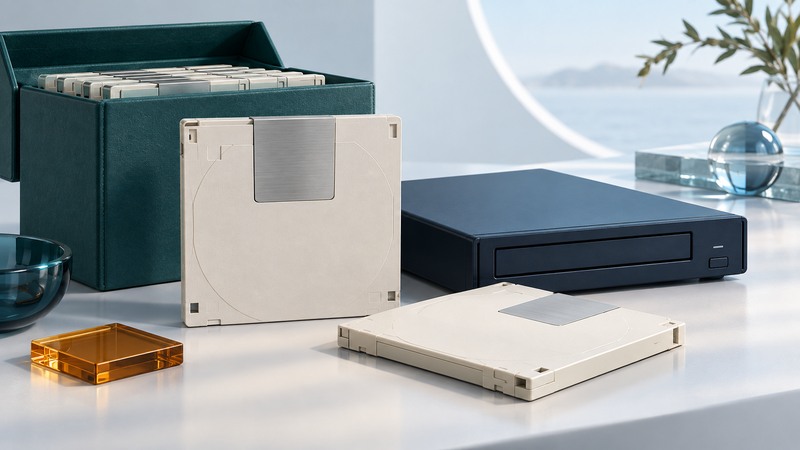
Reading a UDO archive requires a working chain: the cartridge, a compatible optical drive, its host connection, and the software or catalog that gives the stored data meaning. Inventory that chain before changing a library or retiring its computer. A migration succeeds when the intended files and their context can be retrieved and checked on the destination.
Identify generation and recording type
Ultra Density Optical uses optical cartridges designed for archive systems. ECMA-380, first edition December 2007, specifies second-generation 130 mm UDO media with 60 GB per cartridge, 30 GB on each side, in rewritable and write-once forms. Keep generation, recording type and individual side identifiers in the inventory.
On narrow screens, focus the table and use the arrow keys or swipe to see every column.
| Property | Why it matters | Record |
|---|---|---|
| Generation | UDO1 and UDO2 require the appropriate reading hardware. | Label text, 30 GB or 60 GB designation, cartridge identifier. |
| Recording type | Rewritable and write-once media have different modification rules. | Exact RW, WORM or other manufacturer designation. |
| Sides | A cartridge can contain separately managed data on two sides. | A/B labels, volume identifiers and catalog entries. |
| Archive context | A readable medium may depend on its original catalog or application. | Library, software version, file system and owner. |
| Condition | Errors change the migration plan. | Visible damage, prior read errors and last verified access. |
Plasmon’s G-Series manufacturer brochure, preserved by a distributor, documents UDO2 drives reading 30 GB UDO1 media. This backward-read capability should be checked against the actual drive and library configuration. It provides no basis for assuming UDO1 drives read UDO2 cartridges. Preserve existing media instead of trying initialization or a write operation to test recognition.
Preserve the reading environment
- Identify the installed drive model, firmware, interface, host adapter and any library controller. Record which known-good cartridge the system can currently retrieve.
- Capture the archive software name, version, configuration, license dependencies and catalog location. Arrange authorized access to required credentials and keys without placing them in a public inventory.
- Back up the catalog and configuration through the application’s supported method. Record the relationship between logical records, volume identifiers and physical cartridge sides.
- Test an export of a small, representative collection while the original environment still works. Include large files, unusual names, older records and formats needing special applications.
- Preserve original files plus the metadata required to interpret them. Where a conversion is necessary, retain the source file and record the conversion tool, version and result.
Make the first successful small export a documented baseline. A library robot locating a cartridge proves less than opening the requested record; an operating system seeing the drive proves less than reading its archive format. Check each step separately so the next purchase or repair targets the missing dependency.
Verify migration at two levels
At the file level, create a manifest of relative paths, sizes and checksums for the readable source files, then compare it with the copied files. At the record level, confirm that the catalog, attachments, dates and relationships still lead to the correct content. Keep a dated log of failures, retries and unresolved items. These are complementary checks: byte equality alone does not establish that a record remains understandable.
Illustrative reconciliation: a catalog contains 1,000 expected objects. The export produces 998 verified objects and two logged read failures. The result is 998 ÷ 1,000 = 99.8% verified object coverage, with two unresolved objects. Reporting “all exported files verified” would conceal the missing pair. Reconcile against the source expectation, retain the error records, and have the archive owner decide the next recovery step.
For a damaged or intermittently readable cartridge, preserve the error evidence and involve the archive owner or a recovery specialist before repeated reads or corrective actions. Where tools permit, capture a preservation image as well as a usable export; record which tools can interpret that image.
Define acceptance before retiring equipment
- The expected inventory is reconciled, including both sides and every unresolved object.
- Copies are verified on independent storage, and a restore from the second copy has been demonstrated.
- Representative records open in the intended application, including their attachments and metadata.
- Access rules, retention requirements and audit records have an owner on the destination system.
- The archive owner has recorded acceptance and a decision for the source media, catalog and reading equipment.
Write-once recording is a media property. Retention management, authorized access, provenance and retrieval testing still require an operating process. Keep those responsibilities explicit instead of treating a cartridge label as complete archive governance.
Use the UDO migration record (plain text) for one collection, then repeat it for the next. Compare the dependency planning in REV recovery and LTO archive planning when evaluating the broader archive.