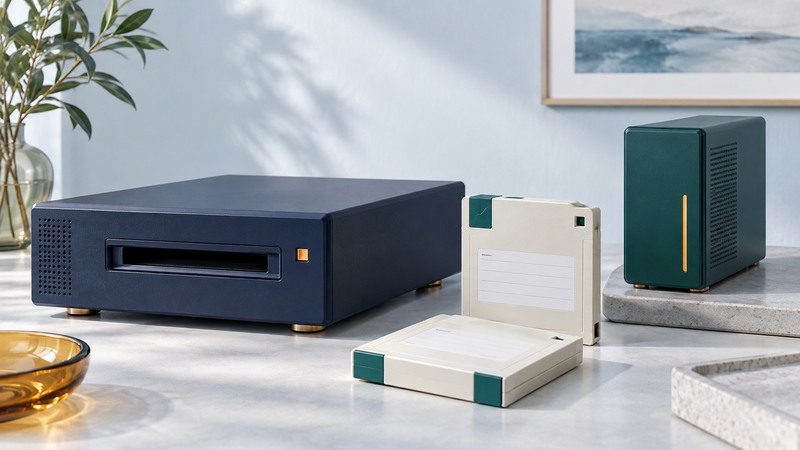
Recovering an Iomega REV archive requires a compatible drive, a working host and a way to interpret the stored files or backup set. Inventory those dependencies before connecting the only copy. The goal is a verified migration to storage you can maintain and restore from.
Identify the cartridge and its reading path
REV uses removable hard-disk media. Iomega's 2008 REV family brochure, preserved by RS, lists 35, 70 and 120 GB generations and several host interfaces. It documents reading 70 GB media in a 120 GB drive and reading/writing 35 GB media in a 70 GB drive. These specific relationships are useful evidence; they do not establish universal cross-generation compatibility.
Record the cartridge's exact capacity and markings, then locate documentation for the exact drive you intend to use. Prefer an explicitly documented pairing. Check the interface, power supply, driver and operating-system requirements independently. A cable adapter resolves only the connection it was designed to bridge.
On narrow screens, focus the table and use the arrow keys or swipe to see every column.
| Dependency | What to retain | Why it matters |
|---|---|---|
| Media and drive | Capacity, model, serial and compatibility evidence | The drive must read this generation |
| Host environment | Interface, OS, driver and power details | Hardware detection precedes data access |
| Backup application | Name, version, catalog and required set members | An archive may require a restore operation |
| Access credentials | Authorized location of keys or passwords | Readable bytes may still be encrypted |
Distinguish ordinary files from a backup set
If the volume exposes ordinary documents, copy them to a new destination while retaining their folder structure. If it contains archive containers, use the software that understands their format. Preserve catalogs and all cartridges belonging to the set, including full and incremental backups.
The software dependency can be very specific. Microlite's own BackupEDGE REV documentation explains that media written with its multiple-archive arrangement requires BackupEDGE to read it. A successful directory listing alone therefore may leave the actual restore task unfinished.
Record the original application before trying replacements. Use a controlled recovery environment for old software, retain its configuration, and transfer the recovered files into a maintained environment. An operating system's offer to initialize or format unfamiliar media should be declined when the purpose is recovering existing data.
Migrate in a documented order
- Assign each cartridge an identifier and photograph its label. Establish the set order from available catalogs and records.
- Prepare sufficient destination space and a second independent storage location. Keep source media separate from writable test media.
- Restore a small, important selection to a new folder. Open those files with the intended application before committing to the full migration.
- Copy or restore the remaining content, saving errors and skipped-file reports. Avoid overwriting an earlier good recovery with an uncertain later attempt.
- Verify the destination, make the independent copy and test a restore from that copy. Retain the REV originals until the migration has been accepted.
Repeated I/O errors or unstable operation change the task into recovery of potentially failing media. Stop routine migration attempts and consult a specialist when the contents are irreplaceable. This workflow assumes the source can be read reliably; it cannot promise recovery from damaged cartridges.
Define what “verified” means
For ordinary files, compare paths, file counts and byte counts, then compare cryptographic hashes where a reliable source read is available. Microsoft's Get-FileHash documentation describes file hashing, including SHA-256. Matching hashes establish that two compared files contain the same bytes; opening representative files checks their practical usefulness.
Illustrative acceptance record
A restore reports 1,200 expected files and produces 1,198 with two errors. Even if every recovered file opens, the migration remains incomplete. List the two missing paths and their importance. Accept a partial result only as a documented decision, never as an unnoticed count mismatch.
Use the REV migration record for dependencies, exceptions and sign-off. For the destination, the NAS guide explains shared storage choices, while the storage mirroring guide helps distinguish availability from independent recovery copies.