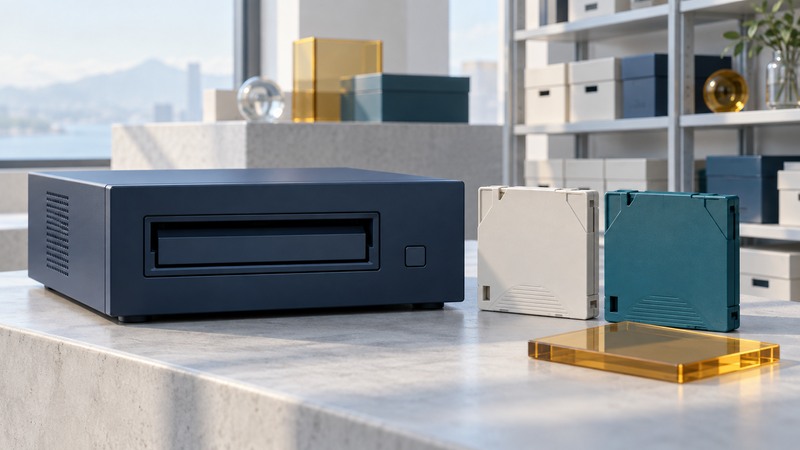
Keeping an LTO-8 archive readable requires more than keeping the cartridges. Preserve a compatible drive path, supported software, a catalog, any required encryption keys and a tested restore procedure. Plan migration while the existing system still works.
Inventory media before choosing a drive
Record each cartridge's identifier, generation, format, encryption status and last successful read. Keep LTO-7 Type M distinct from ordinary LTO-7 and LTO-8 media. Then confirm the drive, enclosure, host interface, operating system and archive software as one supported combination.
On narrow screens, focus the table and use the arrow keys or swipe to see every column.
| Drive generation | Supported read/write media generations | Implication for existing LTO-8 tapes |
|---|---|---|
| LTO-8 | LTO-7 and LTO-8, including LTO-7 Type M | Can provide the existing archive's reader, subject to software and format support |
| LTO-9 | LTO-8 and LTO-9 | Can read LTO-8; does not replace an LTO-7 Type M reader |
| LTO-10 | LTO-10 only | Needs an additional compatible reader to migrate LTO-8 data |
This table follows the LTO Program's generation compatibility guidance, checked September 16, 2026. Do not apply the older “two generations back” rule to every newer drive. Cartridge compatibility also does not establish that your software can read the archive's format.
Keep LTFS and application archives distinguishable
The LTO FAQ describes LTFS using an index partition and a data partition, allowing a file-oriented view of tape contents. Access still requires a supported LTFS implementation, compatible drive and host setup. A tape created by backup software may instead require that application's restore tools and catalog.
Record which format produced each tape. Preserve installer and version information through your approved software archive, and document the supported restoration environment. Keep encryption-key recovery under a separate controlled process; a catalog entry should identify its responsible custodian, not expose the secret.
Before accepting a tape from someone else, agree on generation, format, filenames, checksum manifest and encryption arrangements. Test a sample exchange using the receiving system before sending the full archive.
Budget native capacity and elapsed time
IBM's LTO device-class documentation lists 12 TB uncompressed capacity for LTO-8 media. Advertised compressed capacity assumes compressible data; already compressed video or archives should not be planned around that assumed gain.
Capacity example: for 20 TB of data, dividing by 12 TB and rounding up gives a theoretical minimum of two LTO-8 cartridges per full copy. Two complete copies therefore start at four cartridges, before operational headroom, format overhead, growth and spare media. Confirm the usable capacity with your actual software and files.
Time example: 8 TB transferred at an assumed sustained 200 MB/s takes 40,000 seconds, or about 11 hours 7 minutes, using decimal units. This is an illustrative measured-rate assumption, not a drive specification. Mounting, seeks, small-file behavior, verification and operator work add time. A full read-back can add another substantial transfer pass.
Create an archive with evidence of readability
- Finalize the source set and inventory filenames, sizes and checksums with a documented tool. Keep the source until archive verification and independent protection are complete.
- Write through the supported archive application. Save its job log and associate the result with a stable cartridge identifier.
- Perform the software's documented verification and a restore to separate storage. Compare restored checksums with the source manifest and open representative files in their applications.
- Maintain an independent copy in a separate appropriate location. Store and handle cartridges within the media manufacturer's specifications.
- Keep a catalog outside the tape system so a future operator can identify which cartridge, format and tools are needed.
Download the archive and restore record for these fields. A successful write log and a directory listing are useful evidence, but neither alone proves a complete restoration.
Decide when to maintain or migrate
Maintaining an existing LTO-8 workflow may be reasonable while its drive, host and software remain supported and restores pass. Include replacement-drive access, service, software, staff time and temporary restore storage in the cost comparison. Tape price alone leaves out most of the recovery system.
Begin migration when compatibility, replacement parts or restore performance no longer meets your needs. Retain a working old reader until the new copies have been verified. Schedule restore rehearsals according to the archive's importance and after material hardware or software changes; record results and act on unreadable files or increasing errors.