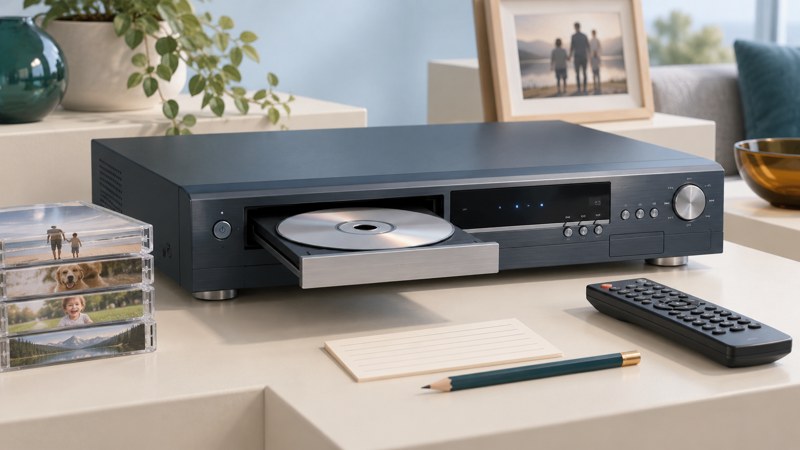
An older Toshiba HDD/DVD recorder may hold recordings on its internal hard drive, on DVD-RAM, or on other supported recordable DVDs. Start by identifying the exact model and where each recording lives. Preserve working playback while you investigate a documented route to another copy.
Match the complete model and market
Read the model label, including its suffix, and obtain both the installation and operations manuals where they are separate. Write down the country of purchase, remote model and available outputs. The early RD-X3 family covered Japanese-market equipment; a similarly named North American or European recorder can have different media, tuner and networking behavior.
As a specific English-language example, Toshiba’s RD-XS32SU/SC operations manual, reproduced by Manuzoid, identifies DVD-RAM recording in VR format and DVD-R/RW recording in DVD-Video format. Its introductory disc table and finalization guidance are useful examples of what to look up. These specifications apply to those listed models, not every Toshiba RD recorder.
The companion Toshiba RD-XS32SU/SC installation manual covers connections and initial setup. Keep instructions for a different region or suffix clearly separate. Old electronic-program-guide and network features need current service evidence before you rely on them.
Inventory recordings before changing anything
Use the recorder and disc inventory worksheet. Give each recording a stable name, note its duration and location, and record whether it plays from beginning to end. Prioritize irreplaceable family material over recordings available elsewhere.
| Item | Record | How it helps |
|---|---|---|
| Recorder | Full model/suffix, market, manual references and working output | Keeps later instructions tied to the actual machine. |
| Recording | Title, approximate date, duration and HDD/disc location | Prevents confusion between similar clips or episodes. |
| Disc | DVD-RAM, DVD-R or DVD-RW; recording mode and finishing status if known | Guides selection of a compatible reader and playback application. |
| Playback test | Beginning, middle, end, audio and any error message | Separates an existing defect from a transfer problem. |
| Copies | Where another copy exists and when it was checked | Shows which material depends on a single device. |
Photograph useful on-screen information before beginning. Avoid reset, initialize, format and erase commands while the recorder holds the only copy. A computer asking to format a disc is not offering a preservation step.
Choose a documented route out
| Starting point | Route to investigate | Check before committing |
|---|---|---|
| Recording on the HDD | The recorder’s supported dubbing or DVD-authoring function | Allowed recording, destination media, available space and whether the operation copies or moves content. |
| Recording on DVD-R/RW | Compatible DVD playback after the required finishing step | The originating recorder’s manual and the disc’s mode/status. |
| Recording on DVD-RAM | A drive and application explicitly supporting the medium and recorded format | Physical disc/cartridge compatibility and application support for the recording structure. |
| Working playback but no usable disc route | Documented analog output into compatible capture equipment, or a transfer specialist | Picture/sound preview, capture format and a complete verification plan. |
For the RD-XS32SU/SC example, Toshiba describes DVD-Video finalization as part of making DVD-R/RW usable in compatible players; it also warns that universal playback is not guaranteed. DVD-RAM is a separate compatibility question. Keep the exact medium and mode together in your notes.
If the recorder offers both copying and moving, read the consequence before choosing. Copy restrictions and source formats can affect the available route. Do not experiment with the only recording or assume an internal HDD can be read as an ordinary computer data drive.
Rehearse, transfer and verify
- Confirm that the original recording still plays and note any existing defects.
- Read the relevant section of the exact operations manual and identify the destination format.
- Rehearse with nonessential material and a new supported blank where a disc is involved.
- Perform the documented operation with stable power and allow it to finish. Keep the source until the result has been checked.
- Play the result in its intended destination. Check duration, beginning, middle, end, picture shape and audible dialogue.
- Name the checked copy descriptively and record its location and test date.
A practical example is a family clip that plays on the HDD but fails after transfer to another player. Compare the destination disc’s format and finalization first. If the clip itself freezes at the same point on the recorder, note that source defect before repeating the transfer.
The Library of Congress recommends keeping high-quality personal video, descriptive information and copies in different places. Once a transfer is verified, retain the original while practical and plan periodic checks of the new copies.
Recognize when a specialist is the better next step
If the recorder repeatedly fails to start, makes abnormal mechanical sounds or cannot read the only disc, stop repetitive trials. Give a repair or transfer specialist the exact model, error message, recording inventory and what still works. Ask whether diagnosis could alter or erase recordings and how they will verify any recovered material.
A missing manual section should remain an unresolved step. Preserving the working machine and its existing recordings is more useful than trying an undocumented reset in the hope that it unlocks export.