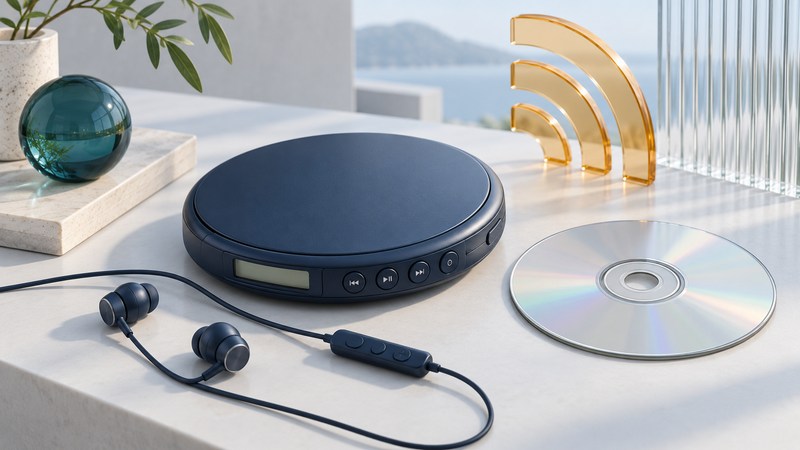
The RioVolt SP250 combines CD playback, compressed-audio discs, an FM tuner and a wired remote. Troubleshooting is easier when you test those paths separately. Start with the player itself, a known audio CD and direct headphones, then introduce the other features one at a time.
Confirm the model and operating state
Check for SP250 on the unit and record the remote's markings. Use the original RioVolt SP250 User Guide for this model's control layout. It documents audio CDs, MP3/WMA data discs and FM, with separate Hold switches on the player and remote. Check both switches when controls seem unresponsive.
| Control or connection | Documented role | Before troubleshooting |
|---|---|---|
| CD-FM | Switches disc and radio operation | Confirm which source you are hearing. |
| MODE | Selects repeat, shuffle and intro behavior | Return to normal playback for a predictable sequence. |
| NAVI/MENU | Short press browses; a longer press opens Setup | Distinguish folder navigation from settings. |
| Hold switches | Lock controls on the player or remote | Inspect each independently. |
| Headphone output | Provides the personal listening connection | Use it for the direct-headphone baseline. |
The manual contains conflicting shock-protection figures and an unfinished charging-time placeholder. This guide therefore uses observed behavior for playback diagnosis and leaves charging details to verified instructions for the exact battery/adapter arrangement. Avoid using an uncertain charging setup as a troubleshooting shortcut.
Establish a repeatable disc baseline
- Choose a known audio CD. Use one that plays correctly in another player. Place the SP250 on a stable surface, connect headphones directly and use a documented, matching power arrangement.
- Set an ordinary playback state. Select CD operation and normal play. Begin at a known track, listen to a recognizable passage and note the elapsed time.
- Repeat the same passage. If it fails, record whether the failure occurs at the same time, after a control action or only when the setup changes.
- Change one variable. Try a second known audio CD. Once that baseline works, try a known compatible MP3/WMA data disc with a small, recognizable folder.
- Add the remote last. Repeat pause, resume and track advance. A change introduced only by the remote narrows the next inspection to its connection, Hold state or controls.
Example: two audio CDs play normally, while one data disc stops at the same file every time. Inspect that file and the disc's preparation before treating the behavior as a general transport fault. Conversely, failures across several known audio CDs justify checking the shared power and playback setup first.
Keep audio-CD and data-disc results separate in your notes. For folder and recording concepts, see the RioVolt SP150 disc-preparation guide, while checking all SP250-specific requirements against its own manual. A passing test on one disc establishes a useful baseline, not the condition of every recording in the collection.
The SP250 guide explains that buffered playback can continue while the disc stops spinning. Observe whether audio continues normally before interpreting a stationary disc as a fault. Motion tests add variables; establish reliable stationary playback first.
Compare FM independently
The manual's FM instructions use CD-FM to enter radio mode and the forward/reverse controls to tune. Choose a familiar local station while stationary, record the location and compare the sound with your successful disc baseline at a comfortable listening level.
If disc sound is clear but FM varies with location or station, focus the next test on reception conditions. If both sources show the same intermittent channel, repeat with known working headphones and inspect their connection. If a problem begins only with the remote inserted, repeat the direct connection before changing disc settings.
Save observations that support the next repair
Write a short log: power arrangement, disc type, track/file, elapsed time, play mode, remote connected or absent, and exact symptom. For FM, add station and location. Keep settings consistent while repeating a result. This record lets you distinguish a mode choice, a particular recording, an accessory issue and a fault affecting several sources without relying on old battery-life or anti-skip promises.
Explore Music Players
Browse music-player guides and earlier reporting, or follow the offline-library setup guide. Primary documentation is linked alongside the guidance. Sources and model details checked October 7, 2026.