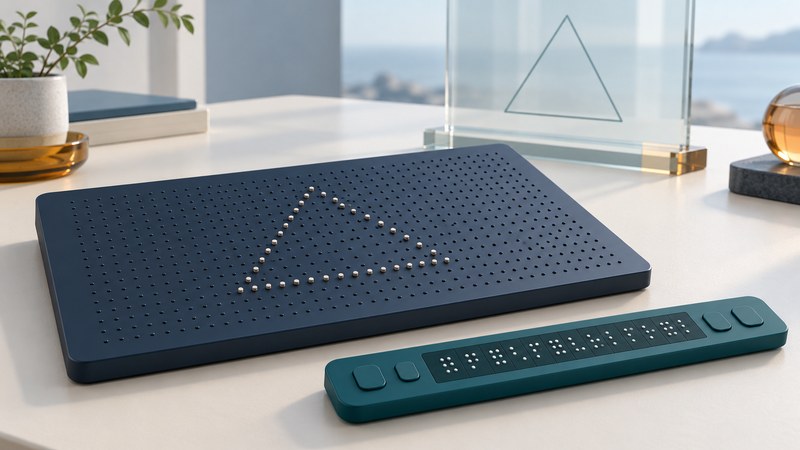
A refreshable tactile display changes a pattern of raised points so a reader can explore successive content by touch. The useful question is what the whole system lets a person read: text, a map, a graph, or a combination of those elements.
Display hardware is only part of the experience. Content preparation, navigation, braille knowledge, tactile reading skills and training determine whether a lesson or document becomes usable. Evaluate a device with a real task and a reader who will use it.
Distinguish text lines and graphic surfaces
- A single-line braille display presents a line of braille cells and usually provides controls for moving through text or a connected interface.
- A multiline display offers more spatial context for text; some devices also support tactile graphics.
- A tactile graphics surface can present shapes and spatial relationships. Its active area, point spacing, navigation and labeling affect what a reader can distinguish.
- A static tactile graphic remains useful when a stable full-page reference, simple physical access or a different production method fits the lesson.
Device names can blur these distinctions. Ask which content types and applications are supported, then inspect a demonstration file that matches your need.
Read a current product example carefully
APH's Monarch documentation describes a device combining tactile graphics with a multiline braille display. Its product page links to manuals, training resources and version-specific updates. Treat it as one documented example, not a universal specification for refreshable tactile equipment.
Separate the file the device can open from the content a person can use. A supported image format may contain a crowded diagram, inaccessible labels or visual shading that carries little useful tactile information. APH's tactile-graphics preparation resources provide guidance and links for creating material for that platform.
Use the manufacturer's current manual for the installed software version. Before a trial, check where content comes from, how it is transferred, which applications are required and what remains available offline. Verify current availability, support and costs directly when planning a purchase.
Start with the question the graphic must answer
A tactile graphic should carry the information needed for a particular purpose. For a route map, that might be the relationship between an entrance, a corridor and a destination. For a chart, it might be which category has the largest value and how the values compare.
- Write the intended question in words. Decide what the reader must locate, compare or trace.
- Keep the needed shapes and relationships clear. Remove visual decoration that adds tactile clutter.
- Provide a title, orientation and useful labels or a key in the formats the reader uses.
- Review the content on the target device. Test panning, zooming or page changes with the actual reader.
- Revise after observing where interpretation breaks down. Keep a text explanation or data table available when it supplies complementary information.
Work with an experienced tactile-graphics producer or educator when preparing instructional material. A successful conversion command does not establish that the content is understandable.
Make a demonstration answer a real question
For a real trial, bring a sample from the intended course or job with permission. Ask the supplier to demonstrate the complete workflow from obtaining the file to interpreting it. Record preparation time, assistance needed, navigation difficulties and what training would make the task independent.
Compare the complete support arrangement
| Area | Evidence to request |
|---|---|
| Content | A representative book, graph or diagram opened successfully, with usable labels and navigation |
| Connections | Supported computers, screen readers, applications and transfer methods for your exact setup |
| Training | An accessible learning plan for the reader and anyone preparing material |
| Daily use | A trial of power, carrying, controls and storage in the intended setting |
| Service | Warranty, repair turnaround, loan arrangements and an alternative format during downtime |
Ask who pays for content conversion, software, training and repairs as well as the device. U.S. readers can contact a State AT Program to ask about relevant demonstrations or loans; available inventory varies.
Place the early research in perspective
At an October 2002 National Federation of the Blind event, NIST discussed a tactile graphic display. That research illustrates the long-standing goal of making changing digital images available to touch. A prototype demonstration and a supported everyday learning system answer different questions: present-day evaluation needs evidence for the reader's content, training and service requirements.
For related workflows, explore reading print aloud and testing an accessible course. These approaches can complement tactile reading when a lesson contains several types of information.
Explore the library
Assistive Technology: Practical Guides for Everyday Access
Source links appear beside the topics they support. Product instructions and service arrangements were reviewed on October 4, 2026. Check the linked documentation for your exact version, device and location.