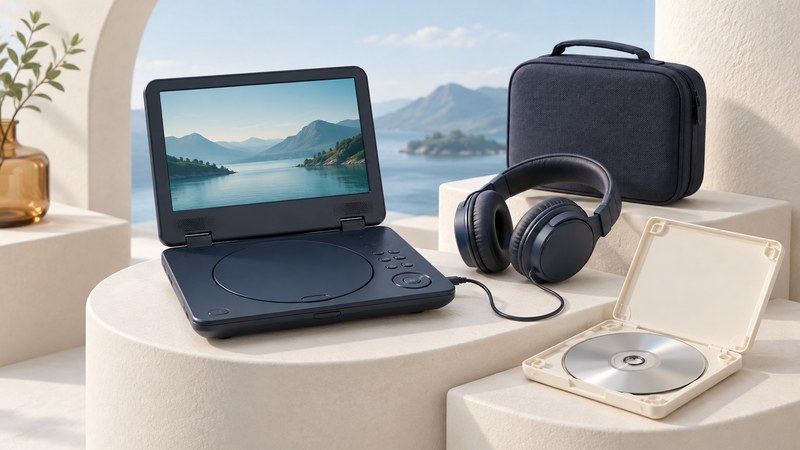
A portable DVD player combines a disc drive, screen, controls, and speakers in one device. It can be a useful way to watch a familiar collection away from a television. Choose it around the discs you own, the person using it, and the power available during the outing.
Start with the equipment already available: a laptop and compatible optical drive may cover occasional viewing, while a self-contained player can simplify repeated use. A tablet is a different setup; verify a complete supported playback solution before buying a USB drive for one.
Choose for the person and the place
One person, one screen
A clamshell player puts the controls and screen together. Check that the viewer can open the lid, load a disc, navigate the menu, and adjust volume without help. View subtitles from the actual seating distance.
Two people watching together
Try the viewing angle from both seats and establish how both will hear the film. Two screens may share one movie; independent playback is a separate feature to verify in the manual.
For hotel or family visits, decide whether the built-in screen is sufficient. If you want to connect a TV, inspect the player’s video output and the TV’s matching input. An AV input accepts another source; it does not send your DVD picture to a television.
Compare features by testing the job they must do
| Feature | Useful check |
|---|---|
| Discs and region | Bring a representative movie and, if relevant, a home-recorded disc. Read the supported formats and region in the exact model’s manual. |
| Screen | Read small menu text and subtitles. Compare from the intended distance and angle, rather than judging diagonal size alone. |
| Controls | Try chapter selection, menu navigation, audio language, subtitles, and volume. Establish which functions require the remote. |
| Listening | Check the headphone connector and number of outputs. Test any splitter or wireless arrangement you intend to use, including volume control. |
| Resume | Pause, stop, turn off, and restart with an ordinary disc. Observe what remembers the position and what starts over. |
| Connections | Match each input and output to your use. A USB port’s supported file types and purpose should be stated in the manual. |
| Carrying | Check packed size, hinge movement, disc access, and whether the case holds the charger and remote without pressing on the screen. |
Sony’s DVD region explanation shows where to look for the numbered globe on a case or player. Check video-system support separately for imports. A “region free” listing still needs compatible disc formats and a suitable display path.
Plan power around an actual viewing session
Use the supplied adapter or a replacement explicitly approved for the model. Match the required voltage, polarity, connector, and power rating; a plug that fits is only one part of compatibility. Confirm whether the player can operate while charging and whether its battery is serviceable.
Published battery time is measured under particular conditions. As a dated example, Sony’s DVP-FX980 manual (pages 8–10) ties its playback estimate to temperature, headphones, and minimum backlight. Its vehicle adapter also has a specific electrical requirement. These are examples of the details to find for your own player, not a current product recommendation.
Charge the player, then run a typical film using the brightness and listening setup you expect to use. Record elapsed time and the battery indication. Allow room for menus, pauses, and a longer journey; a short demonstration on wall power establishes little about an older battery.
Run a short rehearsal before relying on it
- Start from the packed kit. Find the charger, remote, headphones, and discs you will take. This exposes missing accessories early.
- Start the intended movie. Reach its menu and select the audio and subtitles the viewer needs.
- Check the middle and end. Skip to later chapters, then watch a sustained section. Note repeated freezes or unusual drive noise.
- Try interruptions. Pause, change volume, and restart. Write down how to return to the movie if resume does not retain the position.
- Use the planned power source. Test battery operation separately from the approved mains or vehicle adapter.
- Repack. Store discs in protective cases and protect the screen and hinge from pressure.
If one disc fails, compare with a known-good compatible disc. If the failure follows the same disc to another suitable player, inspect that disc and its format. If several discs fail only in this player, check its manual and power setup before concluding that every disc is faulty.
Evaluate a used player as a complete kit
Ask for the exact model, a working remote, the correct charger, and a demonstration on battery power. Inspect the hinge, lid latch, screen, headphone jack, and readable model label. Compare the cost and availability of missing accessories before deciding whether the package is useful.
Use the manufacturer’s service guidance for damaged batteries, charging faults, or internal repairs. Keep the unit away from excessive heat and moisture, and follow its storage instructions. Old advertising about included accessories or “hours of playback” describes the original package; inspect the unit being offered.
Compare all DVD playback options · Set up DVDs on a projector · Identify a home-recorded DVD