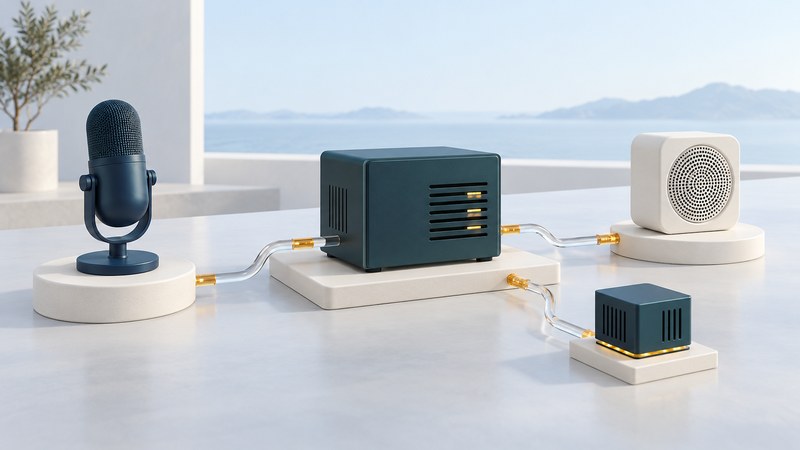
A network speech system combines audio capture, recognition, application logic and a response. Some components may run on a device, others on an organization's server or a hosted service. Draw that path before comparing products: it reveals what needs connectivity, what handles personal data and where a failure can stop the task.
This guide is for technical buyers and teams responsible for accessible services. It explains a common arrangement and the questions to ask about a proposed deployment. The actual capabilities and terms depend on the selected product, configuration and region.
Trace one request through the components
Microsoft's Azure Speech overview is one current platform example. It distinguishes real-time, fast and batch transcription and describes speech synthesis. Choose the capability that matches the task: a live conversation and a collection of prerecorded files have different timing requirements.
Keep the application in the diagram. Correctly transcribed words do not establish that a location was found, a form was accepted or a request was authorized. The service needs to confirm the actual result in a form the user can understand.
Keep words, speakers and identity separate
- Speech recognition estimates the words spoken.
- Speaker diarization separates segments by speaker within supported processing, often using labels such as speaker 1 and speaker 2.
- Speaker verification evaluates a claimed identity using a separately designed voice-comparison process.
- Authorization determines whether an identified user may perform the requested action.
Microsoft's speech-to-text data and privacy documentation explicitly distinguishes its diarization behavior from identity recognition. Ask a vendor to demonstrate which function it offers and how it is evaluated. A transcription or a speaker label is insufficient evidence for granting account access.
If identity features are proposed, involve the relevant security and accessibility specialists. Confirm current product availability, enrollment, consent, recovery and alternative authentication arrangements. A historical speech-suite feature list cannot establish that an equivalent API is available today.
Compare deployment at the level of each function
| Choice | What to establish | Useful evidence |
|---|---|---|
| On-device processing | Which functions work after the device is disconnected? | A documented test after initial setup and after restart. |
| Organization-hosted processing | Which local infrastructure and external services are required? | Network paths, capacity planning, update and support responsibilities. |
| Hosted service | Which region, endpoints, quotas and service terms apply? | Current documentation and a test of the proposed configuration. |
| Mixed arrangement | Which stages change location or provider? | A component-by-component data and failure diagram. |
Hosting location alone does not settle offline behavior. Installation, billing checks, model downloads or the requested application action may have separate dependencies. Ask about each one. For small-device command evaluation, see embedded speech recognition.
Responsibility also moves with deployment. Establish who maintains the operating environment, applies updates, investigates incidents and can restore service. Include the client application and its accessibility behavior in that support agreement.
Follow the audio and text beyond recognition
List audio, transcripts, request metadata, application records and generated responses separately. For each, ask who receives it, where it is stored, who can access it, how long it remains and how deletion is verified. Check diagnostic logging as well as the main service settings.
Microsoft's privacy documentation distinguishes real-time processing from batch transcription storage arrangements. Apply the guidance for the feature actually selected. A provider's statement about one processing stage does not describe what your application, monitoring tools or exported files retain.
Use invented or appropriately approved sample data during evaluation. Verify language and pronunciation support with representative material. Keep sensitive data out of troubleshooting screenshots and shared recordings unless there is an established, authorized reason to include it.
Measure the path the user experiences
Test a slow connection, unavailable endpoint and application error in an authorized environment. Observe what the person sees or hears, whether entered details survive and whether an alternative route works. Prevent a retry from silently repeating an action that already completed; the application must track that outcome.
Record the tested versions, conditions, outcomes and support owner. Revisit the evaluation when the model, client, service terms or deployment changes. For prompts, recovery and human-help paths, use designing and testing voice self-service.
Explore the library
Assistive Technology: Practical Guides for Everyday Access
Sources appear beside the claims they support. Reviewed October 4, 2026. Check current product instructions for your version, location and intended use.