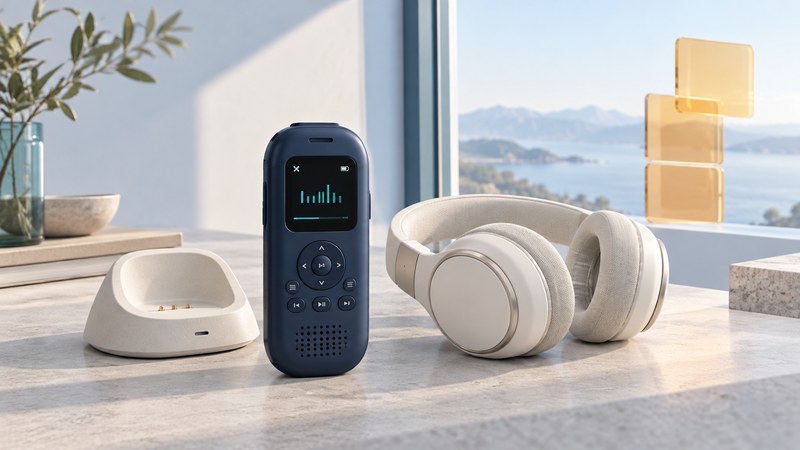
A Delphi MyFi can be evaluated in two stages: the live signal it is receiving now and the audio already stored in its memory. Keep those tests separate when considering a used unit. Then check whether its power accessories and aging battery make the setup practical for the way you want to listen.
Read the mode before judging reception
The Delphi MyFi SA10113 owner’s guide (PDF, manufacturer document hosted with FCC records) distinguishes LIVE from MY XM. Its stored-audio feature holds up to five hours; that is a recording-capacity specification, not a promise of battery runtime. The guide’s memory instructions begin on printed page 18.
On a narrow screen, swipe the table sideways or focus it and use the arrow keys.
| Observed mode or action | What the result establishes | What to check separately |
|---|---|---|
| LIVE with audible programming | Reception and playback in the demonstrated setup at that time | Your listening location, current service status and required accessories. |
| MY XM with audible programming | Some existing stored content plays | Live reception, whether a new recording succeeds, and battery condition. |
| Playback while docked | Operation on that documented power and audio arrangement | Portable operation with the permitted battery and headphone setup. |
| Display powers on | The display and some circuitry respond | Reception, clean audio, working controls and useful time away from power. |
Ask the seller to show the mode on the screen as well as the sound. Note which antenna, power source and output are in use. This turns a vague “works” description into several results you can assess.
Treat recording as its own operation
The manual’s 2go procedure asks for confirmation before replacing stored material. Review that prompt before recording over audio you want to keep. Scheduled recording has particular prerequisites: the manual calls for the unit to be off in its powered home stand with the home antenna connected; a session can be skipped if the receiver is already on. Follow the schedule and memory instructions for your revision.
Plan a short, deliberate test after confirming service and the required setup. Write down the intended channel and time, make the recording using the manual, then select MY XM and check the result. Keep an observation of what played, how long you tested and any message shown. Existing audio alone gives you less information about the recording function.
My XM is the receiver’s stored-listening feature. Do not assume a seller can supply transferable computer audio files or that the listed capacity guarantees indefinite access. For anything you need to preserve, establish the actual playback and service conditions before changing memory or account settings.
Evaluate power and the battery before a long test
Match the receiver model and manual revision to the supplied accessories. The MyFi guide specifies authorized power and battery parts and warns against disassembling, crushing, puncturing or shorting the battery. An unknown replacement pack needs a documented compatibility check before use. A damaged battery or enclosure calls for qualified service advice, not a trial charge or pack repair.
A used-unit assessment benefits from photographs of the battery compartment, accessible contacts, accessory labels and cable condition. Ask the seller to describe any corrosion, swelling, leakage, unusual heat or charging problem. If such damage is present, stop using or charging the unit and obtain appropriate battery-handling guidance.
For an apparently sound, documented setup, record a normal listening test on battery with its start and finish times and the observed behavior. Report the duration actually observed. “Played for 20 minutes during this test” is a bounded result; it leaves longer runtime unmeasured. Use the intended listening mode and a comfortable volume so comparisons have useful context.
Decide which uncertainty matters to you
Find the receiver’s Radio ID using its documentation and SiriusXM’s identification help, then ask the provider about eligibility and account requirements for that exact receiver. Keep those answers dated; an old subscription offer or a previous owner’s account history is insufficient evidence of your terms.
Use the legacy receiver notes (plain text) to record mode, parts, battery-test duration and the next unresolved check. For another portable system, the XM Passport guide shows why a player, tuner and cradle may be separate components.