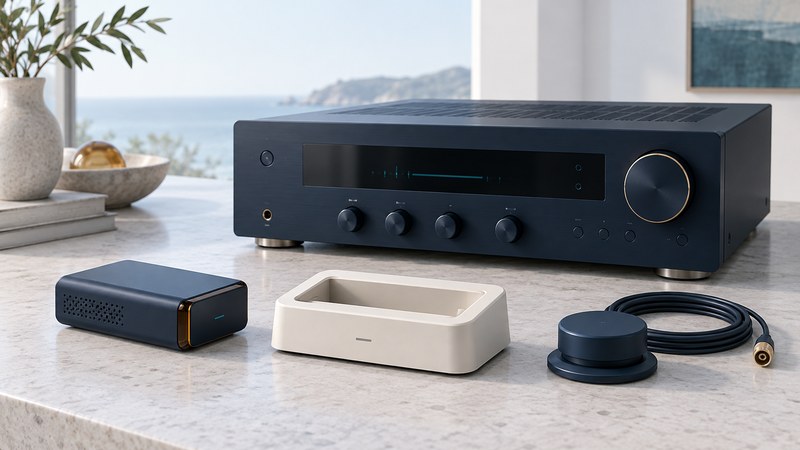
Start an XM Passport investigation with the small tuner and its label. Then identify the equipment that holds it and the equipment you use to control and hear it. An incomplete kit can contain a player, a cradle or an antenna while still missing the part that receives XM.
Separate the tuner, cradle and host
XM Passport was introduced in 2006 as a removable tuner concept. A useful documented example is Samsung’s NeXus 25/50 system. The Samsung NeXus owner’s manual (PDF) identifies the YP-X5X and YP-X5Z players and a separate YA-CD200 home cradle. For live XM, the Passport goes into the cradle, which connects the antenna and power; the player then docks in that arrangement. The player alone serves stored playback, subject to the manual’s subscription and authentication conditions.
On a narrow screen, swipe the table sideways or focus it and use the arrow keys.
| Role | What to record | Evidence still needed |
|---|---|---|
| Passport tuner | Readable tuner model and Radio ID labels | Confirmation that the proposed host arrangement explicitly accepts this tuner. |
| Cradle or interface | Exact part number and photographs of connections | The host manual’s named cradle or accessory specification. |
| Player or host receiver | Full model, including suffix and regional version | Its manual’s XM connection procedure and supported tuner. |
| Power, antenna and audio parts | Every included part and its label | The ratings, connectors and installation directions for this exact arrangement. |
Put those labels beside the seller’s inventory. A photograph of an empty cradle is useful evidence of what is missing. A broad “XM Ready” description needs a manual reference before it becomes a compatibility claim.
Use an explicit match, not a resemblance
The NeXus manual also names the YA-CP200 vehicle kit. That is a documented accessory relationship for that system, not a promise that another visually similar cradle works. Match each end of a proposed connection: the tuner-to-cradle interface, the player or host supported by that cradle, and the specified power and antenna accessories.
SiriusXM maintains a separate XM Mini-Tuner support page. Treat that as another product to identify. A seller’s use of “Passport,” “Mini-Tuner” or “XM Ready” interchangeably leaves the exact hardware unresolved. Ask for labels and the relevant manual page rather than relying on the listing title.
Check service before completing the kit
Record the tuner’s Radio ID privately. Samsung’s manual locates it on the Passport or packaging and through channel 0 in an assembled system. Keep the player and cradle serial numbers separately so an inquiry identifies the receiving hardware. Use SiriusXM’s Radio ID help if you need to distinguish the identifier.
Ask SiriusXM support whether that exact tuner can receive service now, what steps are required and which account terms apply. Historical portability or subscription language cannot settle a present-day account question. Resolve the service question before purchasing several missing accessories.
Stored playback also deserves a separate test. The NeXus manual describes authentication conditions for recorded XM content. Treat the old software and music-service instructions as period documentation; a successful stored-audio demonstration leaves current computer compatibility and future authorization to be checked independently.
Make the next check specific
- Photograph and list the parts while disconnected. Record every model and identify any empty tuner compartment.
- Find the host’s connection page. Save the page number that names its supported hardware. Mark an undocumented pairing “unverified.”
- Confirm power and service requirements. Resolve an unknown adapter or tuner eligibility before attempting a listening test.
- Assemble only the documented combination. Follow the manual’s order, then note the exact display message and selected audio input.
- Separate the results. Record live reception, stored playback and audio output as different observations. A result in one column does not fill the others.
Use the legacy receiver notes (plain text) to keep the labels, evidence and unresolved question together. If the required part remains unidentified, pause the purchase at that point; a specific missing fact is more useful than collecting adapters by appearance.