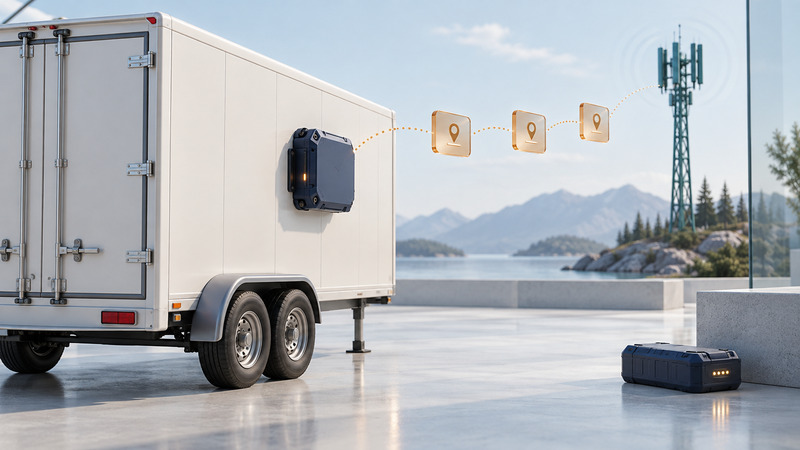
Battery-powered asset tracking is a tradeoff between how quickly you need to learn about movement, where the asset travels and how often you can service the device. Begin with the operational question: locating a parked trailer once a day is different from receiving a prompt departure alert or reconstructing a journey.
A tracker needs both a way to determine position and a way to report it. GNSS reception can succeed while the reporting network is unavailable. A useful platform shows when the position was measured as well as when the message arrived.
Define the reporting requirement first
Write down the asset type, normal storage environment, countries or regions visited, maximum useful alert delay and acceptable gaps. Define who will act on an alert and how they will confirm it. A dot on a dashboard has value when someone knows what decision it supports.
| Connection approach | Useful setting | What to verify on site |
|---|---|---|
| Cellular tracker | Assets moving through supported network coverage | Exact radio technology, SIM service, roaming and coverage at mounting position |
| Satellite tracker | Routes where the supported satellite service fits the need | Regional service coverage, sky view, mounting and message delivery behavior |
| Local gateway system | A managed yard or facility | Gateway placement, backhaul, boundaries and behavior beyond the site |
| Nearby-device tag | Finding objects where its supporting device network is present | Dependence on nearby compatible devices and suitability for the required response time |
Avoid inferring tracker coverage from phone signal alone. Digital Matter's Oyster3 provisioning documentation distinguishes LTE-M/NB-IoT hardware from the Global model's Cat1-bis/2G connection. It is a concrete example of why hardware and network details matter more than a generic “cellular” label.
Separate measurement, logging and upload
A device may wake on a timer or motion event, attempt a fix, store a record and upload at another interval. Ask the vendor to explain each step for the selected mode. Also establish whether records are retained during a coverage gap, how many can be stored, and whether their original timestamps survive later delivery.
Digital Matter's Oyster3 feature guide identifies scheduled uploads, tracking intervals, movement filters, upload timeouts and fix-validity settings as separate controls. These are useful items for a configuration discussion; their exact names and availability differ across trackers.
Fictional sampling example: a trailer travels at a constant 60 km/h. With a position saved every ten minutes, it can travel 10 km between observations: 60 × 10/60 = 10. At two-minute intervals, the corresponding distance is 2 km. Neither interval reveals every turn between points, and delayed uploads can make the newest displayed point older still.
For departure alerts, test the delay from actual movement to the recipient's notification. A nominal reporting interval leaves out wake-up, fix acquisition, upload and platform processing. Keep those components separate when a promised response time matters.
Treat battery life as a configuration result
Use the manufacturer's estimator or documented test conditions as a starting point, then run a representative trial. Record movement hours, fix attempts, upload attempts, temperature, installation and the selected battery chemistry. Repeated unsuccessful acquisition or communication attempts can change consumption significantly.
SPOT's Trace tracking-interval guidance explains that the selected interval affects battery life and that some intervals depend on service options. It also describes applying changed settings to the device. A change saved in an account needs confirmation on the tracker before the trial is meaningful.
Do not convert a single voltage reading directly into months remaining. Digital Matter's Oyster3 FAQ explains that the model uses voltage-based remaining-life estimation rather than a coulomb counter. Battery chemistry and the device's monitoring method affect interpretation. Use approved batteries and replacement procedures for the exact model.
Run an acceptance trial
- Record device, firmware, configuration, service and mounting location. Confirm that the configuration reached the device.
- Leave the asset stationary, then move it through a normal route. Record independent departure and arrival times.
- Compare position timestamps with platform receipt times and alert arrival times. Flag missing and duplicated records.
- Include expected difficult locations such as a metal-sided yard or covered parking, using the approved installation. Review behavior after normal coverage returns.
- Check battery-status reporting and whether an authorized person can find the device and replace batteries within the service plan.
- Repeat after changing only the parameter responsible for a failed requirement.
The asset tracker trial checklist provides a repeatable record. Use a test asset and consenting participants. Configure account access and retention around the legitimate operational task, since asset histories can also reveal the routines of people using them.
Compare total cost and response
Request a quote with hardware, installation, activation, service, optional reporting modes, data retention, platform/API access and battery-service labor separated. Include the time spent investigating poor alerts. A low hardware price can be outweighed by a service schedule that is difficult to maintain.
Choose the configuration that passes your coverage, delay and maintenance tests. For interpreting fleet reports, continue with GPS vehicle tracking. For turning events into actionable alerts, see location messaging.