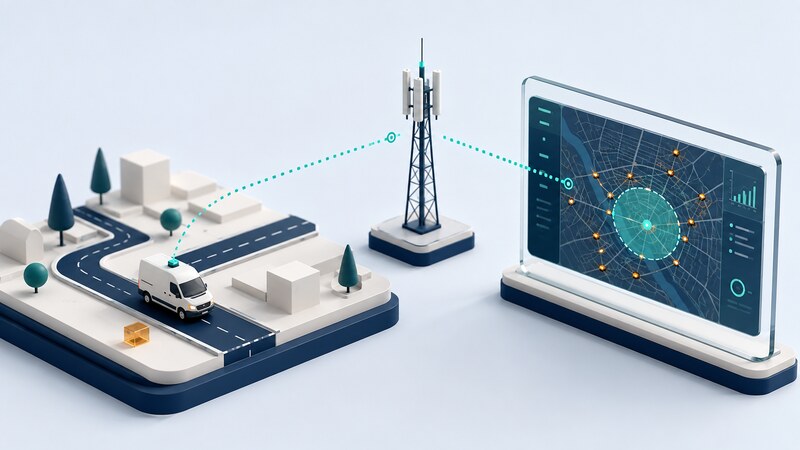
A vehicle tracking system records position information and delivers it to an authorized person or application. It can support dispatch, maintenance coordination, trip records, and management of an organization's vehicles.
Remote tracking requires more than a GPS receiver. The device needs a way to transmit records, and the receiving platform needs to interpret their timing and quality. A marker on a dashboard is only useful when its meaning and age are clear.
Follow the record from the vehicle to the map
| Function | What it does | Question to ask |
|---|---|---|
| GNSS receiver | Estimates position, time, and possibly velocity. | Is this fix valid and how old is it? |
| Tracking device | Packages records and may retain them during outages. | What is sampled, stored, and retransmitted? |
| Communications link | Carries records through a supported network. | Where is coverage available, and what happens when it is lost? |
| Server and storage | Associate, retain, and process received records. | How are duplicate, delayed, and invalid records handled? |
| Map and reporting application | Display locations, trips, and events. | Does the display distinguish current information from history? |
A navigation app helps a driver reach a destination. A tracking platform reports vehicle information to an authorized audience. The two can share location data while serving different purposes. Traccar's documentation provides an example of the components and operating choices in an open-source tracking platform.
Worked example: arrival time is not measurement time
Retain measurement time and server receipt time separately where the protocol provides them. Normalize time zones and check device clock quality. Use a record identifier or another documented deduplication rule when transmissions can be retried.
A connected tracker may still lack a valid satellite fix. A tracker with a valid fix may lack a connection. Distinguish device connectivity, position validity, and position freshness in the display. Traccar's event documentation illustrates separate device-status and location-related events.
Treat geofences as decisions from samples
A geofence is a defined geographic area used to classify positions or generate events. Traccar's geofence documentation describes supported shapes and how geofence events relate to devices and permissions. The exact behavior depends on the platform and configuration.
If an outside point is measured at 10:00 and an inside point at 10:01, the observations alone do not establish the precise crossing time or path. Software may estimate a crossing between points; that estimate should not be confused with a direct observation.
Near a boundary, noisy fixes can alternate between inside and outside. Depending on the use case, a dwell requirement, separate entry and exit thresholds, or quality filtering can reduce repeated events. Those choices also change detection delay and may miss short visits.
Test with known trips, brief stops, boundary approaches, delayed uploads, and gaps. Keep the source observations available when reviewing a disputed event instead of relying only on a generated label.
Select reporting behavior by the operational need
Define the decision first: locating an available van, reviewing a completed trip, or detecting an overdue return. Those tasks may need different update intervals and retention periods. Faster reporting can increase data use and power demand without improving every decision.
Evaluate device installation, supply behavior, supported network service, export capability, and ongoing support. Check what happens during vehicle power loss, a server interruption, and a communications outage. Follow the vehicle and device manufacturer's installation requirements.
Measure data coverage and end-to-end delay during a bounded pilot. A smooth demonstration on a strong network does not establish behavior on the actual routes. Report unknown periods explicitly.
Make access and interpretation part of the design
Use tracking only for vehicles and purposes you are authorized to manage. Explain the collection and use to affected drivers, restrict access by role, and retain only the history needed for the defined purpose. Treat account sharing and data exports as deliberate actions.
Separate read-only reporting from any supported vehicle commands. A dashboard showing locations does not need every control permission. Maintain a record of who can access historical movements and how that access is removed.
AI can help summarize synthetic or appropriately limited trip data, reconcile timestamps, and identify gaps. Ask it to distinguish observed stops from inferred activity. A location point alone does not establish who was driving, why a vehicle stopped, or what happened there.
Can a tracker work without cellular service?
Some devices log for later upload or use other supported communications networks. Determine whether you need real-time reporting or a later trip record, then test the exact equipment and service against that requirement.