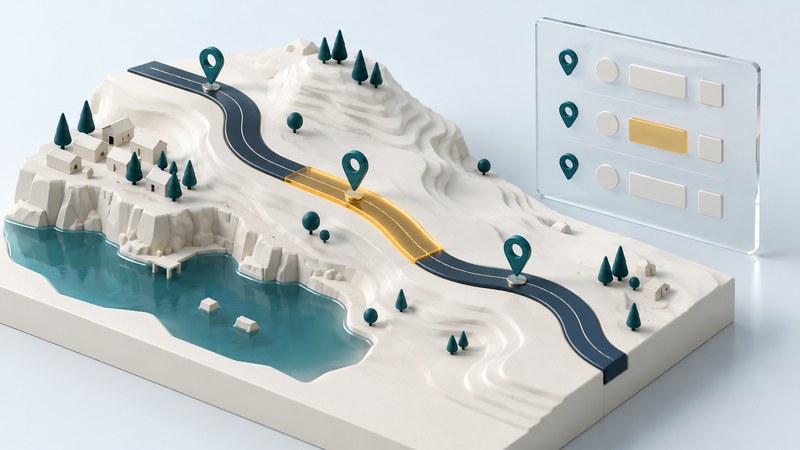
A transportation GIS connects road geometry with information about assets and events along the road. Linear referencing expresses a location as a route identifier and a measure, such as a milepoint. With a documented route network, teams can compare a culvert, a pavement treatment, and an inspection record without redrawing the road for every dataset.
Start with a route, its measures, and its version
Consider the address “route R17, milepoint 2.40.” To place it correctly, the system needs the geometry of R17, the reference from which its measures run, their units, and the applicable network version. The route ID is the link between the event table and the measured line. Keep it as a stable identifier; a display name such as “Main Street” may describe several different roads.
A point event uses one measure to locate an asset or occurrence. A line event uses a beginning and ending measure to identify a portion of the route. Esri’s route-location documentation describes these fields and the possibility of finding more than one route within a search radius.
Measure direction and traffic direction are separate properties. Measures may increase along the route in one direction while traffic travels both ways. Document the agency’s convention and any carriageway or lane fields. A road centerline is a useful shared reference, but more precise lane or offset information may be needed to locate a particular asset.
The FHWA’s 2016 discussion of transportation-data integration explains how route identifiers and measures connect road datasets. It is an archived conceptual reference; current project specifications and software documentation should govern actual delivery requirements.
Work a small road-inventory example
This fictional exercise uses route R17, network version training-2026-01, and measures increasing from 0.00 to 10.00 miles. Assume a continuous, calibrated route whose measure differences represent along-route distance. The records below describe one point and two line events.
| Event | Type | Measure or start | End | Interpretation |
|---|---|---|---|---|
| C01 culvert | Point | 2.40 | — | A single location along R17 |
| P01 pavement treatment | Line | 2.00 | 3.50 | A 1.50-mile interval |
| I01 inspection section | Line | 3.00 | 4.00 | A 1.00-mile interval |
The culvert at 2.40 lies within the treatment interval. The treatment and inspection overlap from 3.00 to 3.50, a distance of 0.50 mile under the stated assumptions. Adding their separate lengths gives 2.50 miles of event coverage counted with overlap. Their combined unique interval extends from 2.00 to 4.00, or 2.00 miles. Choose the total that matches the question you are answering.
Reproduce this with the fictional event CSV and field definitions and exercise instructions. Use the point’s from_measure as its single measure and leave to_measure empty. A GIS import should separate point and line rows and use a compatible measured route layer. This sample supplies event records, not real road geometry.
Check records before displaying them
- Resolve the route ID. Confirm that every event matches the intended route and network version. Treat an unknown ID as an unresolved location.
- Check the measure domain. In this exercise, 11.20 is outside R17’s 0.00–10.00 range. A missing number should remain missing rather than quietly becoming zero.
- Check units and ordering. This example requires miles and increasing line intervals. A 4.00-to-3.00 row violates that convention. Investigate whether it is reversed or belongs to a different measuring system before changing it.
- Inspect the location on the map. Compare nearby junctions, known control points, and asset records. A successful join establishes that an identifier matched; visual and reference checks establish whether it is the intended location.
- Report exceptions. Deliver unresolved IDs, out-of-range measures, duplicates, and other failures with their reasons. Keep the original values available for correction.
When converting coordinates into route locations, review interchanges, parallel roads, and frontage roads carefully. FHWA notes that matching by proximity depends on the accuracy of both the observed point and the road geometry. The nearest line can be the wrong roadway. Use route identity, direction, and other available context to resolve ambiguity.
Keep route changes from silently moving history
Store the observation date as well as the network version. A road realignment, route split, or recalibration can change the relationship between a measure and its mapped position. Esri’s calibration explanation describes updating measures using control points. Preserve the lineage of that change when comparing records from different releases.
For a maintainable handoff, deliver the event table, field definitions, measured route reference, version/date, quality report, and the rules used for overlaps and endpoints. If routes have calibration gaps or discontinuities, use the documented measure convention before interpreting a subtraction as physical mileage. The simple distance arithmetic above belongs to its explicitly continuous training route.
Assign ownership for correcting the road network and the event records. That small organizational decision makes a shared transportation map easier to maintain as teams and datasets change.
Related reading
- Shared mapping: Manage record joins, access, and updates around the road data.
- Geocoding: Compare route measures with address-based coordinates and their precision.
- Simplon Pass: Read a real road and railway corridor in relation to mountain terrain.