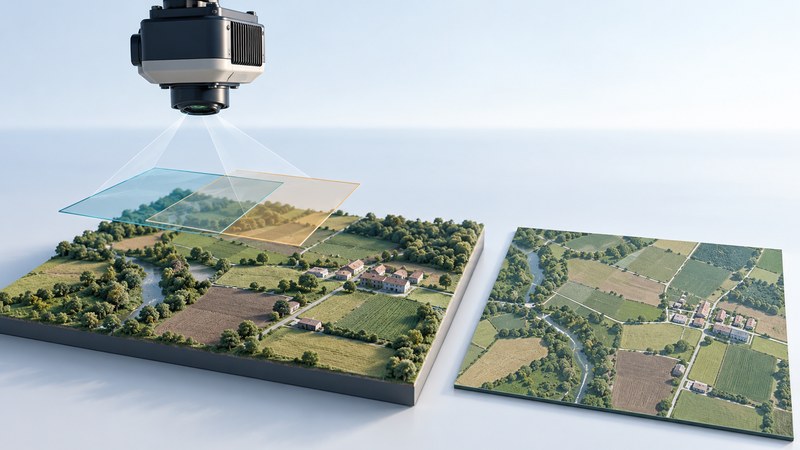
A digital mapping camera records the photographs from which a mapping system builds an orthophoto: an image corrected to fit a map coordinate system. A useful purchase or delivery review starts with the features you need to see, the positions you need to trust, and the evidence that supports both.
Specify two separate requirements
Ground sample distance (GSD) describes the ground spacing represented by image pixels. Positional accuracy describes agreement with independently established locations. Record both in a project brief. The USGS guidance on imagery calibration explicitly cautions against assigning a finer accuracy simply because pixels are smaller.
Consider a fictional parks inventory. At 5 cm GSD, a 50 cm-wide path covers about 10 pixels across under ideal viewing conditions: 50 ÷ 5 = 10. That helps you ask whether the path will be distinguishable. Shadows, vegetation, blur and contrast still affect visibility. Its mapped centerline could also be displaced even while the image looks sharp. Confirm the required location tolerance through a stated accuracy test.
A helpful brief might say: “Identify visible paths and paved edges across this boundary; acquire leaf-off imagery where trees obscure them; provide 5 cm output pixels and a separately documented horizontal accuracy assessment.” The pixel size is an illustrative requirement, not a universal recommendation. Select the accuracy criterion with the intended user before commissioning the work.
Follow the camera-to-map chain
Ordinary aerial photographs contain perspective and terrain effects. USGS explains orthorectification as correcting displacements and scale variation caused by terrain and sensor geometry. A mosaic then assembles corrected imagery into a larger continuous view.
- Capture suitable imagery. The acquisition plan determines coverage, overlapping views and lighting. Camera calibration describes optical geometry. Position and orientation measurements from navigation equipment help place each exposure.
- Connect the observations. Matching features across overlapping photographs links the images. Surveyed ground control can anchor the solution. The appropriate overlap and control layout depend on terrain, equipment and the project; request the provider's documented plan.
- Model relief and rectify. An elevation model supports correction for terrain. Ask whether it represents bare ground or includes buildings and vegetation, and how roofs, bridges and other elevated objects are handled.
- Assess the result. Checkpoints reserved from fitting the solution provide independent evidence. Their own quality and distribution matter. Ask for the test method, coordinate reference system, units, checkpoint count and residuals.
The acquisition and control considerations above are discussed in the USGS calibration guidance. For a formal deliverable specification, the USGS Digital Orthoimagery Base Specification provides a documented example of separating imagery characteristics, accuracy and delivery requirements. Its 2014 edition is a reference specification; use the requirements agreed for your actual project.
Review the delivered map in a GIS
Use a GIS that can read the supplied raster, such as a GeoTIFF, and retain the provider's metadata. Load the imagery with a trusted reference layer whose date and accuracy suit the comparison. Confirm that both layers' coordinate systems are identified correctly before evaluating alignment.
| Check | Look for | If it fails |
|---|---|---|
| Coverage and date | Entire agreed boundary, acquisition dates, clouds and obscured ground | Record missing areas; request coverage or explicit exclusions. |
| Seams and objects | Roads continuous across joins; consistent roofs and bridge edges | Give the provider coordinates and screenshots of defects. |
| Position evidence | Independent checkpoint report with method, units and residuals | Resolve an absent test or systematic offset before accepting positional claims. |
| Reusable files | Raster, coordinate-system definition, metadata, license and accuracy report | Request the missing components and confirm they open together. |
Keep visual inspection and numerical assessment together. A road-to-road comparison can reveal a problem, but a background map with unknown accuracy cannot establish the delivered image's accuracy. Likewise, acceptance of horizontal imagery says little about the quality of a separately delivered elevation model.
Download the orthophoto delivery review worksheet to record the project requirement, files received, evidence and unresolved items. It is a plain-text working aid, not a substitute for a professional survey specification.
Related reading
- Earth imagery selection: Match dates, resolution, and processing to the question you need to answer.
- Reading 3D maps: Distinguish image detail from the elevation surface beneath it.
- Shared mapping: Plan how imagery and its metadata will be maintained and shared.