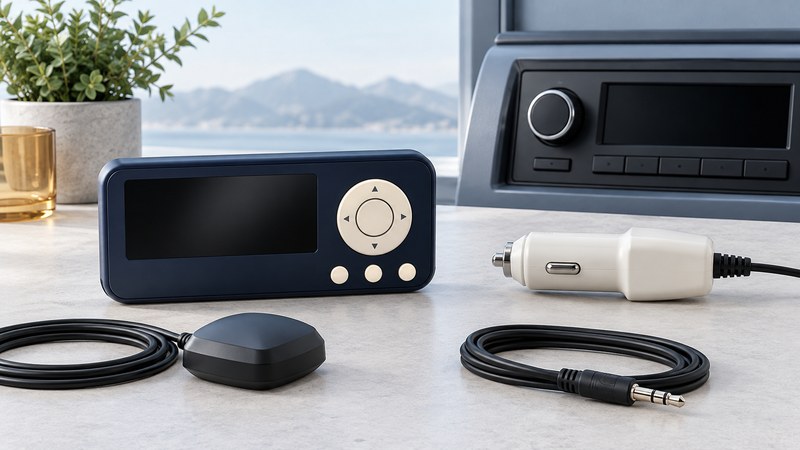
When an original Delphi Roady lights up but the stereo is silent, trace three paths: power into the receiver, satellite signal into the tuner, and audio out to the stereo. Testing them in that order narrows the next step. Identify the exact Roady model and any FM accessory before choosing a manual or replacement part.
Start with the original Roady model
This guide uses the original Roady SA10035 documentation. Roady2, RoadyXT and later Roady products have their own instructions and accessory arrangements. The 2003 Delphi Roady owner’s guide (PDF) depicts separate antenna, audio and power connections and describes a wireless FM modulator as an optional accessory. Match the receiver and accessory labels; the Roady name alone leaves the generation unresolved.
The supplied original vehicle adapter converts 12-volt vehicle power to the receiver’s 6-volt supply. A vehicle socket’s voltage is therefore different from the receiver’s required input. Use the specified adapter and verify the complete electrical and connector requirements in the exact manual. Do not connect vehicle voltage directly to the receiver or assume a plug that fits is electrically suitable.
Trace the three paths
On a narrow screen, swipe the table sideways or focus it and use the arrow keys.
| Path | Sequence to identify | Useful observation |
|---|---|---|
| Power | Vehicle or home supply → specified power adapter → receiver | Does the receiver start and remain on in the documented arrangement? |
| Satellite signal | XM antenna → receiver antenna connection | What signal or antenna message appears, and does it change with a permitted antenna position? |
| Audio | Receiver audio output → documented audio connection or FM accessory → stereo | Which stereo input or FM frequency is selected, and is program audio audible? |
Make connections with the equipment off and follow the manual. Work on a vehicle setup while parked; keep equipment and cables clear of controls and airbag areas. If fitment or electrical compatibility is uncertain, use an installer familiar with the exact vehicle and receiver.
For a home test, identify the compatible home power and audio arrangement before substituting anything. A home stereo’s input and a receiver’s output have different roles. The home satellite-radio guide helps you choose the overall listening arrangement.
Use the display to choose the next check
The Roady manual distinguishes antenna-connection trouble from blocked reception. Record the actual message before disturbing the setup. Its Audio Level setting adjusts the outgoing audio level; normal listening volume is controlled at the receiving stereo. Keep those two controls separate when comparing tests.
On a narrow screen, swipe the table sideways or focus it and use the arrow keys.
| Symptom | First question | Next useful step |
|---|---|---|
| Blank or restarting display | Is the exact specified power arrangement complete and in sound condition? | Verify labels and connections with power off; resolve power before diagnosing reception. |
| ANTENNA message | Is the documented antenna connected and its lead visibly intact? | Follow the antenna-connection check in the manual; replace only with a verified compatible part. |
| NO SIGNAL message | Does the antenna have the location and view required by the installation instructions? | Try a permitted reception position and note the message before and after. |
| Program information but silent speakers | Which audio route and stereo input are actually being used? | Trace the output to that input; for an FM accessory, verify its selected frequency against the car radio. |
| Distorted or weak audio | Is the problem present on the selected audio path at ordinary volume? | Follow the manual’s output-level adjustment; change one setting at a time and record the result. |
A current channel or service question belongs with SiriusXM support using the exact Radio ID. A lit screen and intact cables do not establish present service eligibility.
Separate an FM link problem from satellite reception
An FM accessory delivers the receiver’s audio to the car radio. Identify the adapter’s model and its instructions for selecting a frequency, then tune the stereo to that same frequency. Use the adapter’s documented choices and setup procedure. If interference changes with location, record where it happens and whether the receiver still shows the same satellite status.
Keep the successful input, adapter setting and output level in the legacy receiver notes (plain text). Write down which change affected the result. This gives an installer or future owner something more actionable than “the radio sometimes cuts out.”