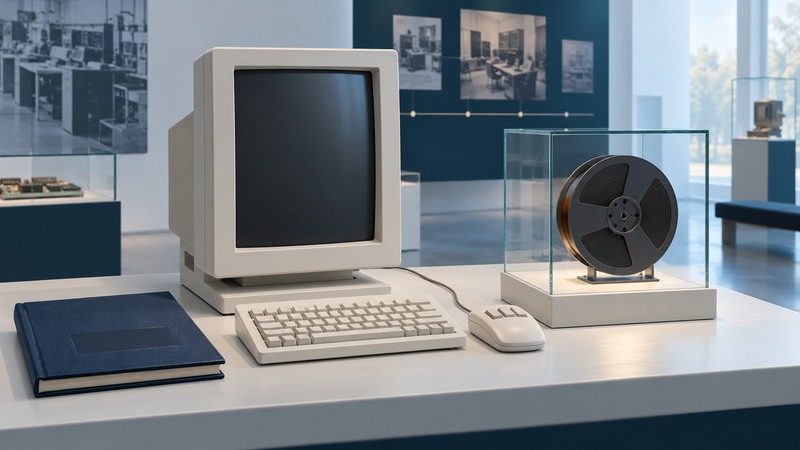
The Computer History Museum in Mountain View, California, offers ways to explore computing through machines, software, documents and the people who made and used them. Start with one question, then connect an object to an explanation and a firsthand account. The same approach works online or during a museum visit.
Choose the evidence that fits your question
Computing history includes decisions about how people enter information, how programs behave and how organizations put systems to work. A machine's specifications answer only part of that story. Use different kinds of museum material for different questions:
| Your question | Start with | Record as you read |
|---|---|---|
| What is this object? | A collection record or object label. | Name, maker, date, object identifier and the components shown. |
| Why did it matter? | An exhibition's explanation and related objects. | The comparison being made and the historical period it covers. |
| Why was it designed that way? | An oral history, design paper or project memorandum. | Who is speaking, their role and the date of their account. |
| What did using it involve? | A demonstration, manual or surviving software. | The task, software version, hardware and any restoration involved. |
The museum's oral-history program is a useful doorway into interviews, panel discussions and demonstrations. Follow its collection links to search by person or project, then retain a precise record reference for anything you cite.
Start with a real object: the Xerox Alto
The online Revolution exhibition's Xerox Alto section explains a research system that brought together a mouse, a graphical display, networking and software for working with text and images. It offers a focused route into a larger question: how did computing become a tool people could operate visually?
Open the linked Alto I object record. It identifies Xerox PARC as the manufacturer, gives 1973 as the introduction date and names the monitor, mouse, keyboard and five-key chording keyset. The record lists several object identifiers, including 102626737, for the assembly shown. Copy the full relevant identifier list when citing the displayed group.
Now look at the relationship among the components. The monitor suggests a workspace; the pointing device and keyboard provide different kinds of input. Those observations can begin a question about interaction. To understand what particular gestures did, continue to software documentation or a demonstration of a named program.
Pair it with Larry Tesler's account
Read the museum's 2013 oral history of Larry Tesler (PDF), interviewed by Al Kossow on February 12 and April 22, reference X6762.2013. Printed pages 14–16 discuss work with Tim Mott on the Gypsy editing system and input from the people who would use it.
Tesler recalls efforts to make editing easier to learn, including ways to select and manipulate text. He also describes later maintenance and compatibility problems after the developers moved to other work. That recollection widens the story from an interface idea to the practical task of keeping software useful.
The interview was recorded decades after the development work. Cite Tesler as the person recalling these events, and compare particular claims with contemporary manuals, papers or other participants' accounts. A precise citation includes the interview dates, reference number and printed page, which helps a reader distinguish this interview from later Tesler recordings.
Try this: explain one editing action
Question: What did a person need to do to select and change text on an Alto?
- Use the Alto object record to identify the physical input devices.
- Read the exhibition's account of visual interaction, then choose a specific program such as Gypsy.
- Read Tesler's discussion of the program. Write down one design aim and one practical difficulty he recalls.
- Follow the museum's oral-history page to the Gypsy demonstration with Larry Tesler. Observe an action, recording the video time and the software being demonstrated.
- Write three sentences: what the object shows, what the participant recalls and what the demonstration lets you observe.
This is a source-comparison exercise. Keep each sentence tied to its own evidence so a reader can follow the path from a physical object to an account of use.
Software adds another layer of history
The museum's Alto file-system archive guide connects surviving software and documentation with projects, programming languages and oral histories. It describes Gypsy as the work of Larry Tesler and Tim Mott, built using Bravo's text-editing routines. This gives the interview a second, differently organized research trail.
When studying preserved software, record the version and environment. A restored machine, an emulator and a video each expose different features of an experience. A manual can explain intended behavior; a demonstration can show a particular session; source code can reveal implementation choices. Ask which of those questions you are trying to answer before drawing a conclusion.
For a parallel approach to machines, buildings and technical drawings, see industrial archaeology and engineering records.
Make a visit or online session manageable
Choose one theme in advance: input devices, storage, programming, networking or the people behind a project. Find one object and one account connected to that theme. Save their titles and identifiers, and leave yourself one question for further reading. This produces a useful set of notes even when time is limited.
Use the museum's official website for current exhibitions and its Plan Your Visit information, including opening arrangements, tickets, access and events. A collection record can describe an object held by the museum without establishing that it is currently on display. Check a desired exhibition or demonstration before building a visit around it.
Explore more documents, places and interpretations in Yenra History.