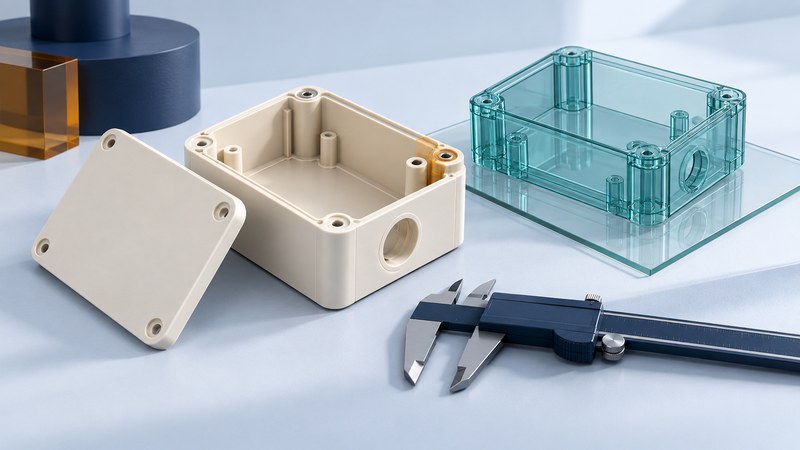
CAD visualization helps reviewers inspect an assembly, discuss access and identify questions without editing its design. Begin by establishing the model's identity and completeness. Then use section views, selected-feature measurements and reproducible issue notes to make the review useful to the design owner.
Check the model you received
Record the part or assembly number, revision, export date, file format and responsible sender. Identify which released drawing or model defines the product. Keep the received file unchanged and associate comments with that exact revision. A familiar filename is weak evidence when several revisions have circulated.
Open the assembly tree and compare expected components with the visible model. Distinguish missing components from hidden, suppressed or lightweight representations. Confirm units against a known reference dimension. A 25.4-fold discrepancy is a useful prompt to investigate an inch/millimeter conversion, but establish the actual cause with the sender before changing scale.
Check imported manufacturing information separately from appearance. NIST's STEP File Analyzer and Viewer distinguishes graphic PMI, which represents visible annotations, from semantic PMI that carries computer-interpretable meaning. Its analyzer also reports validation properties and basic format errors. A readable annotation and a usable downstream definition are different review checks.
Use views that answer a specific question
Choose the question first: can a tool reach the fastener, does a connector have assembly space, or is an internal passage continuous? Save the component selection and view orientation with the issue. A section plane can reveal an internal relationship; an exploded view can explain assembly order. Keep their transformed display states clear when discussing actual assembled positions.
Autodesk Viewer documents model browsing, measurement, sectioning and markup tools. Availability varies with the file and viewer. Before relying on a measurement, establish what geometry the software imported, what feature you selected, and how the value relates to the authoritative definition.
On a narrow screen, scroll the table horizontally. Keyboard users can focus it and use the arrow keys.
| Check | Useful evidence | Follow-up when uncertain |
|---|---|---|
| Assembly completeness | Component list and visibility state | Ask for the missing reference or confirmed suppression |
| Clearance | Selected surfaces, value, units and nominal position | Have the owner assess tolerances and operating movement |
| Internal geometry | Saved section plane and part identifiers | Confirm any apparent gap in the source CAD |
| Manufacturing annotation | PMI type, datum context and import report | Resolve absent or altered information before use |
A faceted display can be appropriate for communication while concealing fine curvature. Ask how the viewer performs measurements on that representation. Increase display quality only after identifying whether the issue is visual tessellation, imported geometry or the actual design. Cosmetic smoothing cannot repair missing definition.
Worked example: a visible gap needs a tolerance check
Fictional assembly: a cover has 0.50 mm nominal clearance to an internal bracket. In a deliberately simple worst-case stack, one dimension can reduce the gap by 0.30 mm and another by 0.25 mm.
Minimum clearance = 0.50 − 0.30 − 0.25 = −0.05 mm. This indicates possible interference under the stated assumptions even though the nominal model shows a gap.
The reviewer returns the two feature identifiers and the calculation to the design owner. That owner checks the real tolerance scheme, dependencies and functional requirements before deciding whether a change is needed. This example is a linear worst-case illustration, not a complete tolerance analysis.
Return an issue another person can reproduce
Give each issue a short ID, one question, affected part IDs, revision and a saved view or annotated image. Include the measurement selection and units, the relevant requirement, the observed concern and a named decision owner. Keep screenshots as communication aids alongside the model reference.
When a replacement arrives, verify its revision and repeat the specific check before closing the issue. Preserve the response and distinguish an accepted design decision from a file-transfer problem. For changes to design intent, see 3D parametric modeling; for release and approval records, see product lifecycle management.
Use the working record
Download the editable cad review record. Save a copy, complete the actual requirements and evidence fields, and review open issues with the responsible owner. The plain-text record includes instructions, units where needed, the fictional example, and source references.