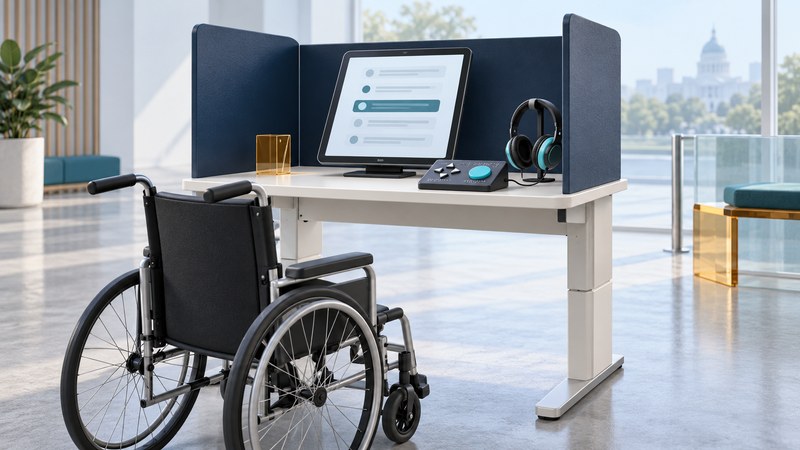
Accessible voting equipment can offer ways to read, hear and mark a ballot using different controls. Prepare by checking the official election information for your jurisdiction and asking about the equipment and assistance you need. The important outcome is a complete voting process: reach the station, make and review your choices, and finish the required casting step privately and independently where possible.
Ask about the features you will use
Equipment may offer an audio ballot, enlarged text, high contrast, a tactile keypad or connections for compatible assistive controls. Available features and operation depend on the local voting system. Ask the election office for an accessible demonstration or official instructions, especially if you expect to connect your own device.
The US Election Assistance Commission's accessibility resources are a useful starting point for learning about voting access. The DOJ voting and polling-place guidance explains that equal access concerns the full process, including registration and polling places. A machine feature cannot resolve an inaccessible entrance or an unusable check-in process by itself.
Prepare questions for the election office
- Which location should I use, and what are its accessible entrance and parking arrangements?
- What accessible voting system is available, and can I try a demonstration before voting?
- Which audio, display and input options does it support? Are headphones supplied, and can my assistive control connect?
- How do I review and change selections, and what action completes casting the ballot?
- Who can help if the equipment is unavailable or fails, and how do I reach that person?
- What are the local rules for assistance and for any alternative voting method I am considering?
Check registration status, dates, identification requirements and location directly with official sources for the particular election. Keep the relevant contact information somewhere you can access during your visit. A saved general guide should not replace current election instructions.
Maryland: an official example
Maryland's accessible-voting page, checked October 4, 2026, says every early voting center and polling location has a ballot-marking device at a wheelchair-accessible station. It describes audio through a headset and keypad, high-contrast and large-print options, and compatible assistive-device connections. Ask an election judge for the audio ballot or another accessibility option.
That page also explains Maryland's Print-at-Home ballot option: voters can mark using the online tool, print, and return the paper ballot through an authorized route. Maryland does not allow electronic ballot return. Consult its current instructions and deadlines before choosing this method, including the practical need to print and return the ballot.
For location and accommodation questions, use the Maryland local boards directory. Other states have different equipment and procedures; use their own election offices for the corresponding answers.
At the station, follow the complete process
- Tell the election worker which access feature or assistance you need. Ask for an explanation of the equipment controls before starting.
- Adjust the supported audio or display settings so you can use the ballot comfortably. Ask for help with a setup problem while keeping your choices private.
- Make selections and use the review method the system provides. Ask how to correct an error before the ballot is cast.
- Follow the official instructions for the final casting step. On systems that print a marked ballot, printing and casting are distinct steps.
- If you are unsure whether the process is complete, ask the election worker to explain the next action without disclosing your choices.
The details above are preparation prompts, not a substitute for the instructions on the local equipment. Ask election staff to resolve a malfunction or uncertainty; avoid repeatedly operating unfamiliar controls in an attempt to guess the correct procedure.
Get help with a barrier
Report a physical or equipment problem promptly to the election worker or supervisor and describe the access need. Ask what approved solution is available. If it remains unresolved, contact the local election office using its official route. Record the location, time, equipment or step involved and the response, while keeping ballot choices private.
Assistance rules identify who can help and what they may do. Check the jurisdiction's instructions rather than assuming any companion can act in that role. The election office and DOJ resources linked above provide authoritative routes for questions about voting access. Preparation should support your participation, while officials remain responsible for providing an accessible process.